Skip to content
View in the app

A better way to browse. Learn more.

LCPDFR.com

A full-screen app on your home screen with push notifications, badges and more.

To install this app on iOS and iPadOS
  1. Tap the Share icon in Safari
  2. Scroll the menu and tap Add to Home Screen.
  3. Tap Add in the top-right corner.
To install this app on Android
  1. Tap the 3-dot menu (⋮) in the top-right corner of the browser.
  2. Tap Add to Home screen or Install app.
  3. Confirm by tapping Install.

Benji22

Members
  • Joined

  • Last visited

  1. Ben Butler     Went on-duty at Rockford Hills Police Station in Mission Row, Atlee St
  2. Ben Butler     Frisked Jack James in San Chianski Mountains, Senora Fwy
  3. Ben Butler     Arrested Jack James in San Chianski Mountains, Senora Fwy
  4. Ben Butler     Performed a traffic stop on a Midnight Silver Pounder with registration 43UWP816 in Gd. Senora Desert, Senora Fwy
  5. Ben Butler     Performed a traffic stop on a Shadow Silver Panto with registration 02EZU885 in Vinewood Hills, Los Santos Freeway
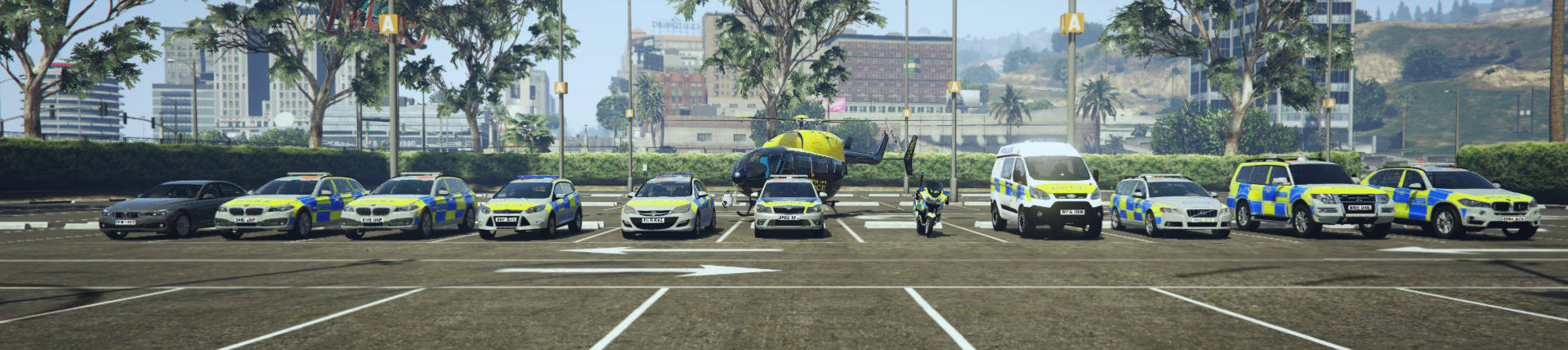
    These models are REALLY nice, i love the lighting setup and the alprs, also good job on the textures Providence they look dope! .
  6. Ben Butler     Performed a traffic stop on a Dark Silver Huntley S with registration 23BZJ174 in Strawberry, Macdonald St
  7. Ben Butler     Performed a traffic stop on a Black Dukes with registration 08FTA943 in Strawberry, Strawberry Ave
  8. Ben Butler     Performed a traffic stop on a Black Felon with registration 81TEN594 in Pillbox Hill, Vespucci Blvd
  9. Ben Butler     Performed a traffic stop on a Util Silver Benson with registration 03MMD148 in Rancho, Roy Lowenstein Blvd
  10. Ben Butler     Performed a traffic stop on a Graphite Black Zentorno with registration 26NME154 in El Burro Heights, Elysian Fields Fwy
  11. Ben Butler     Performed a traffic stop on a Graphite Black Zentorno with registration 26NME154 in El Burro Heights, Elysian Fields Fwy
  12. Ben Butler     Responded to a OwnerWanted in Cypress Flats, Elysian Fields Fwy
  13. Ben Butler     Performed a traffic stop on a Steel Gray Coquette with registration 83VDP414 in Little Seoul, Del Perro Fwy
  14. Ben Butler     Responded to a OwnerWanted in Rockford Hills, Eastbourne Way
  15. Ben Butler     Performed a traffic stop on a Black Baller with registration 04ITJ578 in Pillbox Hill, San Andreas Ave
  16. Ben Butler     Responded to a Driver Under The Influence in Rockford Hills, Dorset Dr
  17. Ben Butler     Performed a traffic stop on a Matte Orange Feltzer with registration 46EEK572 in Rockford Hills, Movie Star Way
  18. Ben Butler     Performed a traffic stop on a Black Schwartzer with registration 86PLH057 in Rockford Hills, Eastbourne Way
  19. Ben Butler     Performed a traffic stop on a Black Schwartzer with registration 86PLH057 in Rockford Hills, Eastbourne Way
  20. Ben Butler     Responded to a Pursuit in Rockford Hills, Rockford Dr
  21. Benji22 changed their profile photo
  22. Because i updated to 0.4.1 without realizing that "scripters" needed to update there scripts for 0.4.1 .
  23. Again, thanks for this, but as i said before it's not 0.3.1 i'm after it's 0.4.0 .
  24. Thanks for this, Although it's not 0.3.1 i'm after it's 0.4.0 .
  25. I would really like previous version's of LSPDFR to download.
  26. My favorite thing is how it shows that you're patroling on discord.
  27. http://www.dev-c.com/gtav/scripthookv/
  28. Maybe a lore friendly Santa Cruz skin pack? I really love the look of them!
  29.    pulma35 reacted to a review on a file: Los Santos Regional Police Pack [ELS]
    I have been looking for a nice looking coroner skin to "spice up" my game for a while. Looks really good, can't wait to see more from you in the future! 🚨
  30.    Jedahdiah reacted to a review on a file: Los Santos Regional Police Pack [ELS]
    These vehicles are REALLY nicely done! I really like the lighting setup on them! Big fan of the all white traffic services textures, great job! 🚨

Account

Navigation

Search

Search

Configure browser push notifications

Chrome (Android)
  1. Tap the lock icon next to the address bar.
  2. Tap Permissions → Notifications.
  3. Adjust your preference.
Chrome (Desktop)
  1. Click the padlock icon in the address bar.
  2. Select Site settings.
  3. Find Notifications and adjust your preference.