


Reddington
Members
-
Joined
Everything posted by Reddington
-
It won't say vanilla. Vanilla just means it came with the game and hasn't been edited. What I mean is, in the mods folder you'd go to a specific path to place the vehicles. In the vanilla updates folder, go to the same path, which is the dlcpacks list and look through the patchdays for the vehicle files you need. You'd then extract the vehicle files to your desktop, go to the latest patchday in your mods folder, and drag the files into there.
-
If you used a mods folder, you can go back into the vanilla update.rpf and get the vanilla police models.
-
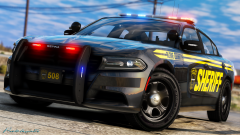 I am your commander.
 -
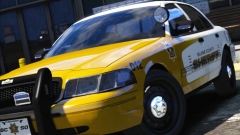 I'm obsessed with this texture now. I absolutely love it.
 -
You're welcome. :)
-
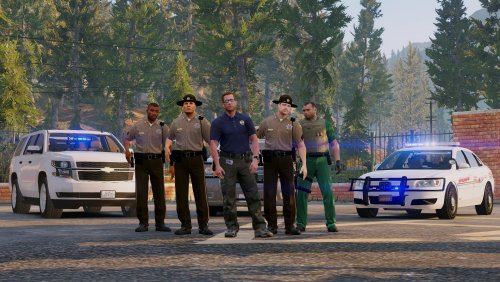 @ThePatrioticGamer For the future, any chance of adding a taser on the utility belt?
- 16 comments
- 2 reviews
-
-

- 1
-
-
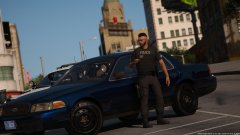 Officer Mohawk.
 -
In the visualsettings.dat, look for: car.defaultlight.day.emissive.on car.defaultlight.night.emissive.on Change their percentages to car.defaultlight.day.emissive.on 6000.00 car.defaultlight.night.emissive.on 1500.00 Save, and re add to OIV.
-
You're welcome. :) In the visualsettings, find these lines: car.defaultlight.day.emissive.on 2100.00 car.defaultlight.night.emissive.on 1750.00 Change to car.defaultlight.day.emissive.on 5000.00 car.defaultlight.night.emissive.on 1500.00 Remember to add the visualsettings.dat back into OpenIV after editing.
-
Please attach your visualsettings.dat to your next post and I'll have a look.
-
Pause the game and go into GTA V settings. Make sure PostFx, Shader, and Shadows are all on high or above.
-
In your GTA V settings, make sure PostFx, Shader, and shadows are all on high or above.
-
-
I swear I'll have Will temp ban you if this happens. :P 'Cause you know those people will FLOOD the LSPDFR support section before they flood this topic.
-
This is what happens when you eat the last donut. Side note, this happened to a Police Youtuber. He was in the back showing it off and his wife locked him in.
-
ELS is not supposed to be in the launcher. ELS will automatically load when you go in game.
-
You're welcome. :)
-
Hi there, Add-on cars are not supposed to be shown in the police garage. Only police, police2, police3, police4. policet, riot, fbi, fbi2, sheriff, sheriff2, policeb, and the North Yankton vehicles. The best/quickest way for getting the vehicles is this mod, which I absolutely love. https://www.gta5-mods.com/scripts/add-on-vehicle-spawner
-
This is Bay Area Bugg's video, but I wanted to share it due to how amazing the helicopter camera POV is. Major props to Buggs on his callouts, and Jeff on his flying. They're a good duo. http://youtube.com/watch?v=4RPAp4ea1FE Embedding is disabled on his vid.
-
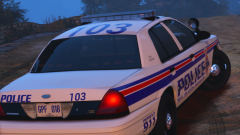 That looks really, really good. I love how you mixed the blue, white and red.
 -
You're welcome. :)
-
Are you using a mods folder? Also, when in game, pause the game and go to your GTA settings. Make sure PostFX, Shaders, and shadows are on high or above.
-
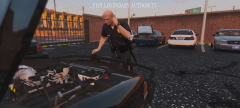 Your sergeant will be hearing from me. :P
 -
We had reports of CVPIs being stolen from the Downtown station. Now we know where they went.
-
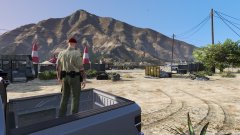
From the album: Red's LSPDFR chaos

