


Reddington
Members
-
Joined
Everything posted by Reddington
-
Redistributing of game files is not allowed. Your only option is to wait for the mod updates. If you feel this topic has been closed in error, please report this post.
-
Redistributing game files is prohibited. Your only option is to wait for the mods to update. If you feel this topic has been closed in error, please report this post.
-
-
You can either have two GTA directories, one for modded and one for GTA Online/vanilla, or you can just remove the dinput file from your GTA directory. (but move it somewhere such as your desktop where you'll still have it)
-
That sounds like it might be more with the model. Just to verify, take a working vehicle meta line, say from the POLICE slot, and replace over the slot you're trying to use the Tahoe in. Rename that line to your Tahoe. Now try spawning the vehicle. If it still crashes - assuming you're using an added carvariations line - that might be the cause. Try removing that as well.
-
If I read right, you made your own vehicles.meta and carvariations for the Tahoe, correct? Have you tried using a vanilla (game based) vehicles.meta? The carvariations are hard coded into the game and don't need to be changed unless the vehicle specifically calls for it.
-
Where are you installing the add-on vehicles to?
-
You're welcome, good luck. :)
-
Paperwork Plus has been one of my favorite mods in terms of roleplay. I do admit that it got a bit tedious trying to fill everything out after an entire play session. Recording my gameplay helped, but for things such as time of arrest, it was a tad bit more difficult. I'm really looking forward to the future of this project and seeing where it goes. Per the game integration, I give you props if you somehow figure a way to integrate it. That seems like a daunting task. What about those of us that had an account already? Will those be deleted, or merged into Paperwork++?
-
What vehicle is it you're trying to use?
-
Did you paste a park ranger meta anywhere else? and are you using the mods folder?
-
 Thanks. It's not too big of a deal, I'll just have to exclusively use it during the night.
- 89 comments
- 63 reviews
-
I don't think there's an alternative right now. You can try posting on the ELS file comments, but your only option may be to just have the controller enabled, or deal with q being an ELS button. Are you able to change the tint via trainer?
-
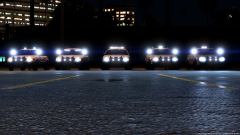 Takedowns are the best.
 -
@BradM I'm having the same problem with this pack as your LSPD. The clear glass texture for the LSPD pack fixed my issue, but not in this case. Since this pack came default with clear glass, I tried the red/blue option and had the same result. bradmlowli.mp4
- 89 comments
- 63 reviews
-
1) I'm not entirely sure about this, or why it does that. I imagine it might be a feature of ELS. Your best option would be to activate scroll lock, which will disable ELS keyboard keybinds. 2) The diffusetint should work flawlessly, as I also had to do this. Make sure you're putting the edited vehicles.meta back into the same spot you got it from, and that you're enabling edit mode when doing so.
-
Your best bet is to wait and see in this topic, as well as checking out the file comments for ELS. The creator of ELS does not offer any support, though. The support you'll receive will be from other regular players such as you and me.
-
This topic has been moved to the appropriate forum. Please post in the correct location in the future.
-
Please check this topic on backing your game up.
-
Yep! You can lower them to what you prefer. :) When you say the orangey light, you mean the orangey flash it produces? I'm not too sure on that. I honestly haven't paid enough attention to my game to really notice if it's normal or not.
-
They don't, but I rarely request code 2 backup via "b", I request it via Computer+, which is probably why they don't show up. :P Them no longer showing up with lights is definitely ELS related. Not too sure why, though.
-
car.defaultlight.emissives.on. There will be a day and night option. You can just search "car.default" and you should be taken right to it.
-
I guess this is personal preference, but your day and night emissives are both quite low. My day is 6000.00 and night is 1500.00
-
Alright. If you can humor me, please, attach your visualsettings.dat.
-
For BradM's LSPD pack, I had the same problem. This was fixed by using his clear glass option he provides in the downloads.

.thumb.png.debb2e8fd42b234303e9e2473fb894e8.png)

