


Reddington
Members
-
Joined
Everything posted by Reddington
-
In the ELS config, make sure ELSactiveonai is true.
-
Glad you got it. :)
-
What steps have you taken thus far? You go to the Rage website and download 0.57...then what?
-
What version of Rage are you using? This topic has been moved to the appropriate forum. Please post in the correct location in the future.
-
Honestly, at this point, if you can go on duty via the console, you can also spawn your cars via the console. I'm not sure why LSPDFR would be broken now if you updated ScriptHook like I said.
-
Are you able to go on duty via F4? Press F4 and type "forceduty"
-
Alright, please uninstall ScriptHookV and redownload it from the website. http://www.dev-c.com/gtav/scripthookv
-
Does GTA V launch if you launch via GTA5.exe or Steam?
-
In OpenIV, go to mods-->update. Once in there, click "edit mode". If you're prompted to update, do it. If you're not prompted, go back to main directory in OpenIV-->mods-->update. Now right click on update.rpf and delete it. Next, go back to the main directory and go into update-->update.rpf. Again, make sure you're in edit mode. You should be prompted to create this path in the mods folder.
-
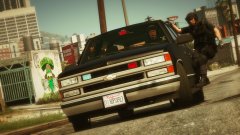 This looks bad ass! I can hardly wait. Is it black only, or will we have the option to change its color?
 -
Did you update the update.rpf in your mods folder?
-
You're most welcome! :)
-
What did you do? I mean list the actions you took.
-
Try doing this for me, please, and see if it fixes your problem. In OpenIV, go to ASI Manager and uninstall ASI Loader and OpenIV.ASI and then click install again to reinstall them. Next, restart your PC, and try loading into the game again and see if that works. If it still not working, please post the ASI log and ELS log files.
-
For ELS, the vehicle files go in the same way they would normally. The only difference is that ELS vehicles come with a VCF XML. This files go into GTA V main directory-->ELS-->pack_default. Also, the VCF goes in by the normal drag and drop method, you don't need to use OpenIV to install it.
-
Can you please link to the vehicles you're trying to use just so we can confirm? :)
-
Hi there. ELS will not function properly on any vehicles made prior to ELS's release. You can configure the VCF to work with non-ELS cars, but they won't have the same functionality in terms of light patterns, secondaries only, etc. If the vehicle is an ELS model, it'll either have ELS in the title, or say "ELS" or "Non ELS" under the file information tab.You're most welcome!I believe he means any news on ELS updating, could be wrong.Both of these have a terrorist attack callout.To my immediate knowledge there isn't another SWAT based callout pack currently. I believe the one you're referring to is the only one available. This topic has been moved to the appropriate forum. Please post in the correct location in the future.You're most welcome! :)Indeed! :)I believe patchday15. not entirely sure as I'm on an outdated game version. Whichever patchday is the highest number. :)


