


Reddington
Members
-
Joined
Everything posted by Reddington
-
Hi there. You are correct, you both have different issues, which is why I split your post into its own thread. In the future, it's best to create your own topic. :) Try this for me: In OpenIV, go to ASI Manager and uninstall ASI Loader and OpenIV.ASI and then click install again to reinstall them. Next, restart your PC, and try loading into the game again and see if that works. If it still not working, please post the ASI log and ELS log files.
-
 I'll pay you for doing it. :P
 -
Nope. Can you attach the ELS text document that is in the main directory, please?
-
Do you have advancedhookv.dll in the main GTA V directory? Your topic has been moved to GTA V Support, this is not LSPDFR related. Please post in the correct location in the future.
-
PLEASE tell me this is going to be an unmarked minivan!
-
Sometimes people just don't respond, and they aren't obligated to. Doesn't necessarily mean anything happened to them.
-
I promise you it's not a virus. I've used it. Try removing ScriptHookV.
-
-
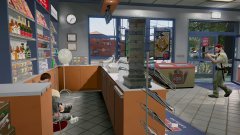 Nope, lol. In the screenshot before this I was behind a car trying to get an angle. Took it when I got it. :P
 -
Make sure both have a carvariations with sirensetting set to at least 1.
-
Then it might be a problem in the carvariations. Can you link to the vehicle in question that isn't working?
-
It can still use a VCF, you just need to edit the VCF properly. For the non-ELS vehicle, please try this VCF. Just rename it to the same thing as your vehicle. VCF for non ELS.xml
-
In the VCF, make sure light stages is set to auto.
-
From the album: Red's LSPDFR chaos
-
From the album: Red's LSPDFR chaos
-
From the album: Red's LSPDFR chaos
-
 As I said before, I am VERY excited for this, as we are long overdue for a first responder jeep! What's even better is that this can be used for unmarked and slicktop patrols, and as someone who loves to be able to switch things up, this is a must-have. The only bugs I found are the ones listed already, but none of them were ones that really hurt the vehicle. I normally am a truck guy, but if we get a good sheriff skin for this, I will switch my sheriff2 in a heart beat! Amazing work Torzzz, and thank you!
- 85 comments
- 40 reviews
-
-

- 4
-
-
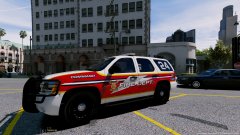 They're stupid if they don't want to use it. It's very sexy. Kinda curious, even if they did want to use it, why not still release it? If it has specific call signs for that server I get it, but why not remove that and make a public version?
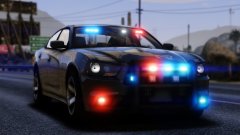 Those are sexy, but DAMN that Charger and the truck.
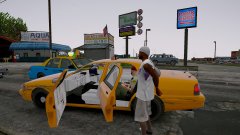 For a second he got excited that he'd get to drive. Hell naw, not my Taxi!Y u always lyin.It is a bug that the normal on foot stop/arrest feature stops working, but you can aim your weapon at them and arrest them. That has always worked flawless for me. If you're saying that you do it this way and they still don't listen, that's an issue with your game. It works 100% of the time when aiming my weapon and trying to arrest.Cars don't require a carvariations to spawn or drive, but they do need one to function properly. I have no idea if this is the same for add-on helicopters, as I've never installed one.Hi there, Do me a favor, please. Verify that the vehicle files are in the vehicles.rpf, and double check the vehicles.meta and the carvariations just to be sure the names are all accurate.

