


Reddington
Members
-
Joined
Everything posted by Reddington
-
As stated already, your best bet is to contact the DMV. You're going to get a hundred different answers here and none of them could be right, as things vary on the state and country. Just a huge disclaimer, none of us are legal professionals and cannot provide you with concrete information. This topic has been moved to the appropriate forum. Please post in the correct location in the future.
-
If you're just trying to give the vehicle sound, all you need to do is give it an audionamehash. In the vehicles.meta, look for <audioNameHash /> Change that to: <audioNameHash>police</audioNameHash> You can change it from police, police2, police3, fbi, fbi2, sheriff, sheriff2. This topic has been moved to the appropriate forum. Please post in the correct location in the future.
-
That's fine for you to think that, but please don't advise folks against using them. While technical people won't go to stupid sites that might have viruses, there are still plenty of those who aren't computer literate and have no idea about what a virus even is. (note: this is not a moderator request, a personal one) Getting back to what the OP posted, you're fine and dandy to install LSPDFR. If the anti-virus is blocking it, add as an exception.
-
You're welcome.
-
Advising they remove their antivirus, even temporarily, isn't smart advice. Adding as an exception will solve the problem.
-
This is not allowed. I'm sorry, but you'll just have to be patient. Gonna go ahead and close this now. If you feel this topic has been closed in error, please report this post.
-
This topic has been moved to the appropriate forum. Please post in the correct location in the future.
-
Yes, their website is down. If you go to their site now it says they'll be back.
-
Their website is currently offline. It'll be back up at some point. If you feel this topic has been closed in error, please report this post.
-
Are you able to load via Steam/GTA 5.exe?
-
It's Simple Trainer, to be precise. You can either disable keybindings completely, or go into the INI and disable this particular keybinding.
-
MODERATOR NOTICE: I have split your post into its own thread. In the future, please don't hijack other user's threads. Your best bet is to go onto the RDE Discord and ask. There's been a few years who have RDE with issues.
-
If you go into the VCF for the models, look under "sounds". He most likely disabled the other tones. You can enable them by changing AllowUse="false" to AllowUse="true".
-
This would indicate an issue with your game. Try verifying integrity of game cache.
-
Launching normal GTA shouldn't bring up a crash report. Launch via Steam or the GTA5.exe.
-
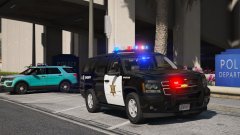 The new lights are hawt. I personally think it looks much better with the red and blue on either side of the TA. That way, if you decide not to have it on, you still get the rear lighting.
 -
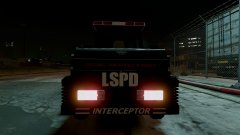
From the album: Red's LSPDFR chaos
-
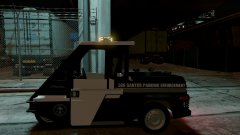
From the album: Red's LSPDFR chaos
-
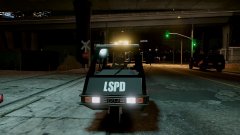
From the album: Red's LSPDFR chaos
-
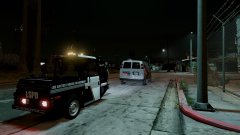
From the album: Red's LSPDFR chaos
-
Are you able to launch the game normally? I mean via Steam or via the GTA5.exe?
-
Hi there, Unfortunately, there is not. LSPDFR is a single player modification only.
-
This topic has been moved to the appropriate forum. Please post in the correct location in the future.
-
I don't use ENT, so I'm unfamiliar with its format, but it should have options for the bodyguards. If not, try using Simple Trainer - https://www.gta5-mods.com/scripts/simple-trainer-for-gtav That one for sure has the option.I have no idea about the others. For the vehicle spawning chrome, that sounds like a carvariation issue.
-
The bodyguard issue can be fixed by going into the bodyguard task menu and setting their task to "look at player", and set for all. This sometimes doesn't work, though. This topic has been moved to the appropriate forum. Please post in the correct location in the future.


