


Reddington
Members
-
Joined
Everything posted by Reddington
-
Yes, Gump's K9 pack does support ELS. So you did install the ELS mod, right? This topic has been moved to the appropriate forum. Please post in the correct location in the future.Are you absolutely positive you understand what I'm saying to do? 'Cause the error you're getting, along with the "fatal error", are evidence of that option being selected.You don't have to, nor should you edit anything with interiors unless you go in game and find a problem. I rarely ever edit interiors.You can increase brightness in the visualsettings.dat. Check the pinned GTA V FAQs.If only the girl I was after said that as well. :P Ha ha, you're welcome. :)Open Rage's settings and uncheck "enable counter measures against online vehicles being removed in single player".Does it pause the game, or nothing at all? This topic has been moved to the appropriate forum. Please post in the correct location in the future.Yeah, there are a few videos out there. I don't know of any off the top of my head, though.Check the GTA V FAQs at the top of this forum, it'll solve your problem. ' Read what I said above, but in the future, please create your own topic or just watch the topic to see if a solution is posted. We don't allow thread hijacking. This topic has been moved to the appropriate forum. Please post in the correct location in the future.You're welcome, good luck!If I'm understanding, you can no longer turn on your lights then blip the vehicle, right?You're welcome, good luck!Yes you do, however I believe GTA/Rage will warn you or just not let you. I could be wrong, as I've never tried. You can remove "dinput8" from your directory and then go into GTA Online. Just remember to keep dinput8 somewhere you can get it again.Check the pinned FAQs in this forum. They address this issue.It's fine to reply and give your opinion on said suggestion, but try not to belittle members for being excited and wanting certain features I've hidden a few of you replies in this thread already.The only thing I can think of is either a user error along the way, or something is still overriding the mods folder. Everything else sounds like it's set up for vehicles to be replaced and work properly.In OpenIV, go to ASI Manager and uninstall ASI Loader and OpenIV.ASI and then click install again to reinstall them. Next, restart your PC, and try loading into the game again and see if that works. If it still not working after that, please create a topic and post the ASI log and ELS log files. Your topic has been moved to GTA V Support, this is not LSPDFR related. Please post in the correct location in the future.
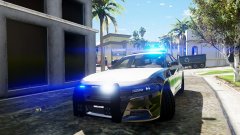
From the album: Red's LSPDFR chaos
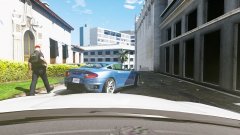
From the album: Red's LSPDFR chaos
Click "Edit mode" in OpenIV. Double click the .ytd to open it. Drag and drop the buenolights2, or other images you want into the opened window. They should replace. Then click "save" at the bottom when finished.You're welcome!That is really, really strange. I've never had problems getting vehicles replaced. Do any mods from your mods folder work?This topic has been moved to the appropriate forum. Please post in the correct location in the future.



