


Reddington
Members
-
Joined
Everything posted by Reddington
-
Albo1125.common is not a plugin you load. That file should be in the main GTA V directory.
-
I'm honestly not sure exactly what it is, as I don't make vehicles myself. I've noticed, though, that some lights on some cars just look very poor even on my settings, and normally everything is beautiful. It might just be a model issue or the way they made it. The VCF doesn't really control brightness, it just controls which patterns you use, siren and environmental lighting. For the visualsettings - In OpenIV - mods-->update-->update-->common-->data.
-
You can go into the visualsettings and increase the brightness for his LSPD pack, but this will not work with his BCSO pack. The lights on those cars are just sucky, and there's nothing we can do.
-
Which pack of his are you trying to use? 'Cause the only pack of his that has good lights is the LSPD pack. The others really kinda suck. Your topic has been moved to GTA V Support, this is not LSPDFR related. Please post in the correct location in the future.
-
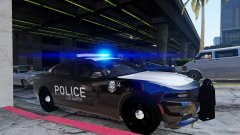
From the album: Red's LSPDFR chaos
-
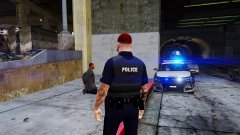
From the album: Red's LSPDFR chaos
-
Don't use patchday3 for your vehicles, use patchday17, or whatever the newest is.
-
Try verifying integrity of game cache.
-
Hi there, Please go through the steps. What do you do to install the texture? Your topic has been moved to GTA V Support, this is not LSPDFR related. Please post in the correct location in the future.
-
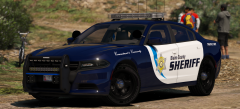 I'd be perfectly happy with just the two, but I wouldn't complain if there was more. The vehicles look so good!
 -
Ha ha, good luck! Unfortunately I do not, but I imagine soon ™ .
-
I didn't play LCPDFR, so I have no idea about that, but isn't that the same as them fleeing/running from the police?
-
You're welcome. :)
-
At this point, it's the best guess we have. The vanilla patchdays could still be overriding the mods folder.
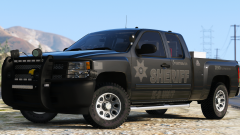
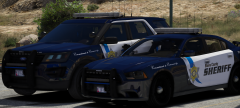 I can't get over how sexy that texture is. I may just have to replace my Sheriff cars. Goddamn you!
 I think we've had about enough of that, take your feud elsewhere. Chappie, don't reply on his images again, Getinmybelly, next time report his post and we'll handle it.Do me a favor, please, and add all the patchdays to your mods folder. I think that might be the problem.Always use the newest, older ones don't work. How is your mods folder set up? Do you have an x64e with police2?You'd need search script/mod for that. Albo's mods don't have that. Check my how-to topic, it tells you where the standaone vehicles need to be installed at. A dlc like mpchristmas2, don't use the patchday for standalone cars.Just to clarify, which patchday are you using?In the future, please check the FAQs first as this is the second issue I address in it -Your topic has been moved to GTA V Support, this is not LSPDFR related. Please post in the correct location in the future.You'd need to into the INI/config for Police Smart Radio and change the keybinding. Unfortunately, you can't change ELS controls on controller.This topic has been moved to the appropriate forum. Please post in the correct location in the future.




