


Reddington
Members
-
Joined
Everything posted by Reddington
-
This topic has been moved to the appropriate forum. Please post in the correct location in the future.
-
 Alright little monsters, that's enough. Lets remember that authors can make their mods however they please, that is the beauty of it. If you don't like something about someone's mod, you are welcome to go and use a different one.
- 21 comments
- 35 reviews
-
-

- 6
-
-
Your topic has been moved to GTA V Support, this is not LSPDFR related. Please post in the correct location in the future.
-
This topic has been moved to the appropriate forum. Please post in the correct location in the future.
-
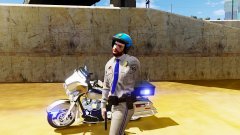
From the album: Red's LSPDFR chaos
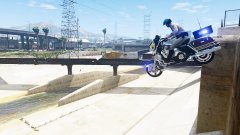
From the album: Red's LSPDFR chaos
ELS nor too many cars would not result in crashes when forcing duty. Please attach the RagePluginHook txt document.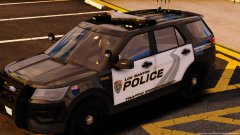 Oh? I thought these were new cars, must just be a texture. :P
Great, more nice shit that I have to try and choose between. Glad to see the Valor making a return. Haven't seen that on a model in forever.Your topic has been moved to GTA V Support, this is not LSPDFR related. Please post in the correct location in the future.Ha ha, you're welcome.Please clarify "the rest of the lights are bright". What lights?Don't have the ELS console open and it won't change them. Go into the VCF XML for the car, find the lighting that you want, and change its number to scan. Here's an example: <PRML LightingFormat="leds" ExtrasActiveAtLstg2="1and3" > <PresetPatterns> <Lstg2 Enabled="true" Pattern="SCAN" /> <Lstg3 Enabled="true" Pattern="25" /> </PresetPatterns> The "scan" can be in all caps or lowercase, it doesn't matter.Check my FAQs, keyword search sheriff2 Your topic has been moved to GTA V Support, this is not LSPDFR related. Please post in the correct location in the future. Locking since the user chose to create a second topic for this issue.Hi Matt, In the future, please look where you post. "Vehicle modification showroom" is not for support. If I'm understanding right, if you wanted to replace the modded files you added, it won't let you? This topic has been moved to the appropriate forum. Please post in the correct location in the future.
Oh? I thought these were new cars, must just be a texture. :P
Great, more nice shit that I have to try and choose between. Glad to see the Valor making a return. Haven't seen that on a model in forever.Your topic has been moved to GTA V Support, this is not LSPDFR related. Please post in the correct location in the future.Ha ha, you're welcome.Please clarify "the rest of the lights are bright". What lights?Don't have the ELS console open and it won't change them. Go into the VCF XML for the car, find the lighting that you want, and change its number to scan. Here's an example: <PRML LightingFormat="leds" ExtrasActiveAtLstg2="1and3" > <PresetPatterns> <Lstg2 Enabled="true" Pattern="SCAN" /> <Lstg3 Enabled="true" Pattern="25" /> </PresetPatterns> The "scan" can be in all caps or lowercase, it doesn't matter.Check my FAQs, keyword search sheriff2 Your topic has been moved to GTA V Support, this is not LSPDFR related. Please post in the correct location in the future. Locking since the user chose to create a second topic for this issue.Hi Matt, In the future, please look where you post. "Vehicle modification showroom" is not for support. If I'm understanding right, if you wanted to replace the modded files you added, it won't let you? This topic has been moved to the appropriate forum. Please post in the correct location in the future.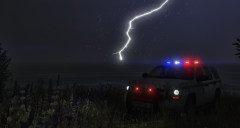 Something tells me he'll do it with or without encouragement. Gotta give him props when it's due. :D
*Golf claps*This topic has been moved to the appropriate forum. Please post in the correct location in the future.You're welcome.If it's a vehicle texture, open the .ytd for the car and replace that vehicles texture. Usually it'll be blank_sign_1 Blank could either be cvpi_sign_1, tahoe_sign_1, etc.I've gone ahead and changed it for you. :)
Something tells me he'll do it with or without encouragement. Gotta give him props when it's due. :D
*Golf claps*This topic has been moved to the appropriate forum. Please post in the correct location in the future.You're welcome.If it's a vehicle texture, open the .ytd for the car and replace that vehicles texture. Usually it'll be blank_sign_1 Blank could either be cvpi_sign_1, tahoe_sign_1, etc.I've gone ahead and changed it for you. :)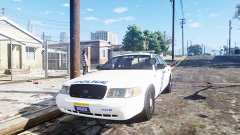 Yep, it was time for a change. :P
From the album: Red's LSPDFR chaos
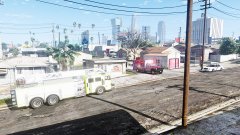
From the album: Red's LSPDFR chaos



