


Reddington
Members
-
Joined
Everything posted by Reddington
-
That is a pretty big possibility, but I honestly can't say for sure. Your options are to open that file's download, follow the path and revert all files manually, or remake your mods folder.
-
There aren't any in the scripts folder? To my knowledge, none of those can cause that. Although enablempcars I've never used. Try removing that. Also, what's LUA.asi?
-
This topic has been moved to the appropriate forum. Please post in the correct location in the future.
-
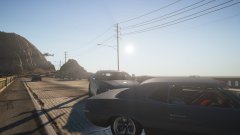
From the album: Red's LSPDFR chaos
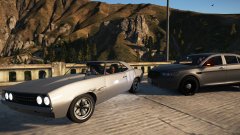
From the album: Red's LSPDFR chaos
Unfortunately, I'm not sure. I use NVR myself, but don't have this issue. I would reinstall NVR and only NVR. Leave VisualV out.To my knowledge, that is the only dedicated SWAT callout pack.Rename your mods folder to _mods Now go in game. Does it still happen? If no, then you installed something incorrectly when adding NVR, VisualV, or something else relating to police lights.Regarding automatic installs, at least for plugins, installing and removing them is very, very simple. I personally would rather people do it themselves instead of taking the easy way with auto installers. That way they get used to how to install it and aren't constantly coming and asking us for help in the event of a flub up.Offering payments to users is against our guidelines. Please don't do it again. Does it happen on all police vehicles? This topic has been moved to the appropriate forum. Please post in the correct location in the future.You can't remap controller buttons. The control section is for keyboard.Modded GTA works on PC only. So yes, if you bought it for PC, it'd work fine.The error is right there. Go to the location and see if it's there. If not, put it there.Open the ELS INI and look for "ELSTrafCTRL", set to false.Looking at your ELS log, some VCFs have an error (example: "PolicetT", you need to remove the extra capital T, and most others say invalid model), but other than that, everything looks to be working. Are you clicking J three times to get to stage 3 lights? and are you trying multiple vehicles? Sheriff and Sheriff 2, for example, both look fine.The no audio means that the vehicles.awc/vehicles folder exceeds the allocated size, so everything is muted. Try one of GravelRoadCop's sirens from Modern Sirens Pack.If this is happening even with the mods folder disabled, it hints that the issue may be with your vanilla game. However, what all scripts do you have? I don't mean plugins, I mean .asi scripts and scripts in your scripts folder.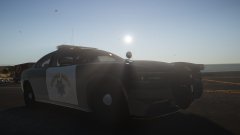
From the album: Red's LSPDFR chaos
Look at my text tutorial regarding this. It's a pinned topic in this section. This topic has been moved to the appropriate forum. Please post in the correct location in the future.Couple things I want to note here. 1) The game is perfectly playable without Albo's mods, they are not a requirement for LSPDFR. 2) Staff do not play middle man for mod authors and the community. If the authors want to speak with the community, they can use their file comments, PM system, and/or Discord, which Albo has. I advise talking to him there. 3) I'm on 1.0.1365.1, and get the same message in my log, but his mods work just fine and don't cause me any crashes. I'm willing to bet the crashes people having is related to something else. I'm going to go ahead and close this topic. If you need or want help solving those crashes, please create a new topic in the LSPDFR support section. If you feel this topic has been closed in error, please report this post.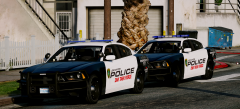 They look so good!Thank you for finding that, but there is a good chance it no longer works given that it was built for RPH .39.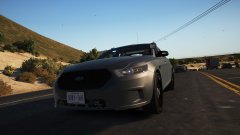
From the album: Red's LSPDFR chaos


