


Reddington
Members
-
Joined
Everything posted by Reddington
-
From the album: Red's LSPDFR chaos
-
From the album: Red's LSPDFR chaos
-
From the album: Off duty shenanigans
-
https://www.theguardian.com/world/2018/jun/27/mexico-police-slingshots-alvarado-veracruz?CMP=fb_us Why do I feel like they recently watched Dennis The Menace? lol The fact that the mayor himself handed them out brings tears to my eyes. I have to hand it to the police officers they pictured, those guys do not seem upset at all. In fact, they're kinda rocking the look. 😄 The cherry on top of all this:
-
Check the ELS setting again. That setting is the only portion of ELS that controls traffic.
-
You're welcome.
-
If the version of NativeUI you have is the most recent version, you're perfectly fine never installing it again unless the mod updates. Even if the mod you want to install comes with it, most likely it'll either have the same version you do, or an older one, in which case you wouldn't install it anyway.
-
Most files that require it and are up to date will have the latest version of the NativeUI. You can also get it from here - https://github.com/alexguirre/RAGENativeUI/releases
-
Yep, EUP menu works perfect for me.
-
I don't often get in a partner mood, so it has been a while since I looked, but just use the latest RageNativeUI, install Darkmyre's mod, and see if it works.
-
Yes, you download it the same. I believe Darkmyre includes install instructions. RageNativeUI goes in the main GTA directory.
-
This is the one I've always used - https://www.darkmyre.net/files/file/18-police-partner/
-
Open the ELS INI, find "ElsTrafCTRL", set to false.
-
This topic has been moved to the appropriate forum. Please post in the correct location in the future.
-
That won't make any difference. Pathcday18 is the newest patchday, therefore any replacement files which go there will override all others. Some of the cars might work in patchday3, but the newest patchday is what will guarantee vehicle replacement. @DeadmanPlays You're using NaturalVision Remastered, correct? Check my pinned GTA V facts, it'll be at the top of the actual FAQ list. This topic has been moved to the appropriate forum. Please post in the correct location in the future.
-
This topic has been moved to the appropriate forum. Please post in the correct location in the future.
-
From the album: Red's LSPDFR chaos
-
The location isn't a huge deal, as it's just the country, not the state For your name, just give them a fake, but real sounding name. Not like they're gonna background check it.
-
Assuming folks don't edit their title/rank, the forum does have default ranks that will change after a certain amount of posts. The ranks are really just titles, nothing more, and they don't have a huge impact on anything. They're more of a fun little option for members.
-
 I knoww, it sucks.
 -
-
 It was a small mistake on his part and can be ignored, he just meant the latest version of Rage.
- 338 comments
- 46 reviews
-
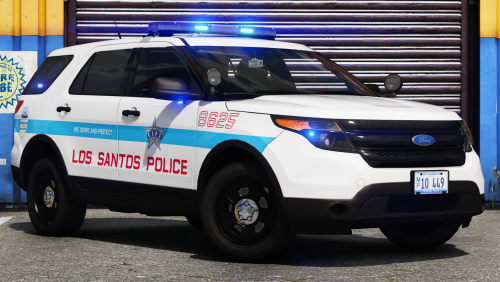 For 09-10 Chargers, police2 For 13+, buffalo2 I have a pinned topics in modding discussion and information about handling lines. 🙂
- 24 comments
- 3 reviews
-
-

- 1
-
-
baller is the Tahoe equivalent, so baller is for your Tahoes. Baller2 I'm not too sure of, as I've never actually used that vehicle and can't recall what it looks like. Baller handling has worked fine for my 2013 and 15 Tahoes.
- 24 comments
- 3 reviews
-
-
- 1
-
-
FPIU uses gresley handling, as the gresley is GTA's equivalent of an Explorer.
- 24 comments
- 3 reviews
-
-
- 1
-

