


Reddington
Members
-
Joined
Everything posted by Reddington
-
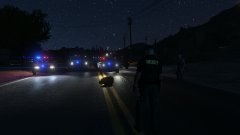
From the album: Red's LSPDFR chaos
-
To my knowledge, the only fuel mod is LeFix's - https://www.gta5-mods.com/scripts/lefix-simple-fuel I'm on the latest game version and it's still working. However, a Rockstar update is coming out in a week or two, so if the mod works for you and you want to keep using it, back up your game. After a while of not being updated, a lot of scripts stop working. It could still work with the new GTA version, but there's no way to know.
-
Check your .asi plugins and the scripts inside the scripts folder. My suggestion is remove your scripts folder temporarily, and then see if it happens. If it does, then it's one of the plugins in the main GTA directory. If it doesn't happen, one of your scripts is causing it.
-
Load into normal GTA V, no Rage. Does it still happen?
-
You may have another mod that's doing it. Double check all the INIs.
-
Sounds like the trainer keybinds are not disabled. Double check and make sure they are. This topic has been moved to the appropriate forum. Please post in the correct location in the future.
-
You should check your backup.xml. You can remove/add whatever vehicles you want to respond. If you want only Paleto Bay units, you can do that.
-
This is something a lot of vehicles deal with. There are some where dirt isn't an issue at all, and you can have a dirty car with properly functioning light textures.. The only fix is disabling dirt completely or deleting the dirt texture in the .ytd. In some cases, the vehicle may have a window dirt texture, which you can delete and that'll solve the issue while still letting the car be dirty.
-
The mod goes in plugins-->LSPDFR.
-
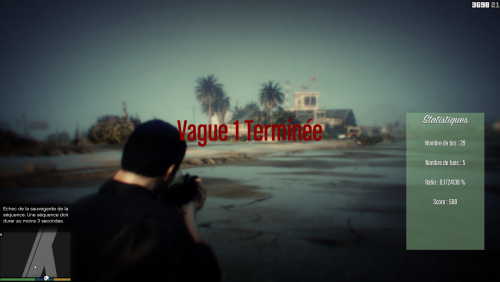 This is not the proper place to discuss this. If you wish to continue, please post in the forum feedback section. Otherwise, this mod is fine and will remain.
 -
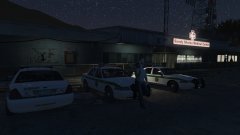
From the album: Red's LSPDFR chaos
-
Darkmyre has a pretty nice partner mod. https://www.darkmyre.net/files/file/18-police-partner/
-
Nope, it's just fine here. This community is not strictly police mods, we allow whatever.
-
You can check some Youtube tutorials by Jeff Favignano on how to install LSPDFR and get things going if you have issues, but for the most part, LSPDFR and Rage are a simple drag and drop.
-
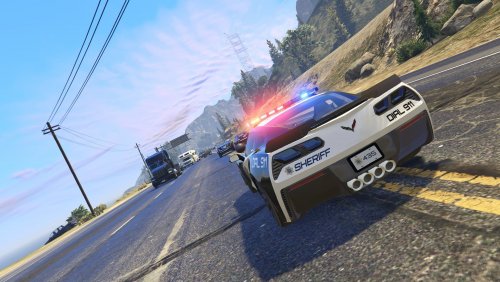 As much as I love all the cars, the Corvette wins it for me. You rarely see police Corvettes, and using the proper handling and audio really make it a beastly police vehicle. I had fun testing this pack, the bugs were minor things, some of them fixed quickly. Awesome job!
- 50 comments
- 15 reviews
-
-

- 1
-
-
I'd assume so, but I don't use RDE.
-
This topic has been moved to the appropriate forum. Please post in the correct location in the future.
-
From the album: Red's LSPDFR chaos
-
From the album: Red's LSPDFR chaos
-
From the album: Red's LSPDFR chaos
-
I'm still confused what you're talking about. There have been plenty of Rockstar updates and LSPDFR hasn't needed an update. It'll still work just fine. RPH is what will need to be updated.
-
 You know, this website thrives off being welcoming to everyone - the average user, the experience LSPDFR veteran, the brand new mod developer/etc. We allow users to show off work they have created, even if it has been uploaded before, or features the same things as another mod (strictly referring to callouts).
 -
By roleplays, do you mean LSPDFR or fivem? LSPDFR is single player only.
-
I want one in LSPDFR!
-
I can applaud him for his dedication. I truly am happy for officer's who really want to get shit bags like this off the streets, however, shooting from a moving vehicle at all is a no no. I am immediately reminded of this case. It easily could've been a story about how a bullet from the officer killed a child. - https://abcnews.go.com/US/year-girl-killed-stray-gunfire-inside-jersey-home/story?id=56644773

