unitedOrange66
Community Team
-
Joined
Everything posted by unitedOrange66
-
From what I heard it was moved behind a paywall on author's Patron. There are many other realistic LSSD/LASD vehicles on LSPDFR that are free.
-
Your topic has been moved to GTA V Support, this is not LSPDFR related. Please post in the correct location in the future.
-
This topic has been moved to the appropriate forum. Please post in the correct location in the future.
-
This topic has been moved to the appropriate forum. Please post in the correct location in the future.
-
Your topic has been moved to GTA V Support, this is not LSPDFR related. Please post in the correct location in the future.
-
This topic has been moved to the appropriate forum. Please post in the correct location in the future.
-
As far as I know QuantV and NVE use different shaders, and it is generally not recommended to combine two visual mods. The most reliable way to resolve this "issue" is by fine-tuning the visual effects from both graphic mods. I do not use NVE, but I know it has an in-game menu for tweaking visual effects; as for QuantV, you can edit all shader effects via reshade in-game menu. Your topic has been moved to GTA V Support, this is not LSPDFR related. Please post in the correct location in the future.
-
This topic has been moved to the appropriate forum. Please post in the correct location in the future.
-
Thank you for providing support on this five-month-old topic. It is generally against our forum guidelines to revive a "dead" topic where the last activity was made 30 days ago. However, since you have provided some useful information on this issue, I will leave your response here for future reference. In the future, it is recommended to reach out to the author directly via DM if you wish to provide support on an old topic.
-
It is against our forum rules to reply to a topic that is inactive for more than 30 days, because such topics are considered abandoned without follow-ups. Please reach out to the author directly by using our Direct Message feature on their profile to address your inquiries.
-
Your topic has been moved to GTA V Support, this is not LSPDFR related. Please post in the correct location in the future.
-
Sounds like a similar "issue" with siren mastery, but I'm not quite familiar with DLS. Applying my knowledge with siren mastery (since it's a siren-related issue), if there is an option to mute the siren, perhaps you can mute it first before turning your lights on. And when you return to your vehicle, the siren should remain muted. This topic has been moved to the appropriate forum. Please post in the correct location in the future.
-
This topic has been moved to the appropriate forum. Please post in the correct location in the future.
-
We are unable to provide older versions of LSPDFR or RPH. Please consider updating your game along with the necessary mods. If you feel this topic has been closed in error, please report this post.
-
 I like the idea of this plugin. Thank you for your hard work. I've been using Talkative Player(only) for a couple of days, along with other plugins and mods; however, there is a noticeable performance impact with Talkative Player running; there is constant micro stuttering, and the average FPS would drop by a small percentage regardless of player's location, weather condition, traffic density, or any other conditions that may effect FPS. Further, my PC is more than capable of running GTA with mods in 2K at 40-50 FPS. I did not add any other new plugins or performance-heavy mods before or after adding Talkative Player. I've come to this conclusion based on multiple LSPDFR gameplay sessions ranging from 40 minutes to an hour.
- 179 comments
- 4 reviews
-
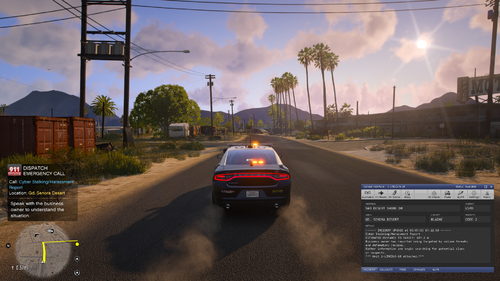 By any chance, are you planning to add independent callout audio for casual callouts? Also, I believe you accidentally included the previous version of casual callouts in the download. I just wanted to point that out since I've been using this callout pack since it was released.
- 70 comments
- 8 reviews
-
-

-

- 4
-
-
-
Your topic has been moved to GTA V Support, this is not LSPDFR related. Please post in the correct location in the future.
-
@KristianUK Create your own topic next time if you need modding support.
-
The LSPDFR support forum is for issues related to the functionality of the LSPDFR plugin itself, such as game crashes. The files inside the LSPDFR installation package are not "broken." You're likely having trouble with the installation of the mod. I'm moving this topic to the GTA V support forum. Your topic has been moved to GTA V Support, this is not LSPDFR related. Please post in the correct location in the future.
-
Your topic has been moved to GTA V Support, this is not LSPDFR related. Please post in the correct location in the future.
-
This topic has been moved to the appropriate forum. Please post in the correct location in the future.
-
This topic has been moved to the appropriate forum. Please post in the correct location in the future.
-
1. Make sure to install the AdvacedHook.dll on the ELS download page. 2. Make sure the XML files inside the ELS - pack_default folder match the vehicles' model names. This topic has been moved to the appropriate forum. Please post in the correct location in the future.
-