


Hullian111
Members
-
Joined
-
Last visited
Everything posted by Hullian111
-
 Correction: You got them mixed up. Change your title to imply this is a retexture, too. I was a little confused about how a retexture could ad a HD interior. You see, copy and pasting titles doesn't work well. And sweet Christ, make your banner smaller in the description.
 -
From the album: Operation - Ashahara
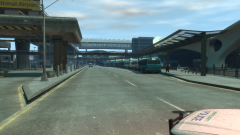
Friday had come, and also, so did the concertgoers. The buses in the Yellow Pick-Up Point were almost immediately packed as soon as the doors were opened, watched on by armed GLP and British Transport Police officers. Behind the sudden road closure, bus enthusiasts had the time of their lives photographing the buses at the pick-up point, some getting waves from the concertgoers on the bus, who were ready to embrace the first day of a big weekend.© Hullian111
-
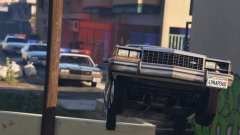 Only know you've flying* high when you're feeling low, Only hate the road when you're missing home, Only know you love her, when you let her go... *I always misheard that as 'flying' instead of 'feeling'.
 -
 Guess what? You just ate your vegetables, so (soon) COMES THE MEAT!
 -
 Eh, works for me.
 -
 Alright, you don't have to be an arse about it, could have at least corrected me.
- 6 comments
- 1 review
-
If someone doesn't make a Humberside Police retexture for this, I'll be extremely disappointed.
- 6 comments
- 1 review
-
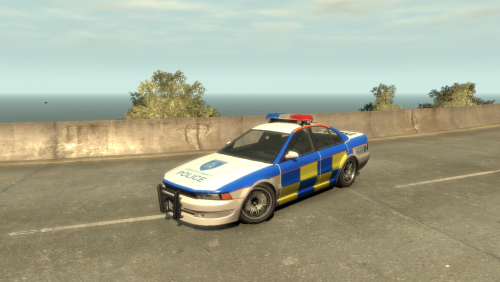 This is, by far, one of my favourite mods. And to think I once wrote this off as a failure back in April. However, the Vincent, after a year of lulling around in the Humberside Police, is back, and it's back with a vengeance - based off of the really-snazzy Thames Valley Police Vauxhall Senator, introducing, the Greater Liberty Motorway Police Maibatsu Vincent. This is Ekalb's Maibatsu Vincent (Non-ELS, the lightbar version, please), modified to give the appearance of a lore-friendly Thames Valley Police-based motorway interceptor. Using many reference images, I have made the texture as accurate as can be with the limitations GTA IV texturing has. There's a chance that the liveries may be slightly incorrect because of said limitations, and my skills, for example, I do think the front blue stripes on the pillars do stretch a bit too high, and the bottom is a pixel off, so if any problems or inaccuracies show, tell me. The original model is located here (much credit goes to @Ekalb for...again, you should know by now) and remember, don't redistribute it without my permission! Enjoy!
 -
From the album: Operation - Ashahara
And the night before the festivalgoers arrived, the police, ambulance services and security officers began to arrive in the park. They pulled up to the temporary car park, and following a briefing by the commanding officer, began to prepare themselves for a weekend of music, disorder, and sunburn.© Hullian111
-
 He does skins. Not cars.
 -
 Oh, now you've got The Killers in my head!
 -
From the album: Operation - Ashahara
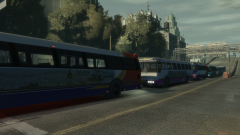
"Strange seeing Stagecoach in Liberty, eh?" Someone tweeted at the crack of dawn. Greater Liberty is a city run entirely by Arriva, who quickly snapped up the local bus company upon deregulation. However, Arriva heads realised immediately they needed help trying to micromanage both running the Park & Ride network alongside the rest of the public transport network. So they drafted in local Stagecoach and First companies in to cover most of the Park & Rides, with Arriva even sending out some regional spares. Upon mention of 'Park & Ride', the enthusiasts clamoured to the city in droves.© Hullian111
-
Hard to believe, yes, but the one thing that bugs me is that its a little too bright to be realistic. Or maybe it's just me being used to Hull weather.
-
From the album: Operation - Ashahara
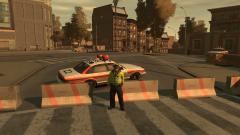
And once everyone was accounted for, the roads that did not fall under access points were closed off. It all began to take shape now - security points were beginning to pop up, checkpoints were being sorted out, and barriers were being erected. The Meadows Park area had effectively shut down. By now, the GLP were marking out their own cruisers to signify where they would be assigned. The three zones were put on as vinyls onto each car that was going to go work in the festival grounds, and each vehicle had their own little jurisdiction - Z1 took the north side, Z2 took the south side, while Z3 took the airport. Soon, the buses would be arriving. And soon, the people would be, too. (BTW, this is the first time I have used object spawning with the Simple Native Trainer. Tips on how to easily spawn and move objects would be greatly appreciated)© Hullian111
-
From the album: Operation - Ashahara
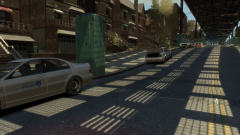
Once all of the stage and equipment had arrived, it was now up to the Greater Liberty Police to start clearing out homes in the secure zone. Sure, some of them were staying to help around in the festival, some even offering open houses after the grounds closed, but the majority didn't want to stay - they wanted to sleep at night. So the night after, the true beginning of Operation Ashahara began. GLP units combed the streets in the secure zone, politely asking that they start packing up and leaving in time for the weekend, and liasing with their supervisors about the progress made. It was essential that those without explicit permission would be off-site by the weekend - who knows what they could be doing there?© Hullian111
-
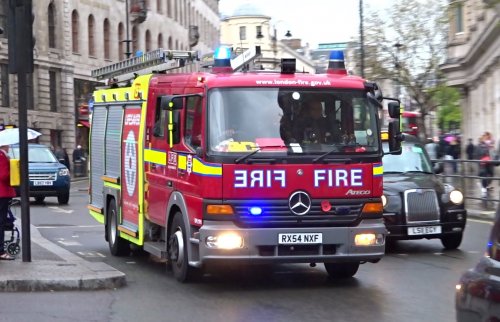 Nice mod, but the problem is, the horn appears to be a touch too long, which breaks it altogether.
- 3 comments
- 1 review
-
From the album: Operation - Ashahara
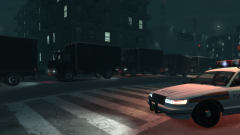
A week in advance, the trucks carrying bits and pieces of the stages and other festival equipment arrive in Meadows Park near midnight, forcing the GLP to close off the roads leading onto Livingston Street. But wait, you might ask, the crew entrance is just off the motorway. Well unfortunately, the snooty residents of Meadow Hills filed a complaint against the organiser about 'potential distruption' because of the trucks a few nights before they were legally obliged to leave their homes. This resulted in a logistical nightmare to get the 16-wheeler trucks into the park. After much negotiation over the course of three hours, slightly behind schedule, the trucks arrived in the park via an agreed route. And from then on, they got to work. (sorry about the distruption from earlier. I think we're finally sorted now)© Hullian111
-
From the album: Operation - Ashahara
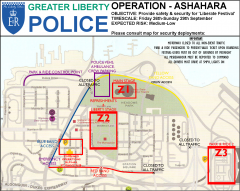
Sweet Christ, for the third time in a row, I think I've actually sorted it out now. One night in May, the heads of the city's emergency services went over details of how the event will be co-ordinated, security-wise. While the bands would be protected by typical event security, the Greater Liberty Police were also asked to provide security on-site between the three zones marked out on this here map. The 'Liberate Festival' was ticketed via a 'wristband' system. Festivalgoers would recieve tickets and wear wristbands that were either Red, Yellow or Blue. This indicated where they would enter on the park and ride buses on stops around the city - Zone 3, for example, is a pick-up point for international festivalgoers, those who had cars in the Dukes area, or those who had taken the elevated train to the airport pick-up zone. The Yellow entrance also provided access for crew members, allowing them to exit and enter Meadows Park quick and clean. The combined command area was the GLP station and Cerveza Heights hospital on Livingston Street. Some police would be stationed in the command room in the station, while paramedics and doctors would be on hand to assist those who had become sick or injured in some way. The purple square, however, was where most of the police cars and ambulances not in used would be stationed - Livingston Street was a Blue entry point, after all. Sounds complicated? I agree - this took an hour or so to arrange. But it's been on my mind for a little while - I know, I can't add the crowds properly, but I'll try and emulate that, and follow this plan in-game, if I can.© Hullian111
-
Did it again - this time, slipped up and uploaded into the GTA IV uncategorised section because I clicked on a gallery that was deleted. You've got a bit of a big to fix, there. Kallus did sort it out for me. In regards to that, sorry for any disruption caused. However, following that, not only hiding, but deleting images would have prevented that from happening. Don't want to cause any ire, but I'm really wanting to not do that again for the third time in a row.
-
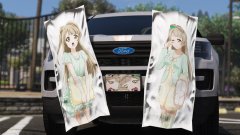 Guess who's back, back again. Kotori's back, tell a friend. (...Nyeeah, it doesn't roll off the tongue well.) Also do those pillows offer good lumbar support? My mattress hasn't been working so well...
 -
Incredibly-photogenic Thames Valley Police Discovery.
-
Ah man, didn't get here this year. But I did my first commemoration for college - I stood outside in a respectful place, and remained silent, bowed down, for two minutes. It wasn't the same as last year, but it's the second successful one in a row.
-
Just created a rather...unique gallery, to say the least. To make sure I didn't forget to make it tomorrow, I have made a plan of what I am going to do with it, and stuck the plan in the gallery. Now you may notice that it is not a GTA image at all in the GTA IV gallery. Why? It's because I am currently away from my computer for now, so I am unable to even make the screenshots until around about 9PM GMT. This puts me in an awkward situation - technically, I have been forced to break the guidlines. Although I'm not even sure about where the image would even go once I get the screenshots out - it still breaks the guidlines - I would suggest a means of hiding images or entire galleries, like the system of hiding mods, as to not make anyone question why I have such an empty gallery. It would also help when having to hide away an image, for example, that had really bad timing when uploaded. Just would like to see something like that happen. In no means do I want to intentionally break the rules - I hope hiding galleries and images can act as a compromise.
-
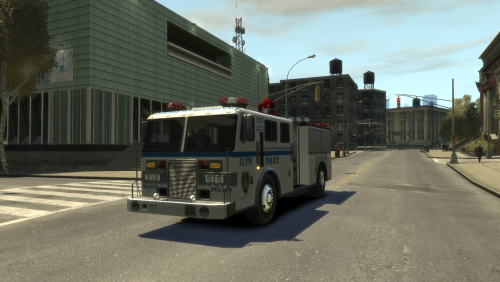 Looking at the water cannon textures - unfortunately, it appears that retexturing the cannon would be an absolute pain in the arse. Sorry, but it's likely that I won't be able to retexture it. I'm not that good, unfortunately. Just imagine it's an ex-FDLC truck, if you need to. Now I wouldn't condone the shady sites, but you can still download the texture, truck or not. @Yard1 did put out a mapped Fire Truck, but it is ELS, and had a lot of extra bits that I don't have on Lt. Caine's template, so I didn't take those into consideration. I'm, however, considering taking all of my Fire Truck retextures and giving them liveries based on Yard1's Fire Truck, in the near future. So here's that fire truck, speaking of. Sure, put this on for that for now, the problem is, there'll be weird textures on bits that are supposed to be painted grey.
 -
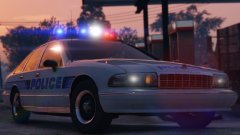
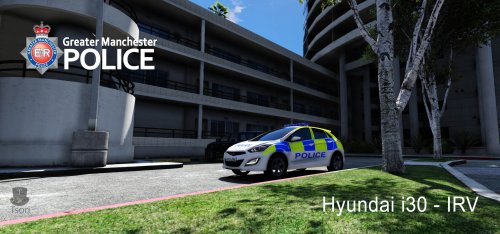 Wow, that 'POLICE' text looks strange. Is that how it is on the real IRVs?


