


SoarHawk
Members
-
Joined
-
Last visited
Everything posted by SoarHawk
-
-
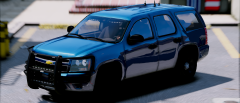 Agreed... would love to see a version without side runners. Everything else is perfect.
 -
 Lol, okay well I'm not going to argue with you. All I'm saying is back your reviews with some sort of substance or evidence because if you don't you sound unknowledgeable and frankly idiotic. You claim to know so much about LSPDFR and modding, however your reviews beg to differ when you make complaints that either A. Can easily be changed or B. May not even be the author's fault, and shouldn't yield a low star review. No one said this is the government, but its common courtesy to appreciate the hard work that these authors put into these packs, and leaving your fluff filled reviews that don't add up is just disrespectful and unappreciative, especially when it brings down the overall stars of the file.
- 955 comments
- 158 reviews
-
I could barely understand your post because it was so poorly written. Moving on... If you knew how ELS works, then you would know that you can change the patterns and you wouldn't have complained about it in your review. Also, like I said it's ironic that you're the only one having that issue with the vehicles.meta, and if it was such a serious issue that it makes "all cars invalid", I'm nearly positive more people would be commenting about it. Maybe it's an issue in your game / files, and not HIS pack? 3 stars is a poor rating especially because your reasoning behind it makes literally 0 sense. I'm not "bitching", I'm trying to teach you that leaving reviews that have no substance and don't even make sense on quality work is not something you should be doing.
- 955 comments
- 158 reviews
-
@impreza You do realize that the patterns can be changed with ELS, correct? And what do you mean the vehicles.meta files "don't work"? You seem to be the only one having that issue, ironically. Maybe you should do a little research and gain a little knowledge regarding ELS and LSPDFR in general before you leave a 3 star review on probably one of the most effort-filled, quality packs on this site. Smh.
- 955 comments
- 158 reviews
-
I'm not referring to LODs then... I guess I was getting confused because it only occurs when you're moving away from the vehicle at a distance. But mainly it is the coronas... like some appear on the side of the door instead of the light bar. Other times there will be amber coronas near the blue and red section of the lighter. And then other times there will be coronas where there are literally no lights at all, like the windshield. Thank you! I will give that a try.
-
It's odd because even the more experienced members, even their cars' LODs seem to be messed up with newer ELS cars.
-
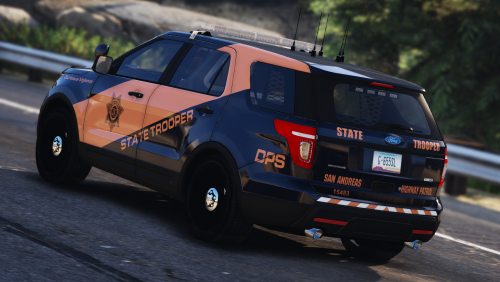 I've been waiting for some decent state patrol skins for newer ELS vehicles... except these aren't decent, they're amazing. However, I should have expected nothing less from you. Nice work.
- 24 comments
- 19 reviews
-
-

- 2
-
-
Yea it seems to mostly fix the issue. Also changed the <dirtLevelMin value="0.300000" /> value to 0 as well. Not sure if that made a difference but like I said, it's mostly working.
-
Actually I was just messing with that... seems to make it better, not perfectly clean but at least now the windshield I tested it out on isn't totally black. I'm going to try it on a few other models to see if it works.
-
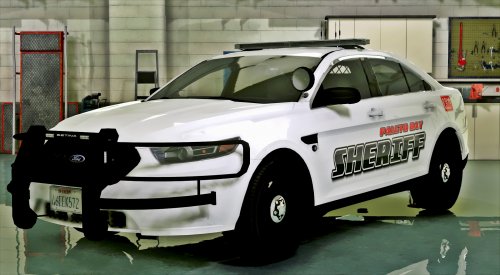 Yea I definitely understand that. I really like the car, you did a nice job.. but with my settings the white takes over the whole section. Totally up to you though, like you said if you're going for realism that's understandable.
- 51 comments
- 17 reviews
-
-
- 1
-
-
@POLICESCO I know I mentioned this before, but PLEASE consider making a version without the white lights in the lightbar. It ruins the car for me, and it's a shame because I like the model so much but the white lights are overpowering in my game. See below:
- 51 comments
- 17 reviews
-
Please excuse me if this has been addressed before. I tried searching for it, but couldn't really find any answers. Often when backup spawns, the cars show up dirty and the windshields are black because of it, preventing lights from shining through. I was just wondering, is there something I can edit in vehicles.meta (or anywhere else for that matter) so that certain models are never dirty and always clean? Any assistance would be appreciated.
-
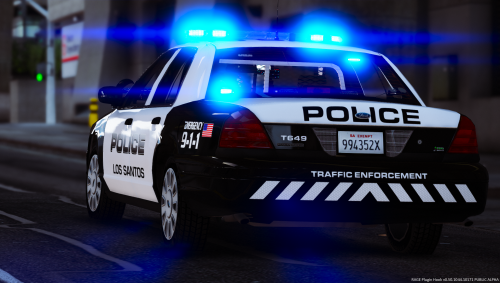 @HBengtson Are you still planning on updating this? I want to replace my liveries with this pack, however I've been waiting for the update.
- 40 comments
- 10 reviews
-
Yea it's about time they replace all of those CVPI's tbh... they have (had) so many it was crazy. I mostly see the Caprices and now the Explorers I've actually seen a lot of since I've made this post. I actually just saw one today. They look really nice, glad they chose them.
-
 If you're going to rate your own stuff (which you really shouldn't do), at least rate it 5 stars instead of 1 lol.
- 9 comments
- 3 reviews
-
 While this does work, it will not change the vehicle permanently. Meaning that you will have to go into the trainer each time and change the tint. For a more permanent solution, I would recommend going into the vehicles.meta, finding the model, and change the diffuse tint line with this: <diffuseTint value="0x00FFFFFF" />
- 46 comments
- 10 reviews
-
-
- 1
-
-
I agree not to mention that we'll be getting 14 cars versus one..
-
Exactly.. and knowing your work, that'll be 14 new, quality ELS vehicles. 100% my vote goes toward the CHP Pack.
-
I know people love their Crown Vics... but come on, it's no comparison to a CHP Megapack with 7+ cars..
-
Hi @POLICESCO... I really do love this model, and all of your other models you've released recently. Seriously, nice work. However I do have one complaint about this one and it's the only reason why I haven't put it in my game. I know you released an update that lowers the intensity of the white lights in the front of the light bar, however for me it still is very overpowering and all I see is white basically. Would it be possible to have a version without the white lights? I only ask because I really like the model and I would like to put it in my game, I just am not a huge fan of the overpowering white lights.
- 51 comments
- 17 reviews
-
From what I understand, he must have gotten the authors' permission to make minor alterations to the models and reupload them. I'm guessing that's why in the description he stated that " ive spent hours contacting the right people to help me achieve making this pack " ... if not, as I said in my review, he really should get their permission ASAP.
- 46 comments
- 10 reviews
-
This really isn't a bad pack at all. I like the textures, and I've been waiting for a decent state patrol pack. However, after installing all of the vehicles I have noticed a few issues that should be fixed in future updates: - The marked Tahoe has no plates - Some of the files have a "_hi.ytd" which has nothing in it... and it seems to have crashed my game until I removed it. - The vehicles do not come with any ELS VCF files, however generic ones seem to do fine. - In the 2015 slicktop charger, there seems to be a texture issue with the laptop, as half of it appears white - Also on the 2015 charger, the driver side mirror light appears red instead of blue when moving a short distance away - The LODs for the CVPI are terrible (this is probably the biggest issue) I really like this pack, and I love how there are a variety of skins. I'm not sure how this worked, if you got all of the authors' permissions to re-upload their models / alter them (if you didn't, you probably should), but you did a nice job. I can say that I've finally found an ELS pack for state patrol. The issues listed above are minor, which is why my review remains high, but I would indeed like to see them fixed. Also, in the screens I noticed an Explorer, so I look forward to updates on this pack with the Explorer included. Like I said though, make sure you're getting these authors' permissions, if not this will just turn into a giant mess. Nice work! EDIT: If you want to fix the laptop issue in the 2015 Charger, just use some sort of photo editor and place the 7f4a1a31copy in the YTD on top of the original 7f4a1a31. Then replace the copy with that modified file. Leave the original 7f4a1a31 alone, just modify the copy. That seemed to have fixed it for me.
- 46 comments
- 10 reviews
-
-
- 1
-
-
 I'm not assuming, you just said you didn't know how to change the front light pattern.
- 56 comments
- 13 reviews
-

