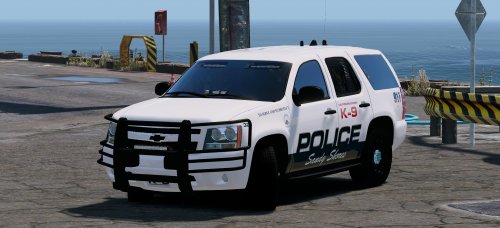
SoarHawk
Members
-
Joined
-
Last visited
Everything posted by SoarHawk
-
 They should just be in the LSPD DLC that this pack installs. It's not going to be in a patchday because this pack has its own DLC. I'm not in front of my computer right now but I'm pretty sure it's something like "LSPD Pack". Anyway, once you rename the models, make sure you rename the corresponding sections in the carvariations file and vehicles.meta file. All of which should be in the LSPD DLC.
- 779 comments
- 187 reviews
-
Also if the vehicles have different siren settings, they should be changed in the carvariations. In actuality, there really is no "easy" way to rename vehicles because you need to change things in 3 places.
- 779 comments
- 187 reviews
-
Let me elaborate on that statement. As for cars (ai drivers) driving around the city, the game will most commonly spawn police, police2 and police3. The fact that those cars are the models that are seen driving around cannot be changed really. As for backup, you can add the police4, 5, 6, and 7 to the backup file in the LSPDFR folder and then those cars will appear when you call for backup.
- 779 comments
- 187 reviews
-
Isn't that what this section is for?
-
-
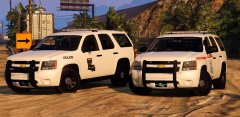 Welcome back @Gump!!! Absolutely love your models. I have a question on these vehicles, will they have coronas? I know your previous vehicles did not but with this new update especially, it's much harder to see vehicles' lights from a distance.
 -
-
 What models are they? Are they released?
 -
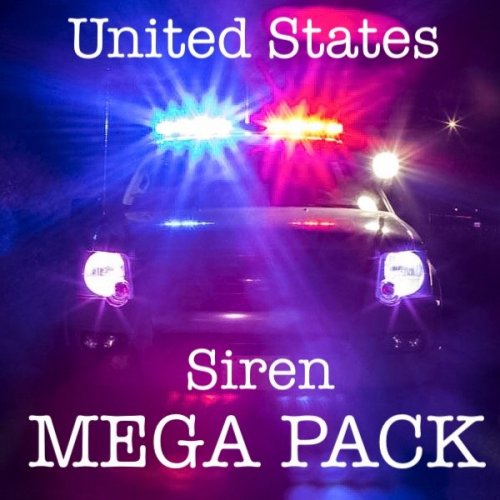 @crazytaxi1000 Absolutely love the pack.. I currently have them as my default siren in my game. I just had a quick question, in the video there were two vehicles I was curious about. The Ford Explorer shown in the second siren demonstration and the Tahoe shown in the ninth (I believe) siren demonstration. Are these vehicles released? If so do you have a link?
- 51 comments
- 13 reviews
-
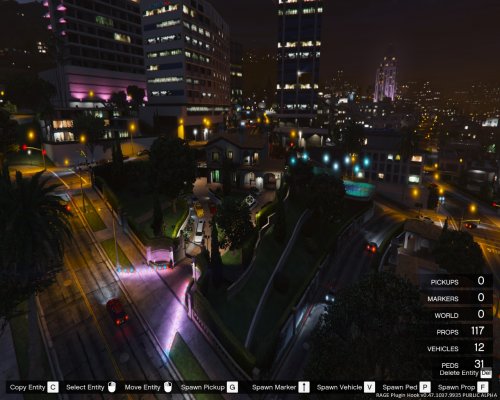 First of all, you did say that because you stated "there's nothing in the guidelines about it". And ok, so if I think that it's ok to shoot someone that means it's acceptable? I'm sorry but your logic on this matter is simply flawed, and frankly, just going by common sense, a map mod for Michael's party doesn't relate to police work, nor do girls in bikinis. And also, by your logic, if I thought it was okay to make a suggestion regarding the placement of this map mod, you have no right to intervene either.
 -
Never said it was against the rules, my comment was merely a suggestion. It just doesn't make much sense to have a mod that has absolutely nothing to do with nor does it contribute to the experience of LSPDFR / LCPDFR on the site of LSPDFR / LCPDFR.
-
No problem :) glad I could help!
-
Hmm... maybe just make sure that the siren setting for the police slot is set to 1 in the carvariations. If you're not sure if you have one for the car just add this to an existing carvariations file: <Item> <modelName>police</modelName> <colors> <Item> <indices content="char_array"> 134 134 156 156 </indices> <liveries> <Item value="true" /> <Item value="false" /> <Item value="false" /> <Item value="false" /> <Item value="false" /> <Item value="false" /> <Item value="false" /> <Item value="false" /> </liveries> </Item> <Item> <indices content="char_array"> 134 134 156 156 </indices> <liveries> <Item value="false" /> <Item value="true" /> <Item value="false" /> <Item value="false" /> <Item value="false" /> <Item value="false" /> <Item value="false" /> <Item value="false" /> </liveries> </Item> <Item> <indices content="char_array"> 134 134 156 156 </indices> <liveries> <Item value="false" /> <Item value="false" /> <Item value="false" /> <Item value="false" /> <Item value="true" /> <Item value="false" /> <Item value="false" /> <Item value="false" /> </liveries> </Item> <Item> <indices content="char_array"> 134 134 156 156 </indices> <liveries> <Item value="false" /> <Item value="false" /> <Item value="true" /> <Item value="false" /> <Item value="false" /> <Item value="false" /> <Item value="false" /> <Item value="false" /> </liveries> </Item> <Item> <indices content="char_array"> 134 134 156 156 </indices> <liveries> <Item value="false" /> <Item value="false" /> <Item value="false" /> <Item value="true" /> <Item value="false" /> <Item value="false" /> <Item value="false" /> <Item value="false" /> </liveries> </Item> </colors> <kits> <Item>157_massacaro2_modkit</Item> </kits> <windowsWithExposedEdges /> <plateProbabilities> <Probabilities /> </plateProbabilities> <lightSettings value="1" /> <sirenSettings value="1" /> </Item>
-
Yes... what was the model name of the car that is working? You said the model name of the nonworking model was "police", what did you replace for the model that is working? It might be something like police2 or police3.
-
No they replaced the police slot...even if the original police files were not in patchday3, they still got replaced by the ones you added. When you say one of the vehicle's lights works, which one was that? What was the name of that model?
-
Hmm... you're right it looks like they replaced the police slot. Did you place the vehicle files in the path, "(mods)- Update - x64 - dlcpacks - patchday3ng - dlc - x64 - levels - gta 5 - vehicles. "?
-
Even if you made a mods folder, they could still replace a vehicle model. When you downloaded the models, what were their names? I'm thinking that these vehicles were add ons, not replacements, and with add on vehicles (especially police vehicles) they don't just need a vehicles.meta, but a carvariations file as well, which doesn't seem to be provided in the download.
-
Yea I noticed that his instructions on the site are pretty limited as well. Question, when you added these models did they replace a vehicle model or were they add ons?
-
Lights typically deal with the carvariations file, in particular the siren setting, rather than vehicles.meta. When installing the model(s), did the instructions or readme say anything about replacing or editing a carvariations?
-
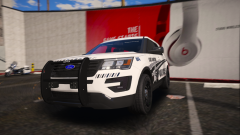 Amazing job. Can't wait for a release.
 -
 Considering @Thehurk is working on a new 2016 FPIU and that he'd have to practically redesign the whole model, I doubt he's going to be fixing that issue at this point. That would be because the other vehicles have coronas and this vehicle does not. However, I did notice this vehicle does seem abnormally dull, even without coronas. Make sure your Shader setting is set to high or above, also, maybe try using Bright Lights instead of Radiance. Especially with the update, Radiance isn't really as bright as it was in my opinion... Bright Lights is brighter.
- 269 comments
- 67 reviews
-
This has absolutely nothing to do with LSPDFR/LCPDFR, maybe it just should have stayed on GTA5 Mods..
-
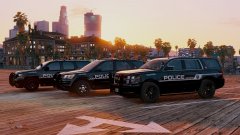 Should've figured lol. Nice skins btw.
 -
Are those Tahoes released?
-
When I updated to .47, I cleared my entire plugins folder and only put in plugins that were updated to .47. I must have cleared out 10+ plugins and callout packs. Whenever the game is updated, it seems for me at least, LSPDFR starts to run less and less smoothly because, most likely, more and more content is being put into the game obviously. That addition of content in addition to all of your own add on cars and plugins and LSPDFR itself can take a toll on the game. I used to be able to patrol in Los Santos fine, but ever since the last few updates my FPS (and this was even after I upgraded to a GTX 970) dropped dramatically, so I stick to highways. However, clearing out my plugins folder worked to an extent. Check to see if you have any callouts or plugins that aren't updated to .47.