SoarHawk
Members
-
Joined
-
Last visited
Everything posted by SoarHawk
-
 This one?
 -
This was posted last year... lol..
-
-
 @thegreathah Do you think it would be possible to add a partition to the 2015 Charger??? Great work on this pack btw.
- 210 comments
- 59 reviews
-
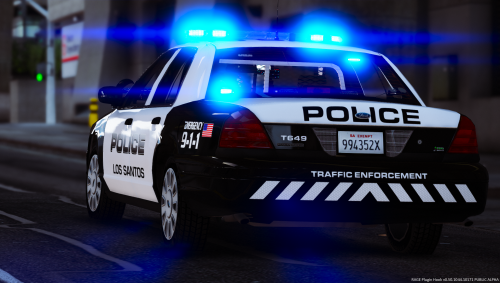 @HBengtson In your next update, do you think you could add the template for TheHurk's 2015 Charger? A lot of ELS models are using his charger versus Underwood's.
- 40 comments
- 10 reviews
-
Absolutely love this pack. High quality skins with a nice amount of variation. Love the different unit names. Great work.
- 40 comments
- 10 reviews
-
-

- 1
-
-
No problem. It should load... just revert it back to the previous version with Rage, and then turn your wifi off (or whatever method your computer is hooked up to the internet).
-
For anyone who is trying to revert to the backup and the game is forcing you to update again, what I did is just turn off my wifi and play in offline mode. Seems to work fine for me until they release the next Rage.
-
I'm glad I'm not the only one having this issue. I've tried it about 5 times, and every single time I revert to the previous game version, it just updates right back to the newer version. Guess we have to wait.
-
Hey guys, I just had a quick question. I have downloaded Maurice97's FPIS in his SAHP pack found here. Unfortunately, I cannot figure out how or if this vehicle supports multiple liveries. The only livery that is on the vehicle is named sign_6 and I have tried naming the additional liveries a number of names including sign_5, sign_4, tau_sign_5, tau_sign_1, etc. Tau_sign_1 seems to have a template in it's place instead of an actual skin... which I couldn't figure out why that is either. I've tried commenting on the file, but no one responded. Does anyone know how to add multiple liveries? Or if it is even possible? Any help would be greatly appreciated.
-
-
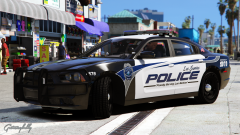 Okay well I think he knew what I meant.
 -
 You'd have to ask @Alex_Ashfold... I really don't know.
 -
Showcase.
-
By ELS texture packs I mean textures for the new ELS vehicles...
-
Looks great. Out of curiosity, are you planning on making an ELS texture pack?
-
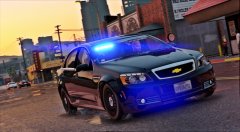 Looks great, you should make a marked version too
 -
Not a problem. It's not easy searching for one specific piece of information you're looking for in hundreds of posts, lol.
-
Are you referring to something like this? fbi (unmarked Bravado Buffalo 1st Gen) fbi2 (unmarked Declasse Granger) police (LSPD Vapid Stanier 2nd Gen) police2 (LSPD Bravado Buffalo 1st Gen) police3 (LSPD Vapid Interceptor) police4 (unmarked Vapid Stanier 2nd Gen) policeb (LSPD police bike) policet (LSPD police transport) policeold1 (North Yankton Declasse Rancher) policeold2 (North Yankton Albany Esperanto) pranger (Park Ranger Declasse Granger) riot (LSPD/NOoSE Riot) sheriff (LSSD Vapid Stanier 2nd Gen) sheriff2 (LSSD Declasse Granger) (Credits go to Police car mods: the whys and hows, and troubleshooting)
-
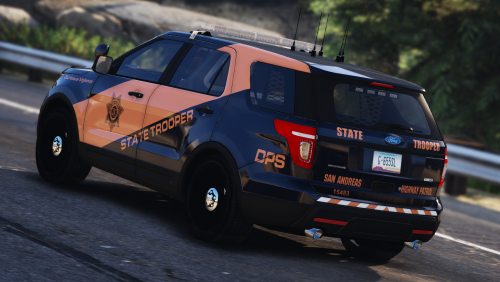 Hey @BradM do you think you can make a skin for thegreathah's 2015 Charger in his new LSPD pack?
- 24 comments
- 19 reviews
-
-
- 1
-
-
@thegreathah Great pack... seriously really good job and I love the amount of lights. I just had a couple issus / glitches I am facing. On the Tahoe... for some reason there are no plates and also the wheels slightly are cut off or like sinking into the ground (if that makes any sense). On the Charger, when the back doors get damaged they seem to disappear completely. Also, I would love to see some window tints on the Charger. When I try to add them, it makes the lightbar black. Other than that, I'm very happy with this pack. Edit: Just looked at the template... the plates are just in a different spot than the normal template I'm used to. So nevermind on that plate issue.
- 210 comments
- 59 reviews
-
-
- 1
-
-
 Thank you :)
 -
That's a shame, his models are top notch. And yea if you could I'd love to add it to my game.
-
Is the FPIU released?
-