SoarHawk
Members
-
Joined
-
Last visited
Everything posted by SoarHawk
-
 @jcpse Can you please add the new 2013 Explorer? I think it is by BxBugs123 / Matt
- 8 comments
- 10 reviews
-
Great, thank you. Do you think that its a dealbreaker that I didn’t get 4K?
-
Hey guys, I recently ordered a new gaming computer because mine is getting old. Here are the specs: OMEN Desktop PC - 880-150t OMEN 880t by HP Desktop PC 256 SSD + 2 TB HDD storage Black Interior Paint; Side Window; External 3.5" Bay; Liquid Cooling Solution (95w Processor) HP USB Wired Keyboard with volume control McAfee Livesafe (30 day) BU ICTO UMA Z370 32 GB memory WLAN RT 8822 ac 2x2 +BT 4.2LE WW Office Trial No Optane Windows 10 Home Dual NVIDIA® GeForce® GTX 1080 8G SLI 750 W Platinum efficiency power supply ODD DVD Writer 9.5mm Tray 8th Generation Intel® Core™ i7-8700K My question is, I want to take as much advantage of this computer as I can... I actually bought a screen with it and realized it wasn’t really that good of a screen, so I purchased another one. I was also looking at higher end screens with 4K resolution and such, however a lot of them had a lower refresh rate and had reports of dead pixels and light bleeding. Will this new computer work well and take advantage of the computer I bought? If not, what screen would you recommend? The new one I purchased can be seen below: https://www.amazon.com/gp/product/B0711T4RDF/ref=od_aui_detailpages00?ie=UTF8&psc=1 Any assistance would be greatly appreciated. Thank you in advance.
-
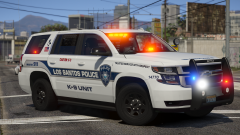 This is gorgeous. What model is it?
 -
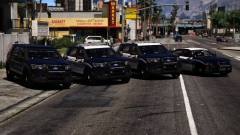 Awesome looking vehicles. Will they be released?
 -
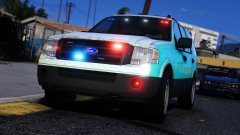 Great work so far. Glad you are taking your time; these look like quality vehicles. Looking forward to a release.
 -
 I have to say, I am HIGHLY impressed with this pack. Your other packs were top notch as well, but the amount and variety of lighting in this pack is simply perfection. Also, the ELS patterns and variety of vehicles are very well chosen as well. I would love to see an Impala or 2016 FPIU.. however I know that’s unlikely because the pack says complete, but a boy can wish can’t he ? Anyway, very nice work, Brad. I am defienyely looking forward to seeing more quality packs from you.
- 207 comments
- 94 reviews
-
-

- 1
-
-
I kind of notice it in all the vehicles, but in particular I notice it most in the FPIS more than the rest. Like I said, I raised the brightness a lot in my visual settings and that helped to an extent. It’s not a dealbreaker, I still love the cars.. and if you can’t fix it it’s not a big deal. Like I said, messing with the visual settings helps.
- 207 comments
- 94 reviews
-
I have to agree. @BradM your lighting for your other packs in the day time is much better... especially from a short distance. It almost looks yellow and white with this pack. I had to use extremely bright settings for it to look halfway decent from a minimal distance in the day time. I didn’t leave a review in case you were planning on working on this. I love the cars and the setup.. that is my only setback.
- 207 comments
- 94 reviews
-
@RINGISKONG Did you happen to fix the issue with the yellow lights? And if you did do you mind me asking what you changed?
- 207 comments
- 94 reviews
-
Does anyone know how to edit either the textures or the visual settings file to make the lights less yellow / orange and more red? I tried messing around with both and can't seem to find anything that works.
- 207 comments
- 94 reviews
-
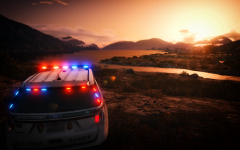 Are you ever planning on releasing this? Looks amazing.
 -
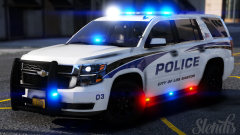 Is that Tahoe released?
 -
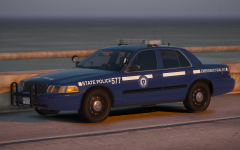 Extremely excited for this pack. Awesome work so far.
 -
-
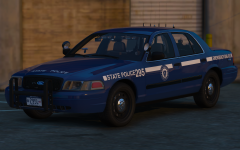 I really like this. Nice work.
 -
These look absolutely amazing. Do you think it would be possible to add the '16 Impala by OfficerUnderwood and the Caprice that everyone is using with the 400k poly count? Lol. I'm trying to get the pack to fit JJDawkins LSPD pack... except he deleted it off the site so I'm not sure who made the Caprice.
- 8 comments
- 10 reviews
-
-
- 1
-
-
Actually I think I fixed it by forcing windowed mode using the Rage settings page.
-
Hey guys, For whatever reason, the Rage console is completely invisible. Whenever I press the console key, the game freezes like normal, and if I type something such as "spawn police", it will actually spawn the car. However, there will be no console visible. Any suggestions or assistance would be greatly appreciated.
-
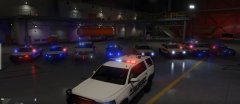 Can you tell me how you have your ELS configured? (Patterns / delay times/ etc)? It looks amazing.
 -
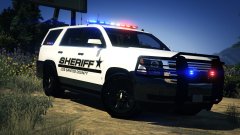 Love it.
 -
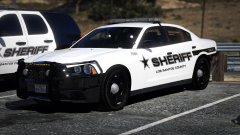 I actually cannot get over how nicely this pack is coming along... the skins and everything. Seriously, nice work. I can't wait for you to upload them so I can get my hands on them.
 -
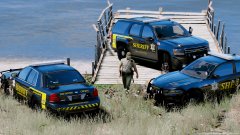 Looks great so far. Were you planning on including a 2015 Tahoe?
 -
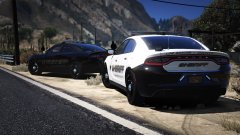 Love that ghost skin
 -
Yea.. like I said the lights don't even shine through in the back. The solution should work for the majority of cars, though.