


JAM
Community Team
-
Joined
-
Last visited
Everything posted by JAM
-
Nothing to see here! This topic has been closed by G17 Media staff. If you feel that this topic has been closed in error, please report this post.
-
Closing due to OPs request.
-
The download is working perfectly fine for me, and I don't suggest having some one send you a copy of it, also, you could have simply PMed a Moderator of your issues rather than making a new thread of your issue, but I'll ask Jay, see if there is anything wrong with the download on his end. Also, for installation, just run the .exe as admin, and run through the installer (make sure to point towards your EFLC directory) all other questions about other mods don't belong in here.
-
I also come with the following: Chainsaw 25 Automatic 50.Cal weapons. A apple peeler Flame thrower Ban Hammer (Premium installation, IE custom ($500,000,000)) Liquid cooling And type writing bottle cap opener, never actually served any purpose though. Oh and I also run off of DOS, I used to run off of Windows 98, but, you all know what happens when you do that.... :biggrin:
-
Grand Theft Auto V: Barbies boyfriend adventures. But yeah, as stated numerous times, its obviously fake, hell all this guy does is fake stuff/make renders:
-
No worries.
-
Wrong section, thread belongs in Content Modifications, I'll go ahead and move this thread for you.
-
Not at this time, however, they might dev that feature in down the road.
-
Not really a support issue since your game is running fine, belongs in discussion since its a question, moving thread.
-
Do you have Simple Native Trainer installed?
-
I'm going to merge your posts for you, and you can take these posts as a bump, but what I don't understand is why your trying to disprove me, I was simply asking you not to triple post, you do know, if you just simply post "Bump" It won't really be taken as a double post, you can post a "Bump around every 12/24 hours and no moderator will have an issue with it. EDIT: I also added your diagnostics tool logs under a spoiler so the text isn't so big, you can do this by adding at the beginning [.spoiler] and at the end add
-
Topic belongs in Content Modifications, I'll move the thread for you.
-
Please don't triple post, instead of creating a new post, edit your previous one,
-
I know for a fact I have one of his earlier versions lying around on my PC some where, but as I stated, its a early version, alguionquins sidewalk are like a weird, black marble texture, other than that, the rest looks pretty good, I can upload it if you want it.
-
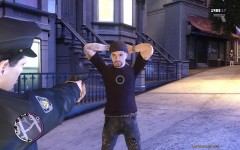 Lol my god he looks just like him, cool pic.
 -
Please don't double post, instead of creating a new post, edit your previous one, I'll go ahead and merge your posts for you.
-
-
Yes.
-
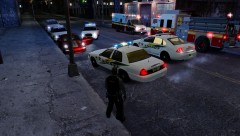 Lol why was he -1ed? He was complimenting your computer....
 -
Topic belongs in LCPDFR Discussion, moving thread. Also, yes you need GTA IV to play this mod, It can either be the disc version, or a downloaded version bought from a place like Steam.
-
Not a fan of the older police cars but, these look brilliant, great job Strike.
-
Thread belongs in content modifications, I'll go ahead and move this thread for you now.
-
MODERATOR NOTICE Topic belongs in Content modifications, moving thread.
-
Done.
-
MODERATOR NOTICE Topic fits more in Gameplay/Misc modifications, I'll go ahead and move the thread for you.


