GabLeGamer
Members
-
Joined
-
Last visited
Everything posted by GabLeGamer
-
 still getting this error. Yes i've disabled the past records, Yes I have an updated gameconfig to support added memory. Still crashes every. single. time. Crash happens as soon as you click on either of the lookup buttons. and from the looks of it, looks like it has something to do with getting the image of the ped (or the "nopedimage" image)...
- 1,743 comments
- 172 reviews
-
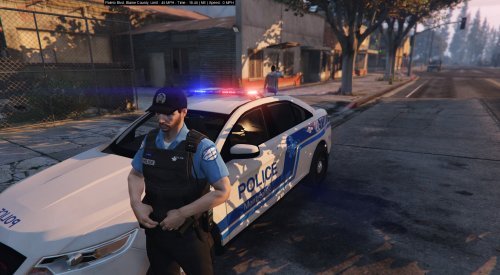 Pour ceux qui veulent l'installer avec le nouveau EUP, j'ai inclus les instruction dans mon video tutoriel.
- 38 comments
- 6 reviews
-
-

- 1
-
-
 Hey Brad! been a while since you dished out something new, are you working on anything atm? :D Also, is there a texture file to change the top of the lightbar from grey to red and blue? or is that part of the model itself and not a texture... This part: Thanks <3
- 147 comments
- 65 reviews
-
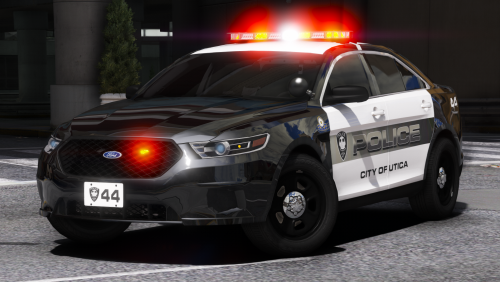 Love your work, such attention to detail. Any pack with the Whelen Justice in the works? Or the Whelen Liberty for SPVM cars?
- 17 comments
- 13 reviews
-
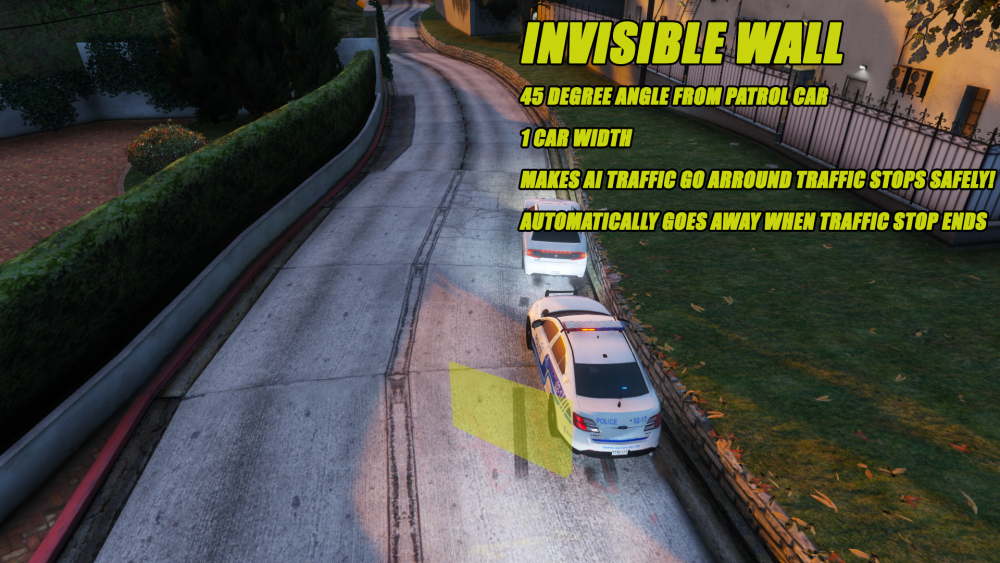
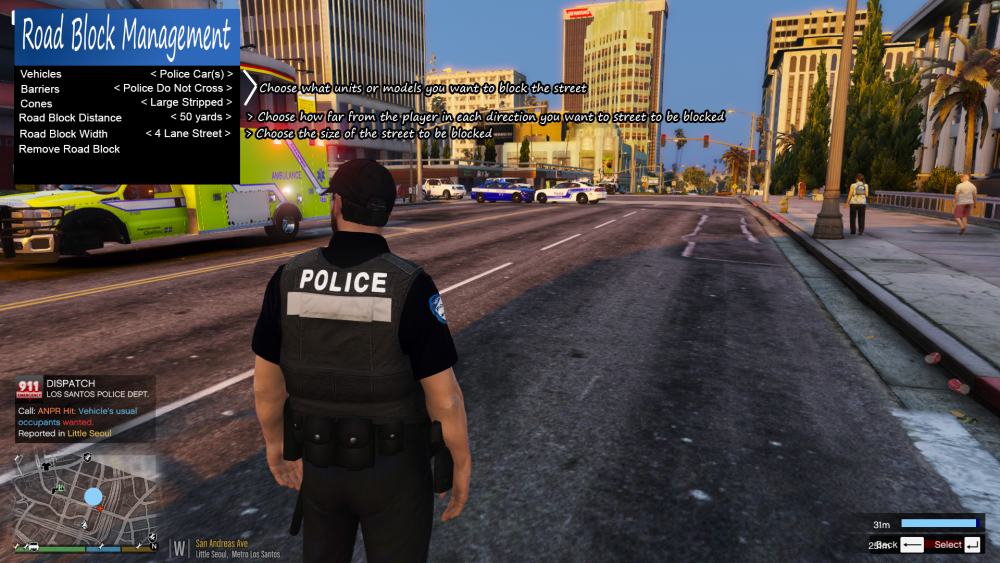
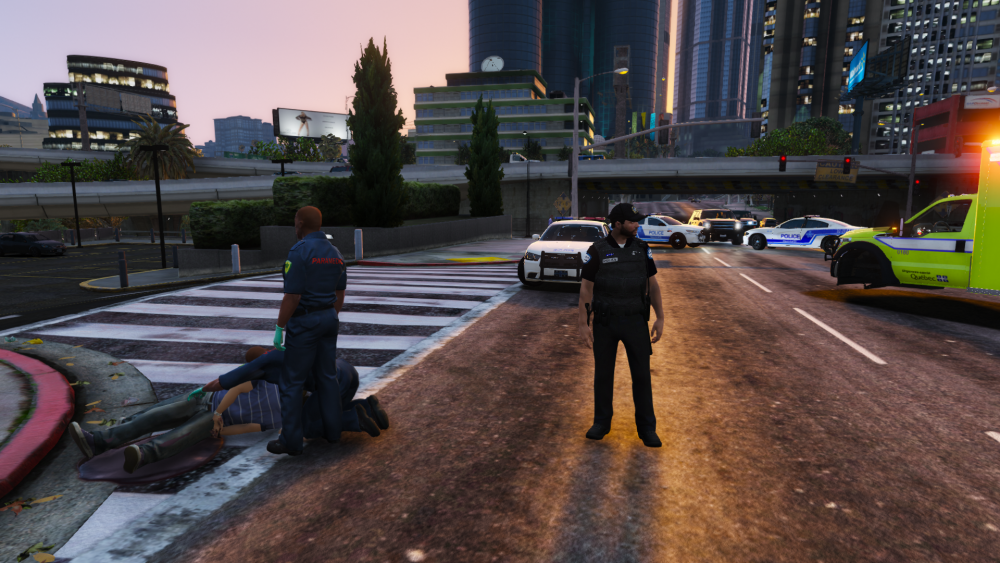
I had a couple ideas for mods if anyone out there is stumped and looking for something to do that could add alot to the game. If I had any coding skills I would attempt to do them myself but I have no clue how to accomplish this. -Move over script: activated with a hotkey, this would place an invisible barrier at a 45 degree angle behind your cop car about ½ of a lane wide making the AI swerve left around your traffic stop. The invisible barrier would need to be far enough from the patrol car so that you can run behind your vehicle should the suspect begin shooting at you. If possible, you could have a %age of chance a speeding vehicle ignores the wall, then you could catch him and ticket him for that offense. Many states have a Move Over law to protect the officers on the side of the road. If possible, it could be set to automatically dissapear when the traffic stop ends... There's probably a variable for that since Traffic Stop Backup mod, the buddy cop detects when the stop is over and moves back to his car... -Stop Traffic Mod: there's already an old script that works to stop traffic or slow it down, but it's old and outdated, plus all it does is add a yellow circle on the map and cars magically can't cross that line. I think it should be redone. Have a menu pop up where you can choose how wide(in traffic lanes count) you want the stop to be and what model physically appears to block the traffic, could choose from cones, police "do not cross" barriers or even have a few units dispatched and park their cars in a way to block traffic where you set them. You could choose how far from your current position you want the road to be blocked and have "ghost" models show the player just how far 50 yards really is before he select it. It would be really cool if the cars you select actually have to drive there to block the road, but I understand it might not be possible to do so. Let me know if these would be doable and what you think!
-
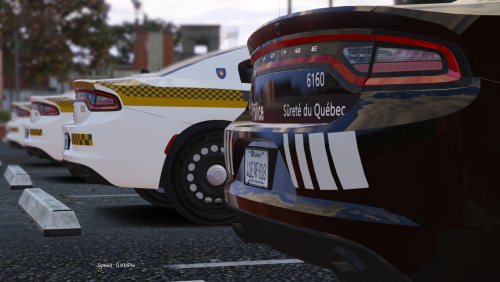 if you use BradM's pack, you have to put the skins in both the regular file and the ***+hi file.
- 31 comments
- 2 reviews
-
-
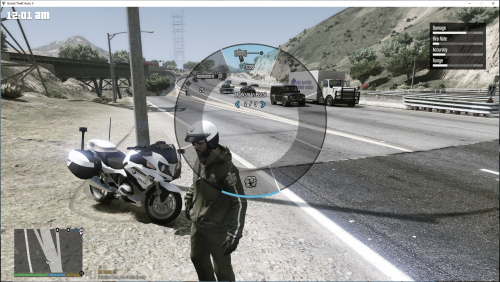 it's not, it's from the latest game update... Yeah I know, I just used that picture to replace the buttons on the radar for my non-US radar skin that is included.
- 8 comments
- 2 reviews
-
-
- 1
-
-
like I said in the description, the X,Y,Z space in the file that is allocated to the vintage pistol is very limited, I tried making it longer but the corners would cut out because that space is reserved for a different weapon, I tried for 3 hours changing it 2 pixels at a time, saving, installing and starting the game up each time and that's as big as it can get. No room on top for the sight either. The shadow could definately use some work though.
- 8 comments
- 2 reviews
-
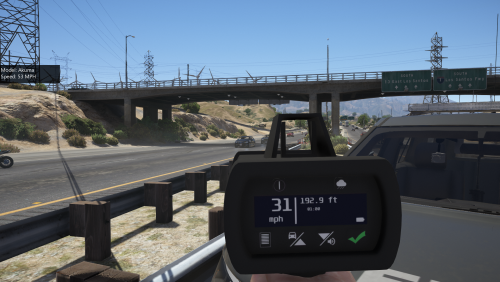 Awesome! Finally! Been waiting for this for so long! and it was well worth the wait! If you want to change your weapon wheel icon to fit this radar gun, check out my file:
- 79 comments
- 17 reviews
-
Simple fix for the weapon wheel replacing the Marksman Pistol with a speed radar gun To install, simply navigate with OpenIV to this path: MODS\update\update.rpf\x64\patch\data\cdimages\scaleform_generic.rpf Click Edit mode up top, open(double click) hud.ytd and click/drag weapons_dlc_bb.png into the window that pops up. Save and close. Don't forget to backup all files! THANKS TO @Narobic for the icon redesign, looks great! I've also included a skin for @Scaarus's pro laser 4 that shows it in KM/H for those of us outside the US. To change the radar skin, simply navigate to where you installed the radar gun, open w_pi_singleshot.ytd and click drag "radargun.png" into the window. do the same for w_pi_singleshot+hi.ytd. For use with:
- 8 comments
- 2 reviews
-
-
- 2
-
-
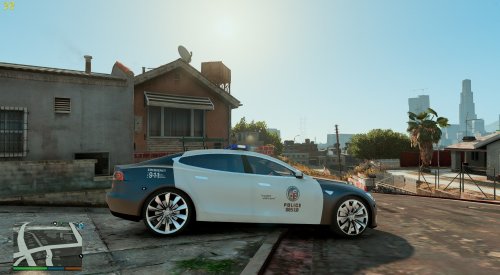 Oh nice, I knew about the BMW's, but not the Tesla. There's a whole story about the police not using the BWM's and they're just sitting in the yard or are used by police for personal stuff.
- 9 comments
- 1 review
-
Skin looks good, fits with the rest of the LAPD vehicles eventhough we can't compare to a real-life counter part... but I imagine this is what it would look like if the LAPD ever decided to go with Tesla. EDIT: someone just posted a pic in the comments of a Real Life Tesla LAPD unit. So I guess we can compare and it looks pretty spot on.
- 9 comments
- 1 review
-
I was gonna ask the same thing.
-
To change the fine amount, go in Grand Theft Auto V\PLUGINS\LSPDFR\ComputerPlus folder and modify CitationDefinitions.xml. And if you want to tow the person after handing out the ticket, simply ask them to get out with the default lspdfr (or lspdfr+) function and then tow it with the radio.
- 1,743 comments
- 172 reviews
-
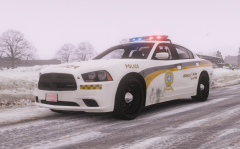 nice skin brah :P
 -
 is there a way to get this without the installer? or could you let us know what files the installer modifies? My game is heavily modified and I've had issues with installers messing it up in the past, just want to make sure this won't affect something I already changed.
- 5 comments
- 2 reviews
-
Hello! First off, I love this mod and all your mods, but since the last update i've been having issues with Computer Plus. Every time I pull someone over, if I check Ped database, close it and immediately check vehicle database, it crashes LSPDFR (though the game itselft doesn't crash) Here's the Rage Log of the event... looks like it doesn't close the cache files when you exit the ped database and crashes when it tries to access it a 2nd time for the vehicle. [2018-02-09 3:46:11 PM.854] LSPD First Response: C+: Pause [2018-02-09 3:46:11 PM.857] LSPD First Response: C+: EnsurePaused forced [2018-02-09 3:46:11 PM.858] LSPD First Response: C+: Pause [2018-02-09 3:46:15 PM.324] LSPD First Response: C+: Pause [2018-02-09 3:46:17 PM.421] LSPD First Response: C+: Arrest report for ped are null [2018-02-09 3:46:17 PM.440] LSPD First Response: C+: Found citations for ped [2018-02-09 3:46:17 PM.441] LSPD First Response: C+ DEV: Creating ComputerPedViewExtendedContainer [2018-02-09 3:46:17 PM.443] LSPD First Response: C+ DEV: Creating ComputerPedViewExtended [2018-02-09 3:46:17 PM.444] LSPD First Response: C+ DEV: Creating ComputerPedView [2018-02-09 3:46:17 PM.450] LSPD First Response: C+ DEV: InitializeLayout ComputerPedView [2018-02-09 3:46:17 PM.461] LSPD First Response: C+ DEV: Loading image for model from Plugins\LSPDFR\ComputerPlus\no_ped_image.jpg [2018-02-09 3:46:17 PM.477] LSPD First Response: C+: Citation time is 2017-10-17 7:56:00 AM [2018-02-09 3:46:17 PM.525] LSPD First Response: C+: LogPositionAndSize : W 200 H 20 X 467 Y 0 [2018-02-09 3:46:17 PM.532] LSPD First Response: C+: LogPositionAndSize : W 200 H 20 X 467 Y 0 [2018-02-09 3:46:21 PM.392] LSPD First Response: C+ DEV: Populating ALPR list [2018-02-09 3:46:21 PM.397] LSPD First Response: C+ DEV: Checking currently pulled over [2018-02-09 3:46:22 PM.637] LSPD First Response: C+: inside ComputerVehicleDetails.InitializeLayout() [2018-02-09 3:46:22 PM.640] LSPD First Response: C+ DEV: Loading image for model from Plugins\LSPDFR\ComputerPlus\no_ped_image.jpg [2018-02-09 3:46:22 PM.641] LSPD First Response: C+ DEV: Loading image for vehicle from Plugins\LSPDFR\ComputerPlus\no_vehicle_image.jpg [2018-02-09 3:46:22 PM.645] LSPD First Response: C+: Citation time is 2017-10-17 7:56:00 AM [2018-02-09 3:46:22 PM.682] LSPD First Response: C+: LogPositionAndSize : W 200 H 20 X 467 Y 0 [2018-02-09 3:46:22 PM.684] LSPD First Response: C+: LogPositionAndSize : W 200 H 20 X 467 Y 0 [2018-02-09 3:46:22 PM.699] [TRACE] Asked thread TrafficStop #1 to abort: One or more required entities ceased to exist [2018-02-09 3:46:22 PM.703] [TRACE] Removing ped from TrafficStop #1 (GameplayMandatory) [2018-02-09 3:46:22 PM.706] [TRACE] TrafficStop #1 is aborting already [2018-02-09 3:46:22 PM.706] [TRACE] Instance cleaned (TrafficStop #1) [2018-02-09 3:46:22 PM.775] LSPD First Response: [2018-02-09 3:46:22 PM.776] LSPD First Response: ============================== [2018-02-09 3:46:22 PM.776] LSPD First Response: UNHANDLED EXCEPTION DURING GAME FIBER TICK [2018-02-09 3:46:22 PM.777] LSPD First Response: ------------------------------ [2018-02-09 3:46:22 PM.777] LSPD First Response: Origin: Game fiber "<UNNAMED THREAD>". [2018-02-09 3:46:22 PM.777] LSPD First Response: ------------------------------ [2018-02-09 3:46:22 PM.777] LSPD First Response: Exception type: System.Exception [2018-02-09 3:46:22 PM.778] LSPD First Response: Exception message: Processing cache while it's still in use - one or more subcalls may have caused the thread to yield [2018-02-09 3:46:22 PM.778] LSPD First Response: ------------------------------ [2018-02-09 3:46:22 PM.778] LSPD First Response: Inner exceptions: [2018-02-09 3:46:22 PM.778] LSPD First Response: ------------------------------ [2018-02-09 3:46:22 PM.779] LSPD First Response: Stack trace: [2018-02-09 3:46:22 PM.779] LSPD First Response: at }_T~83Fsa~MaT7\]O;V!\*j22%$.?????????????????????????????????????????() in E:\GTA V\LSPD First Response\LSPD First Response\Engine\Scripting\Entities\CPedCache.cs:line 47 [2018-02-09 3:46:22 PM.780] at ?????????????????????????????????????????.?????????????????????????????????????????() in E:\GTA V\LSPD First Response\LSPD First Response\Engine\Main.cs:line 56 [2018-02-09 3:46:22 PM.780] at LSPD_First_Response.Mod.LSPDFR.MainLoop() in E:\GTA V\LSPD First Response\LSPD First Response\Mod\LSPDFR.cs:line 607 [2018-02-09 3:46:22 PM.780] at Rage.GameFiber.Main() [2018-02-09 3:46:22 PM.781] LSPD First Response: ============================== [2018-02-09 3:46:22 PM.781] LSPD First Response: [2018-02-09 3:46:22 PM.791] [TRACE] Thread TrafficStop #1 has been shut down [2018-02-09 3:46:25 PM.089] LSPD First Response: All signs removed
-
This should be pinned. A lot of people are having this issue. And it works! <3
-
I hope you bring back the arrest animation from 0.2! the one where he gets on his knees... or have both and have them be random when you hold ► In any case, can't wait to see all the improvements!
-
-
 is there a way to install this the old fashioned way so we can have EUP and RDE running together? The installer doesn't allow to install it as a dlcpack, goes straight to update/update.rpf/x64... Or can I just copy the folders into the dlcpacks and add them to dlclist?
- 1,518 comments
- 85 reviews
-
-
but but but... Canada was never in the Viet Nam war!
-
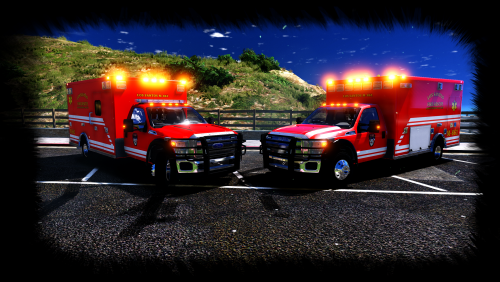 something to do with the LOD's because it doesn't do that from 50 yards away.
- 53 comments
- 17 reviews