Iggy Fresh
Members
-
Joined
-
Last visited
Everything posted by Iggy Fresh
-
NYPD Christmas special!
-
We got LVMPD over here! :D
-
-
-
-
Latest state patrol - Louisiana!
-
The biggest reason why I want ELS is because of the steady glow option available for the corners of the lightbar (for cruising around with lights not activated). The rest is cool and an added bonus.
-
-
LSIA - Airport Police!
-
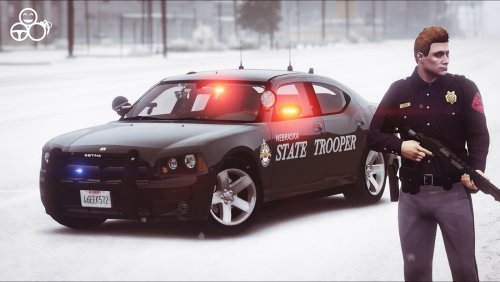
Nebraska State Patrol is here :)
-
 hahaha thanks Mr. Wilson! Yes, it's false advertising for sure XD Yes, it's been a while since I've uploaded something on here. Perhaps I'll add more states I've created myself :)
- 7 comments
- 4 reviews
-
Hey Chuck, yes I do have a channel on YouTube. Thanks for the kind words, I really appreciate it! :)
- 7 comments
- 4 reviews
-
-

- 1
-
-
Hey guys, I looked everywhere on this site and could not find a Nebraska State Patrol livery of any kind (except for LCPDFR). So I created a skin for '09 Dodge Charger made by PSource and also created a uniform (you will need EUP installed to use it). I only created the textures, please do not re-upload this file anywhere without my permission. Charger Skin Installation: 1. Download the Charger Model by PSource (http://www.lcpdfr.com/files/file/10686-2009-dodge-charger-unmarked/) 2. Use OpenIV and go to: GTA5/Mods/update/x64/dlcpacks/patchday12ng/dlc.rpf/x64/levels/gta5/vehicles.rpf/sheriff.ytd (or wherever you installed it - I used the sheriff slot) 3. Set OpenIV to Edit Mode 4. Open sheriff.ytd 5. Replace chgr_sign_1 texture and delete chgr_sign_2 texture 6. Save and enjoy! Ped Skin Installation: 1. Install EUP 7.4 2. Replace both .ytd files in this directory via OpenIV: GTA5/mods/update/x64/dlcpacks/eup/dlc.rpf/x64/models/cdimages/eup_componentpeds.rpf/mp_m_freemode_01_male_freemode_business Video Showcase: Save and enjoy! Known bugs: - Badge doesn't seem to work on uniform -Iggy Fresh
- 7 comments
- 4 reviews
-
-
- 3
-
-
Pagani Zonda patrol! :)
-
US Marshals patrol!
-
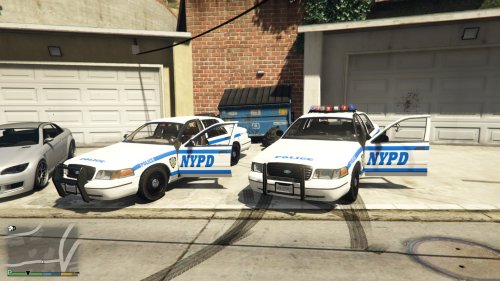
NYPD :)
-
-
Lots of craziness happened during this Mississippi Highway Patrol!
-
Hey guys, check out the latest DEA partner patrol using Gump's slicktop Charger
-
I wouldn't recommend overclocking a laptop as you probably wouldn't notice significant fps increases while increasing your computer temps. If you want higher fps, I would turn off MSAA.
-
Ford F350 Patrol :)
-
 Love this truck, great job once again! This is the most badass truck on this site, with tons of accessories. 5/5!!
- 158 comments
- 54 reviews
-
-
FBI patrol in the snow!
-
Hey guys, we got a Tennessee Highway Patrol episode over here :)