


Iggy Fresh
Members
-
Joined
-
Last visited
Everything posted by Iggy Fresh
-
You will have both with an option of booting up into Windows or OS X.
-
Celebrating 10,000 subscribers with this First Person patrol!
-
If you're looking to overclock in the future, which I think you are. You will need to get a Z170 type of a motherboard. I am pretty sure 6600k will not overclock on other motherboards.
-
Yes, if you install Windows on your iMac via Bootcamp. It should handle it fine, provided it's not an old iMac and it has a decent video card. I used to play BF3 on mine and it was a 2011 model I believe.
-
In memory of Trooper Weaver
-
Chicago SWAT! AVT Beach Patrol!
-
LSPDFR+ is preset with a safe mode. I never really change the pursuit tactics. You really don't need Safer Chases, especially that it's known to be resource heavy. I'd remove it if you want a smoother gameplay.
-
Why are you running LSPDFR+ and Safer Chases? LSPDFR+ is supposed to replace Safer Chases, it even gives you the option of what pursuit tactics you'd like to use from safe to aggressive. Also, I don't have any issues with Wilderness and Agency callouts conflicting with any of the mods you have described... perhaps you're not using the latest versions? Either way, yes we should support our developers on this site.
-
Hey guys, we got another FHP episode!
-
New FBI Partner patrol :)
-
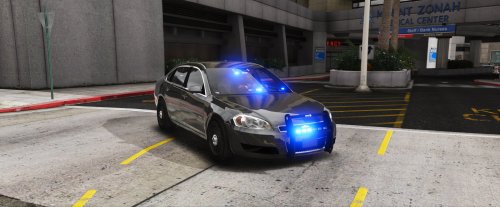 Just used this car and it's almost near perfection, except for the following issues: - Bottom right corner windshield light does not work - The car is front heavy (needs more of a 50/50 weight distribution) - Rear light pattern is very weak in my opinion - Passenger front door is glitched (no sound when opening closing, ped will walk right through it as well) - Does not come with any license plates or template to create a skin with license plates Check the spoiler below for a transparent skin I have created with license plates. You can use the trainer to select any color of the vehicle.
- 34 comments
- 13 reviews
-
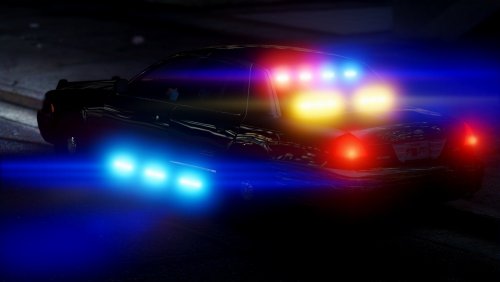 Thanks. When I was in-game, under certain angles it looks like something is blocking the numbers only. Even when I used my own skin, it left the top writing "san andreas" with expiration sticker, but blocked the digits. Thanks again, otherwise a great looking vehicle!
- 44 comments
- 21 reviews
-
-

- 1
-
-
Hey @MrPotato, just wondering why doesn't the license plate work? I even tried a custom skin with license plates, but it seems to be blocking it and comes up blank. Just like in your screenshots. Any ideas? Thanks!
- 44 comments
- 21 reviews
-
-
Nevada Highway Patrol is finally here!
-
 Hey guys, I'm having an issue where my Cinematic Camera binding is being overwritten (R by default). R = 82 according to the chart provided. 82 is no where to be found in the .ini file under Controls section. And whenever I change R to something else in-game (say Q for example), that button gets overwritten. It overwrites it with the main welp I believe. I'm fine with it on the controller, but would love to have Cinematic Camera back on the keyboard. Is there a way to do this? Thanks again for this awesome mod, I know you guys spent a lot of time developing it for us. :)
- 2,663 comments
- 234 reviews
-
-
- 2
-
-
Sorry to jump in, but Intel 6600K hands down. You really can't beat it for the value and performance. I believe I paid a little over $200 for it and overclocked it to 4.5Ghz. I do have a liquid cooler however, but the temps are still very low even under load.
-
Doesn't sound like a hardware problem to me, as you are able to run the game by itself at 100 fps. You probably just have some old plugins installed...
-
Bait Car episode with ELS Taurus!
-
New cars, skins, and ELS!!
-
Thanks for the mention. :) They do have packs with automatic installers (.oiv), just look around. Super simple installation. Here is one for example by Captain14:
-
.thumb.jpg.53e6566fc11617e23f7fb13f2792cbbe.jpg) Amazing! Thank you for creating the steady glow cruise lights in the corners of the lightbar. 5/5!
Amazing! Thank you for creating the steady glow cruise lights in the corners of the lightbar. 5/5!- 132 comments
- 63 reviews
-
-
Bad Santa patrol!
-
Just got this and drove around mindlessly for an half an hour blasting different sirens with different lighting patterns. This is truly amazing! Don't notice any impact on performance either. 7/5!
- 2,663 comments
- 234 reviews

.thumb.jpg.53e6566fc11617e23f7fb13f2792cbbe.jpg)
