



steinberg4145
Members
-
Joined
-
Last visited
Everything posted by steinberg4145
-
Did you have bxbugs123's cvpi installed in sheriff? If so that's what might be causing your issue
-
Ok thanks
-
The police please thanks
-
Hey guys, So since HBengston's question has been answered (or so it seems) I have a question on the same topic. Does anyone know what exact font LA city uses to letter all their vehicles?
-
 Sometime Maybe tomorrow or Tuesday idk. It kinda depends if I think it's ready and if I can take some more screenshots.
 -
 I already have a LAPD skin but it needs some tweaks
 -
From the album: Screenshot Stuff
© West Valley Designs
-
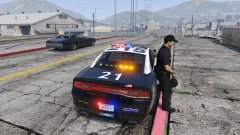
From the album: Screenshot Stuff
© West Valley Designs
-
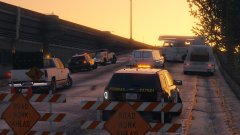 Thanks
 -
The car is currently unreleased as it's in alpha.
-
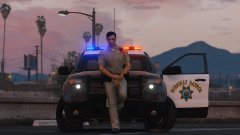
From the album: Desmond98's CHP FPIU (WIP)
The car is only in alpha. Follow progress here:© West Valley Designs
-
From the album: Desmond98's CHP FPIU (WIP)
The car is only in alpha. Follow progress here:© West Valley Designs
-
Ok thanks
-
Wait does this mean that the cvpi won't come out until the pack is finished or will the pack just include the already released cvpi?
-
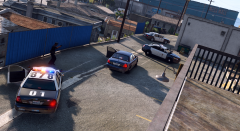 Cool thanks
 -
what unmarked cvpi?
-
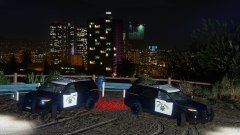 umm yeah sure what ever you say
 -
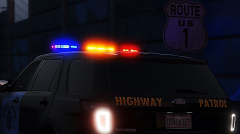 I can but most likely not because there are already skins made for it and someone else will probably make some more CHP skins before me. @forsakenbacon17 if you mean other LA county skins maybe something like this *Spoiler alert (maybe)*
 -
Thanks, I appreciate it.
-
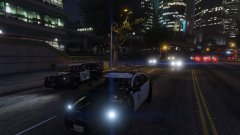 CHP has jurisdiction everywhere!
 -
From the album: Desmond98's CHP FPIU (WIP)
The car is only in alpha. Follow progress here:© West Valley Desgins
-
@officerAMR the street name is "marlowe drive"
-
I know, but I just call them cve cars (because what am I going to call them the all white slicktop sorta stealth CHP fpius)
-
I'm pretty sure Desmond is already making a cve fpiu (all white slicktop)
-
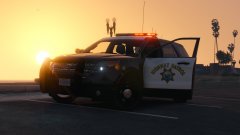 Umm idk what to say about that. This is still the first alpha model with the window tint issue. It might be that I installed it as an add-on and the carvariations is different.




