



steinberg4145
Members
-
Joined
-
Last visited
Everything posted by steinberg4145
-
no problem I'm glad to help out. that makes sense with sheriff. Personally I would have manually installed Bxbug123's cvpi because it's less confusing for me and i get to know where everything goes. I'll try and go find out where it gets placed but just FYI you need to go edit a car variations.meta I just need to figure out which one.
-
@Virzza Yeah I apologize for taking part in the conversation on your forum about the other CHP pack. I hope your CHP cvpi turns out to be the best in the community.
-
Just FYI the fib cars are in different spots but i think the SUV is in patchday2ng under fbi2 and the charger is in x64e under gnu.
-
Yes the F5544 skin work for cvpis but the explorers use different skins than desmonds You don't need them unless you want the cars as an add-on; if You want the .meta files for add-ons I can give You .meta files that will work.
-
From what I can see from your photo you put police 3 into patchday3ng, but it should be put into patchday4ng. Maybe to troubleshoot your sheriff car issues you might want to go back in to the readme of the other cvpi that's showing up in-game and see if they had you (for some odd reason) place their sheriff file some where like patchday8ng or something like that. If all else fails I suggest putting putting your "new" police3 and sheriff car files into the latest GTA 5/online update (which should be like January2016 I think)
-
This is a work in progress so please keep that in mind.
-
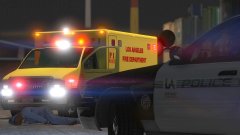
From the album: LAFD @ The Port (WIP)
WIP skin for PimDslr's e450 ambulance The LA Port Police Texture for Bxbugs123's cvpi is available here :© West Valley Designs
-
-
The CHP have standardized light patterns, they have for example code 3, code 3 parked, cruise, code 2, etc. so that may be why you see different patterns on youtube videos.
-
@virzza I'm pretty sure that you can make the code 3 pattern if you map the lightbar a certain way but don't quote me on it.
-
Awesome, here's a little set of videos that show off chp cvpi light patterns https://www.smugmug.com/gallery/n-m6ZNd/i-4m8ctnr Also I don't know if it's possible but chp removes the front door side molding thing so it won't conflict with their liveries.
-
Hey guys I don't know much this will help but I found some videos showing all of CHP's light patterns. The light patterns are on a CVPI but they're the same for the FPIUs. https://www.smugmug.com/gallery/n-m6ZNd/i-4m8ctnr (I just don't want to see all this hard work and realism to be brought down by inaccurate light patterns.)
-
Brand new LAFD station 51 LAX skin I created. Hope to release this week.
-
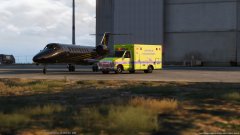
From the album: LAFD 51- LAX Skin
-
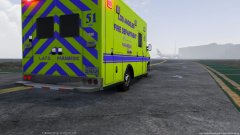
From the album: LAFD 51- LAX Skin
-
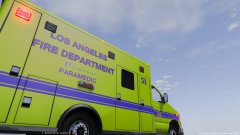
From the album: LAFD 51- LAX Skin
-
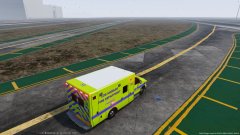
From the album: LAFD 51- LAX Skin
-
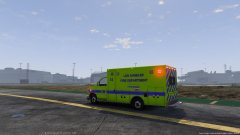
From the album: LAFD 51- LAX Skin
-
A whole pack of LAFD teaser photos that I am about to release.
-
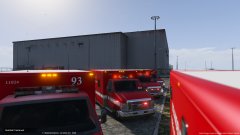
From the album: LAFD SKIN PACK (Coming Soon)
-
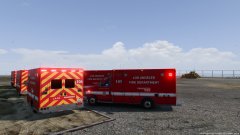
From the album: LAFD SKIN PACK (Coming Soon)
-
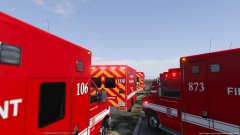
From the album: LAFD SKIN PACK (Coming Soon)
-
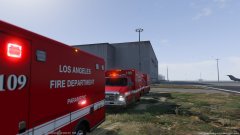
From the album: LAFD SKIN PACK (Coming Soon)
-
Ok well I don't use a mods folder (I just have 2 GTA 5 folders) but to replace sheriff the files must be placed into patchday3ng. If nothing works try to put the files into another update like mpchristmas2 or something.
-
No problem


