
steinberg4145
Members
-
Joined
-
Last visited
Everything posted by steinberg4145
-
 Ok cool.
 -
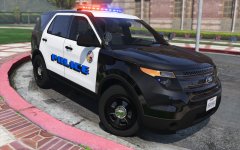
Will I release it in the future? If that your question: yes I will be releasing this along with some other cars in the future Once they're ready. I don't have a date or anything because I still need to learn how to do some things and get parts etc.
-
Not yet. I have to redo the Lightbar.
-
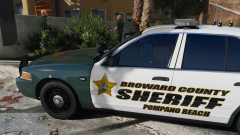 Isn't that carper's car from Gpm?
 -
-
I think that's probably a serial number and a date. I'm pretty sure unit numbers start with "88"
-
That was a test car. You can tell it's a 2014 because there aren't those funky fog lights and it's more curved. The 2016s are more squared off.
-
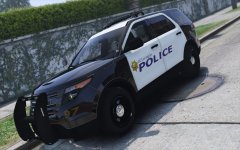 No these are 2 seperate cars. I don't know how to set up a car with multiple lightbars yet, and I have to redo the nforce because I screwed up the pattern, but I'll hopefully have an entire pack of different fpius you people can use out soon.
 -
ummmm you do you bro. Uhhh I'll stick to making cars
-
 That was a fun time
 -
From the album: West Valley Designs junk
© West Valley Designs
-
Don't worry I already have a texture for the new arjent. It might already be on the car but if not I can put it up here.
-
Well, you see a firebomb might scratch the paint
-
Yea on the version before the mirror lights the fs latitude was mapped to the same texture as the arjent but the new one with the mirror lights the fs latitude is now mapped to a different texture.
-
I just checked the latest version (06) in game and my DEV version in zmodeler, and the only thing that seems to have changed light wise is that FS latitude is mapped to a new texture, but my texture above still works for the arjent. Also there doesn't appear to be any change in the new "radiance friendly" version besides a tune of the emissive multiplier for the arjent texture.
-
Has desmod updated the lightbar and I'm just way behind or are you messing with me?
-
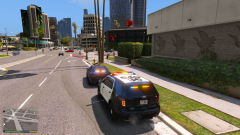 I actually photoshopped the texture @Officer27 is using myself.
 -
https://drive.google.com/file/d/0B6ZJriHhV83AY1FGLUVQdjBRUm8/view?usp=drivesdk
-
There's actually an easier fix for radiance people I photoshoped the emissive texture to match bxbugs arjent texture and it looks fine for me as a radiance user.
-
It's there don't worry I just have to resize the Lightbar.
-
-
Yup!
-
-
Yea it looks really nice too!
-
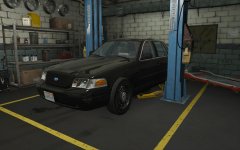
From the album: West Valley Designs junk