



Walters
Members
-
Joined
-
Last visited
Everything posted by Walters
-
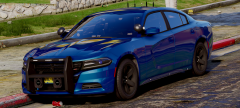 Wow thats really nice, I like the idea of blacking out the rims.
 -
 Forgetting something?
 -
-
For it to work you have to be pretty close to the car you are pursuing.
-
If this could be implemented into LSPDFR it would be nice because there are a few times I would bring in a person, put them in the cell. I leave and when I get to the first door I look behind me and see that the guy is out of the cell walking to the exit.
-
From the album: San Andreas Pack
-
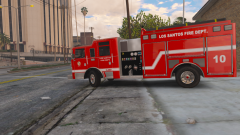
From the album: San Andreas Pack
-
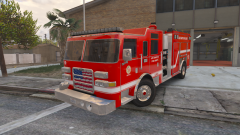
From the album: San Andreas Pack
Awesome skins created by @GTAKING23000 -
Great work as always. Hope I find a use for these when its released.
-
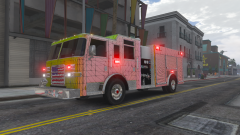 I thought it was.
 -
What kind of files are they? I dont want to put an SLR on it. So I guess the Freedom. Want to get a lightbar like this:
-
Thankyou! I just need to find the right lightbar, any suggestions?
-
Thankyou!
-
All vehicles are near completion except one that hasn't even been started yet. Not only that. RogueThunder (The guy making the awesome skins) is currently busy so havent't been getting any skins... I'm not really sure.
-
From the album: San Andreas Pack
-
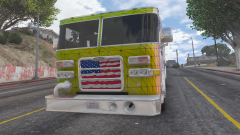
From the album: San Andreas Pack
-
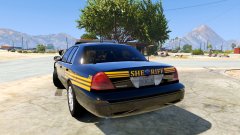
From the album: San Andreas Pack
Re-done the lighting because I didn't like how it was and the light bar was pretty messed up. -
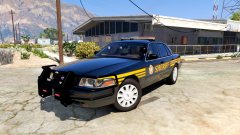
From the album: San Andreas Pack
Re-done the lighting because I didn't like how it was and the light bar was pretty messed up. -
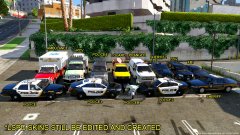 The Ram and Explorer are perspective. The Ram is a bit more taller than the Explorer. May need to make the Ram a bit more bigger. Now that you mention. The white Silverado (2012 Silverado 2500) looks humongous compared to every other truck there. Defiantly needs to be resized.
 -
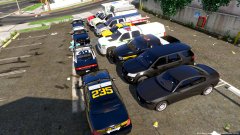
From the album: San Andreas Pack
-
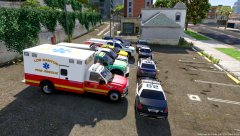
From the album: San Andreas Pack
-
From the album: San Andreas Pack
-
Ford Fusion - POLICE2 I personally like to use PRANGER for F350's. Because with the sadler, your basically doing burnouts whenever you try to drive.
-
I suggest you not waste your time with this model.
-
Rockstar has added a new emergency vehicle to the game in the Doomsday Heist update, called the RCV. This new addition gives us modelers an extra slot to insert a vehicle model without having to make it an add on. I've seen people try to replace the RCV and it would not work out for them. But I have got it working correctly. Somebody pin this please Here are two things you should note before you try to replace RCV: RCV is actually called riot2 in open iv. So you need to name your model riot2 in zmodeler3. RCV is not set up for paint3. You must change the paint of your vehicle to paint1 in zmodeler3. Otherwise any skins or templates wont show up in game. (Unless someone finds a way to make it work with paint3) Okay. So if you ignore that second note. This is what your model will look like in zmodeler and openiv: But this is what it is gonna look like in game: You see, my template does not show up. If you change the paint to paint1. It will show up. Like this: But its not done yet. RCV is designed to spawn with dark colors like grey. So we have to edit the carvariations to make the RCV automatically spawn with a white color so the skin is visible. The carvariations for RCV is located in Grand Theft Auto V\mods\update\x64\dlcpacks\mpchristmas2017\dlc.rpf\common\data Once you find the carvariations. Drag it onto your desktop, open it up, click edit, click find, and search for "riot2". This is what you will find: Every spot it says "<indices content="char_array">" with numbers under it. You want to replace all the numbers with 111 111 0 156 In each spot so it should look like this: If you are too lazy to do this yourself, either copy the entry above. Or download my already edited carvariations here: (In medafire because I cannot upload it directly to LSPDFR) After all that is finished. Your vehicle should spawn with its skin/template in white.


