.png.4067f91ff5510b42847483fe33f3632c.png)
Lunasious
Members
-
Joined
-
Last visited
Everything posted by Lunasious
-
 Ah, sorry. I don't have my own copy of GTA to test this on, so this kind of stuff is difficult for me.
 -
Going past the recommended limit won't crash the game.
-
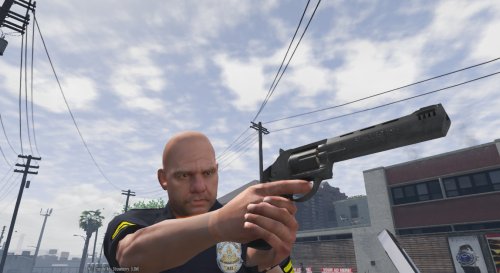 Hey, you released it! These look great. :p
 -
Do you have any visual mods installed?
-
If the carvariations.meta file is set up correctly, then you shouldn't be having a problem with your game. All of the problems in your screenshots suggest something is wrong with your carvariations.meta file.
-
I'm no model maker, but I'd definitely like to see this done. Also, I didn't know SgtAlexandra was banned. o:
-
Have you correctly installed the carvariations.meta and vehicles.meta files that came with each car mod you installed?
-
Huh, never knew that. I'll have to keep that in mind in case I see a problem like this in the future. I don't really have a copy of GTA to test anything on.
-
Sadly, losing textures in GTA IV is common when modding goes wrong. I',m not sure if there's a solid fix.
-
The game was never mod-friendly, which is why all these errors keep popping up. Rockstar isn't ruining the game, they're just lenient against modders and their modding of the game files. Thank God I'm a Bethesda person. The error is probably with one of your mods being incompatible with the new updates Rockstar is releasing. Just give it some time and then try updating all of your mods for safe measures.
-
Have you tried the same with the carvariations.meta file? That's most likely your problem.
-
Load times do seem to be a bit slow as of lately, but I only find it slow when I'm connected to an internet connection that's not mine. Besides that, the site works and load fine for me.
-
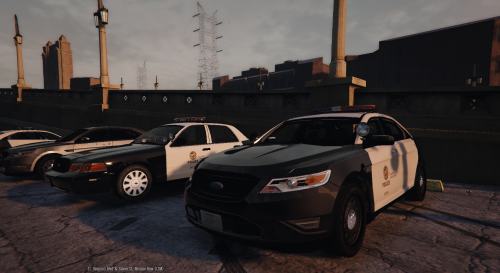
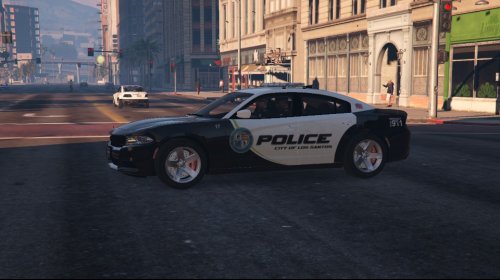 These textures look great! I love the simplistic yet vanilla look to the textures, and it seems like it could really add some immersion to the game! P.S. That white car in the first picture looks like it was rekt, did you do that?
- 18 comments
- 6 reviews
-
As well, keep a copy of your mods and a vanilla version of your game on stand-by, in case you accidentally ruin a carvartions.meta or vehicles.meta file, for instance. Just a tip that can help, keeping a back-up of everything and all.
-
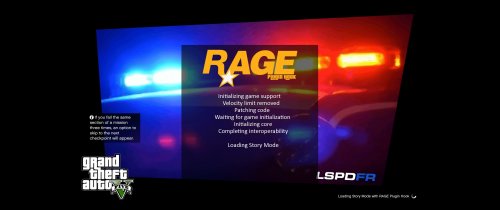 I don't see a lot of mods around that change the loading screen (I barely search the mods section of the website, so I could be wrong there), but it was the choice of song that made it seem odd.
- 9 comments
- 2 reviews
-
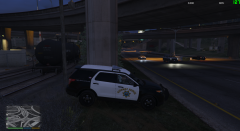 It could be just me, but I usually see most police vehicles parked at an angle of some sort, so they can have a jump start at getting up to the person who was theoretically speeding. It just seems odd to me that the car is parked directly facing the road.
 -
Hasn't been an update on the file in a long time. Not worth it in my case. LSPDFR Online is in my doubt list at the moment. Edit: Reading through the comments, it seems that it does seem to work. Though there looks to be some confusion.
-
Due to the Plagiarism & Copyright Guidelines, I'm not sure I can post those due to a matter of infringement and/or EULA or something of the sort. It's the GTA files itself, so I'm pretty sure that's against Rockstar's redistribution policies or something of the sort. I'M just being pre-cautious. Though you can try Verifying your Steam Cache to gain the original files back. Keep in mind though, that doing so will remove all the mods in your game.
-
It looks to me like a problem with your carvariations.meta file. You must've installed the cars on-top of other ones without adding the carvariations.meta for that specific car. A friend of mine was having this problem beforehand, and restoring carvariations and adding the appropriate entries for each car seemed to do the trick. TheDude was on the right track I suppose! If that doesn't solve your problem, do the same with the vehicles.meta file and see if that works out for you.
-
No problem, although sadly I didn't really help much. As well, I agree, the game folder for GTA V is a mess, and it's very difficult for new users to navigate around. Odd, saying that, I don't even own GTA V. Anywho, best of luck!
-
-
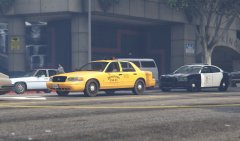 Oh, okay, makes more sense now. In Canada, we just have what the states has, I think. Also, gg on 420.
 -
What vehicle mod are you installing? As well, have you read the instructions of the mod clearly to make sure you didn't overlook anything?
-
No problem, we're glad we could help!
-
I second that. That's exactly the kind of card I was going to recommend! It's a good priced card, and it will be well worth your money. A few benchmarks on the highest settings possible show a solid 30+fps (Which is decent for a $200 card). However, if you're fine with running it at just high settings, you would get a good 60+fps for sure. If you're looking to completely max out your graphics, go for either this or this. Though there are other cards that run at the same performance. Really, it just takes some time and a few videos from JayzTwoCents or other YouTubers to decide what graphics card would be the best for you. Just keep in mind that the graphics card usually should be the most expensive piece in your computer. Hope this helps!
.png.4067f91ff5510b42847483fe33f3632c.thumb.png.0df8043dcb42580a068146970b7af656.png)