minddriver
Members
-
Joined
-
Last visited
Everything posted by minddriver
-
Go to Steam > Library > Installed > Right click on Grand Theft Auto V and choose Properties, then LOCAL FILES tab and choose VERIFY GAME INTEGRITY OF GAME CACHE... Wait to complete the process and download the new updates.
-
 Is this compatability with latest game patch v877 bacause for me it does not work
- 221 comments
- 58 reviews
-
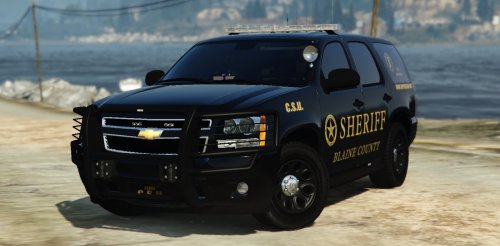 First off all BIG THANKS to @Gump for awesome model! I watched couple of episodes by @STEVETHEGAMER where the Tahoe's rims are white (if I see it corectly) not black as default. White rims looks really good, How can I change it as on the video? I tried to use a different color with trainer but stock rims cannot be recolored. What rims/wheels he uses in the video? BUG REPORT: Try to turn the car to one side with rurn on emergency lights and see the reflection.
- 117 comments
- 28 reviews
-
-
I really don't know what cause this problem with textures. For yesterday works fine but today won't. If you want more details, write it and I will provide it. http://postimg.org/image/vud454zqn/ Edit: I solved my problem. It was in graphic settings ingame options.
-
.thumb.jpg.bfad1c193dd40b9d539eefd7c5187a5a.jpg) I install all cars in patchday11 which is the latest and everything works fine. Try to install it there if it is not .oiv package.
I install all cars in patchday11 which is the latest and everything works fine. Try to install it there if it is not .oiv package.- 157 comments
- 46 reviews
-
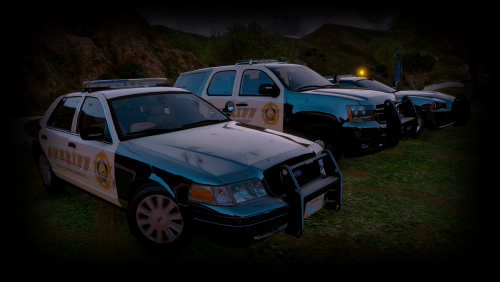 You should set Shader Quality and Post FX on HIGH if they are set to NORMAL. I'm using Radiance V with those settings on HIGH and don't have any problems.
- 445 comments
- 108 reviews
-
I've did what @fire2903rescue says in this post – lInk and all lights work fine. I use the CVPI on police slot. :)
- 157 comments
- 46 reviews
-
The pack is great but I don't want to replace the sheriffs too. Please somebody to help me how to install only FBI and FBI2....
- 445 comments
- 108 reviews
-
@Captain14, this pack (standalone) does not replace my default fbi, fbi2, sheriff, sheriff2 right? If the answer is YES, how to spawn it ingame? I mean If I type 'fbi' to spawn will spawn my default or the one from pack?
- 445 comments
- 108 reviews
-
Hey @JJDawkins, I want to install only the Unmarked Tahoe separate from oiv installer. So I copy only fbi2's files and then put it in patchday11. Vehicle is in game, I can spawn but I have problem with lights. Front lights are outside the vehicle. If I understand correctly I should copy text/code from carcols, right? But where to paste it? I suggest you when you have more time to do and version without installer for these who wants only to install 1 car - tahoe or charger. Keep the installer for everyone who wants easy installation. :) Thanks in advance!!!!
- 445 comments
- 108 reviews
-
-

- 2
-
-
-
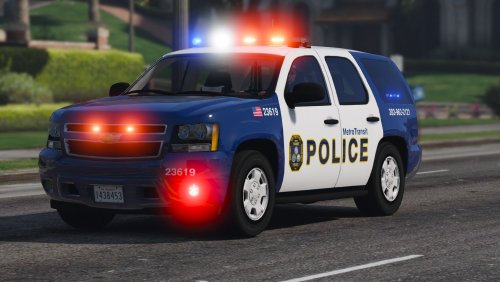 @Chewtoy To your question - "My only cripe is that the rambar just flies off on the moment of any sort of impact", here is the answer - Go to mods -> update -> update.rpf -> common -> data -> levels -> gta5 and export vehicles.meta, find the slot on which yoy're installed the tahoe (mines is sheriff2) and in <flags></flags> add FLAG_EXTRAS_STRONG and you're good to go.
- 66 comments
- 18 reviews
-
-
- 1
-
-
Go to mods -> update -> update.rpf -> common -> data -> levels -> gta5 and export vehicles.meta, find the slot on which yoy're installed the tahoe (mines is sheriff2) and in <flags></flags> add FLAG_EXTRAS_STRONG and you're good to go.
- 66 comments
- 18 reviews
-
Unmarked Tahoe will be super because his model is accurate and very well done.
- 66 comments
- 18 reviews
-
Best and accurate Tahoe model at all! Thanks for share and keep up the good work! My dream comes true
- 66 comments
- 18 reviews
-
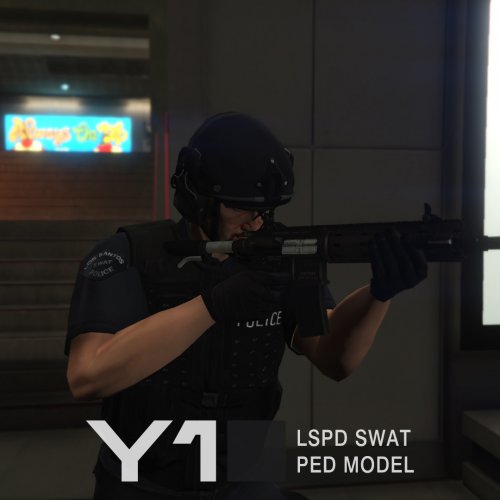 Best SWAT ped at all. Thanks for share and keep up the good work! Are you planning to make more peds in farther?
- 21 comments
- 9 reviews
-
Bug report: You can't put 3 partners in Tahoe bacause they don't stop to enter/leave vehicle. I use Tahoe on sheriff2 slot if it's important otherwise works fine. In fact this is the only one Tahoe's model which is accurate. I mean body, wheels, rims, interior.
- 66 comments
- 18 reviews
-
-
This works fine. THANK YOU VERY MUCH! Please update description with this usefull info. Have a good night!
- 66 comments
- 18 reviews
-
-
- 1
-
-
Only one clarification - the right installation path for Non-RDE users is mods\update\x64\dlcpacks\patchday9ng\dlc.rpf\x64\levels\gta5\vehicles.rpf\ I tried it personaly before to post it. Tahoe needs handling otherwise models are great! Thank you!
- 66 comments
- 18 reviews
-
 Do I need to install sepatate Tactical and Winter addons or they are included in new 7.3?
- 2,349 comments
- 238 reviews
-
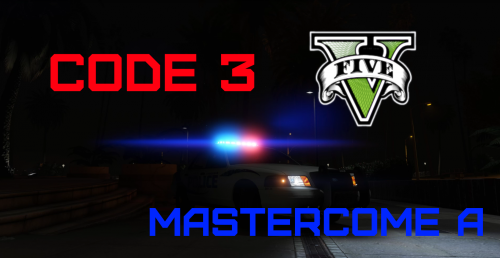 Please post in description installation path (Mods/X64/audio/sfx/resident.RPF) for these who dont know it and will ask.
- 13 comments
- 2 reviews
-
-
- 3
-
-
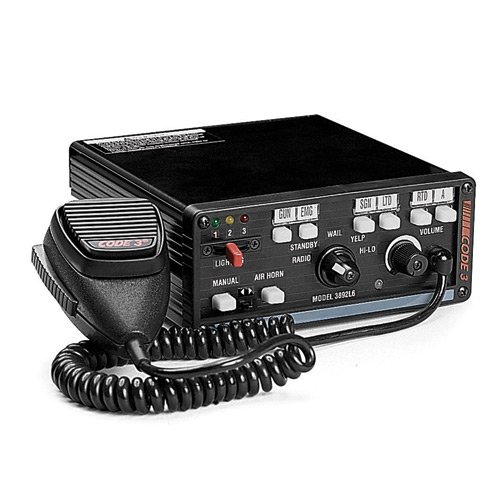 Finally some good siren! I love it man! Unfortunatelly I can not play any more GTA IV on my laptop due to bad optimization but I am looking forward to make it for GTA V. :)
- 8 comments
- 3 reviews
-
-
- 1
-
-
Very good siren! The first thing that hit me was it is for gta 5 :D omg Could you made that siren and for GTA 5?
- 8 comments
- 3 reviews
-
-
- 1
-
.thumb.jpg.bfad1c193dd40b9d539eefd7c5187a5a.jpg)