


Isaa
Members
-
Joined
-
Last visited
Everything posted by Isaa
-
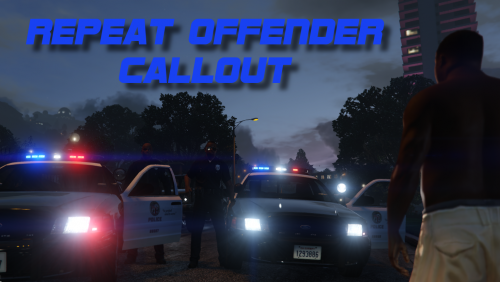 This is truly quality over quantity. The best and most fleshed out callout out there.
- 102 comments
- 35 reviews
-
-

- 1
-
-
Edit: Figured it out. Had to replace the police.ytd file in update/x64/dlcpacks/patchday3ng/... Installation instructions didn't mention anything about it. ........ I reinstalled the vanilla model and it worked as normal. Then tried a custom model once more and it still looks like this: I'm also using custom models in the police2, sheriff, fib etc. spots and they are working properly.
-
Might as well steal this thread since I most likely have the same problem. I've tried a couple of different car models in the first police spot and while the models are working the textures are all over the place or missing completely. I'm seeing speedometer textures on the windows etc. I've installed them to mods/x64e/levels/gta5/vehicels.rpf and I've replaced all the polic.ytd, police.yft, police+hi.ytd and police_hi.yft files.
-
Is there a way to make the lights flash faster than normal like there was in GTA IV with the ELS?
-
The foot chases just go on forever since you can't catch them by running unless they bump into something and the backup is useless most of the time because they get out of their cars too early.
-
Use the older 0.16.607.3592 version of RAGE Plugin Hook found here: http://ragepluginhook.net/Downloads.aspx
-
I'm using the Rage that came with the LSPDFR 0.2a and can't see the console anymore. I also have the latest ScriptHook.
-
I've enjoyed LSPDFR so far and of course being able to play without the constant crashes we were used to in GTA IV is awesome. Some things I'd like to see in the future: - Being able to arrest people without holding them at gunpoint - A less aggressive arresting animation - Being able to actually grab the suspects and walk them to the police car instead of them just following you
-
It's not just you. Wondering why it gives that security warning.
-
Seems like the G17 team now has a rival. http://gtaforums.com/topic/790150-vrel-sapdfirst-response/ Couldn't even come up with an original name.
-
Now available for download. http://gtaforums.com/topic/788343-gtavrel-script-hook-v/ Edit: Epicity's message appeared from nowhere.
-
I tried a lot of different things and got it to work for an hour a couple of times but then LCPDFR started crashing out of nowhere always after the second callout even though I didn't change anything. Doesn't make any sense. Then I tried to fix that problem and now I'm back to the usual crash after 5 minutes of gameplay. I have tried to run the game without the AiELS and without the TrafficFlow. I guess I could try it without the ENB too but I'm not sure if that's worth it. "Faulting module: C:Program Files (x86)Rockstar GamesGrand Theft Auto IVGTAIV.exe loaded into process space at 3B0000 - function offset without PE header is: 797415) Code: C0000005" And here is one of those out of nowhere LCPDFR crashes after the second callout: "[ERROR - 2:28:29 AM] [Main] CRITICAL ERROR DURING MAINLOOP! REPORT THIS ISSUE AT LCPDFR.COM BY INCLUDING THIS LOGFILE. [ERROR - 2:28:29 AM] [] System.Threading.ThreadAbortException: Thread was being aborted. at System.Threading.WaitHandle.WaitOneNative(SafeHandle waitableSafeHandle, UInt32 millisecondsTimeout, Boolean hasThreadAffinity, Boolean exitContext) at System.Threading.WaitHandle.InternalWaitOne(SafeHandle waitableSafeHandle, Int64 millisecondsTimeout, Boolean hasThreadAffinity, Boolean exitContext) at System.Threading.WaitHandle.WaitOne(Int32 millisecondsTimeout, Boolean exitContext) at System.Threading.WaitHandle.WaitOne() at GTA.NetThread.Wait(Int32 ms) at GTA.Script.Wait(Int32 ms) at GTA.Game.WaitInCurrentScript(Int32 ms) at LCPD_First_Response.Engine.Scripting.Entities.CModel.LoadIntoMemory(Boolean instantReturn) at s.d() at s.e() at s.m() at ec.k() at LCPD_First_Response.Engine.Main.c() [ERROR - 2:28:29 AM] [ExceptionHandler] System.Threading.WaitHandle.WaitOneNative(SafeHandle waitableSafeHandle, UInt32 millisecondsTimeout, Boolean hasThreadAffinity, Boolean exitContext) L_ffffffff System.Threading.WaitHandle.InternalWaitOne(SafeHandle waitableSafeHandle, Int64 millisecondsTimeout, Boolean hasThreadAffinity, Boolean exitContext) L_0014 System.Threading.WaitHandle.WaitOne(Int32 millisecondsTimeout, Boolean exitContext) L_0000 System.Threading.WaitHandle.WaitOne() L_0000 GTA.NetThread.Wait(Int32 ms) L_0049 GTA.Script.Wait(Int32 ms) L_00b4 GTA.Game.WaitInCurrentScript(Int32 ms) L_0014 LCPD_First_Response.Engine.Scripting.Entities.CModel.LoadIntoMemory(Boolean instantReturn) L_0081 s.d() L_03e6 s.e() L_00dd s.m() L_011d ec.k() L_00b0 LCPD_First_Response.Engine.Main.c() L_0118 Error hash: D38246AF5A6655BBDDC4D39B3DF04ECFBFB04774"
-
No, I don't. That's why I posted this on the general GTA IV support section.
-
My game crashes a lot and I thought it was the ELS (8.0), but then I set aiELS off and still got the crashes. Windows 8.1 Pro Intel Xeon E3-1231 v3 3,4 GHz GTX 780 3GB 16GB RAM A legit copy of GTA IV with 1.0.7.0. I always run it as administrator. I have all the required files and updates, but I have .NET Framework 4.5.2 and LCPDFR doesn't recognize it, probably because it's so new. Other mods include cryENB 2.0. METT/Coroner, TrafficFlow, PoliceHelper and six ELS cars. AdvancedHook.log That's what I've been getting all the time. LCPDFR log file doesn't have any unusual problems in it.
-
That was most likely a fake. At least it was written in Google Translator Russian.
-
It sure had some great moments, like how that chace ended.
-
I think her actions were completely justified. She did nothing wrong. The only thing I'm wondering is what the hell was that off-duty officer Lopez thinking.
-
I couldn't even imagine playing this with the non-ELS vehicles.
-
Open your TrafficFlow.ini file which is located in the scripts folder found from your main GTA IV folder. Then you just have to edit the variable for "ChanceOfRandomDispatch". I changed it to 90. The way it works is explained in the file. If you don't have the "ChangeOfRandomDispatch =" line in your TrafficFlow.ini file you have to download the latest version of the mod from http://gtapolicemods...do=file&id=778.
-
I'd like to see callouts which could be dealt with without actually arresting or killing someone. For example a small group of people is causing some disturbance and you have to go there and tell them to leave. It could be house parties and checking IDs for underage drinking as Cap'n suggested above or just few guys hanging out in a park and being a bit too noisy. In most cases these could be solved peacefully, but of course sometimes they would disobey you.
-
Are you using Traffic Flow? My game used to crash after around 30 minutes of gameplay, but when I decreased the chance of random dispatches from the TrafficFlow.ini file the crashes stopped.
-
I've found a weapon a couple of times. It seems that the probability of finding something is somewhere around 20%.
-
How do you know they're customers? Maybe it's the owner assaulting one of his employees or his wife or something. Use your imagination!
-
How to fix what? You can get in by breaking a window so what's the problem? I think it's realistic that the doors aren't always open.
-
I'd like to see those situations mentioned by JetlinerX , but in my opinion the chance of him not paying the citation shouldn't be more than 5%. I also think that the chance of a driver trying to escape when you try to stop him or when you're already approaching a stopped car on foot is too high. I don't know what the chance exactly is right now, but I think it should be somewhere around 10-15%.
