


weakerthan
Members
-
Joined
-
Last visited
Everything posted by weakerthan
-
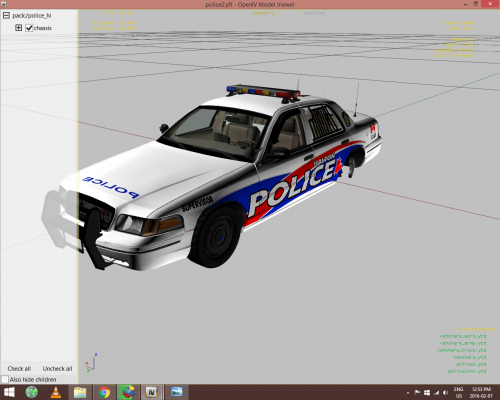 Mod may be acquired here Work in progress, any feed back is appreciated
 -
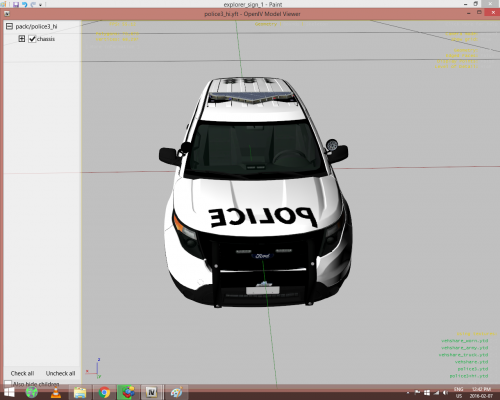 Fictional stickers. When you move to another agency or work with multiple you may keep and brandish your qualifications, whether it be EMS, programs, or k9 handling ect. If you'd like I can make those types of lore stickers optional, I've got a CVPI coming out with EMS logos for example. I appreciate your feed back
 -
Work In Progress as this is my first public release. Feel free to edit these yourself In game screenshots will come once it's been fine tuned Vehicle model is downloaded here
-
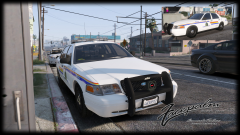 Outstanding, are you able to upload these?
 -
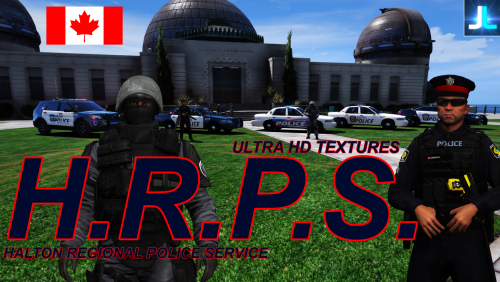 Some good skins, should be advertised as WIP as not all of the textures are complete. Pretty much abandoned. Sorry I was just frustrated giving myself headaches trying to learn photoshop and how to use zmodeler, these models/textures are fantastic. The Halton Tahoe is meshed out, I edited it into a ghost car. I'd love to release that with your permission. I just edited out the skin from your 2011 cvpi ghost and applied it to the tahoe template. I don't know how to edit/delete this review so my apologies, it should be 5 stars!
- 13 comments
- 5 reviews
-
-

- 1
-
-
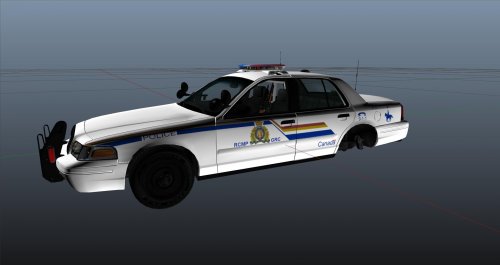 If you'd like in game screen shots, I can provide those for you upon request
 -
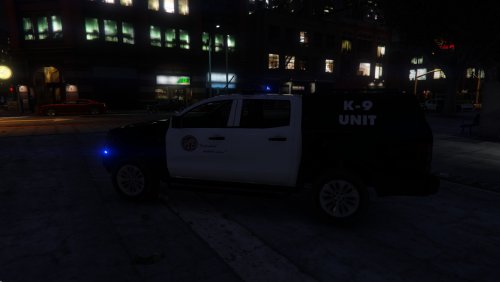 Any vehicle that incorporates the all blue siren is a must for me. Could I get a template for strictly personal use?
- 25 comments
- 1 review
-
How did you get your halton tahoe to appear properly in the screen shots, mine is meshed
- 13 comments
- 5 reviews
-
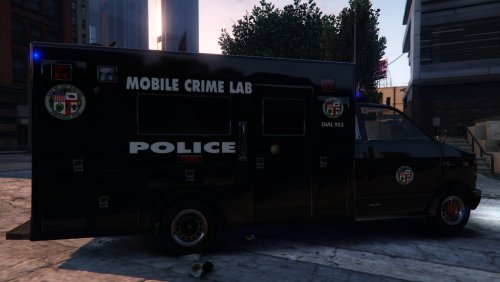 Neat, maybe you could try this concept on the park ranger vehicle, as that takes up a slot when selecting vehicles in the lspdfr garage
- 16 comments
- 2 reviews
-
-
- 1
-
-
 The engine startup and acceleration could be beefier everything else is up to par! At least now I can hear my own engine during a code 3
- 43 comments
- 9 reviews
-
-
- 1
-
-
-
Tired of the tedious process of individually unblocking files, unblock the the zip in the same manner before extracting and your subsequent files will be unblocked. A lot of my time has been wasted doing this, so I hope I can save someone else the hassel and time
-
 I'm having issues installing, perhaps I'm just expecting a louder acceleration noise. Could you teach me how to increase the sound volume, even at the cost of quality, or upload a separate version just louder? Cheers
- 49 comments
- 3 reviews
-
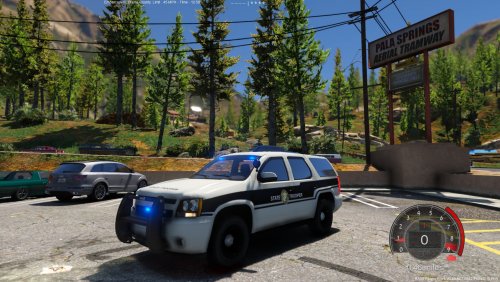 Misleading blue light feature and screenshots, as the lights are default red and blue.
- 13 comments
- 6 reviews
-
-
 Awesome, here's an addition I'm using for the sheriff task force [Ped:S_M_Y_BLACKOPS_01] FuncHolster=True FuncIntim=True FuncIntimMesh=9:0,9:1 9:1=9:0
- 561 comments
- 97 reviews
-
 No installation guide or package installation.. I've used this before with lspdfr 2.0 and it was okay, besides some clipping issues with various clothing models
- 2,353 comments
- 239 reviews
-
.thumb.jpg.4066677156985e22489bfecddc2f6c45.jpg) My only qualms are the default ponies and lights on the side of the push bar, they should be on the front of the bull bar or in the grill. Very impressive work
My only qualms are the default ponies and lights on the side of the push bar, they should be on the front of the bull bar or in the grill. Very impressive work- 376 comments
- 81 reviews
-
 Fore those who don't want to download.. Update.rpf>Date (Handling.meta) <handlingName>police</handlingName> <fMass value="1800.000000" /> <fInitialDragCoeff value="5.650000" /> <fPercentSubmerged value="85.000000" /> <vecCentreOfMassOffset x="0.000000" y="0.200000" z="0.000000" /> <vecInertiaMultiplier x="1.000000" y="1.600000" z="1.600000" /> <fDriveBiasFront value="0.000000" /> <nInitialDriveGears value="4" /> <fInitialDriveForce value="0.265000" /> <fDriveInertia value="1.250000" /> <fClutchChangeRateScaleUpShift value="1.950000" /> <fClutchChangeRateScaleDownShift value="1.900000" /> <fInitialDriveMaxFlatVel value="150.000000" /> <fBrakeForce value="0.650000" /> <fBrakeBiasFront value="0.425000" /> <fHandBrakeForce value="0.600000" /> <fSteeringLock value="40.000000" /> <fTractionCurveMax value="2.550000" /> <fTractionCurveMin value="2.450000" /> <fTractionCurveLateral value="22.500000" /> <fTractionSpringDeltaMax value="0.150000" /> <fLowSpeedTractionLossMult value="1.000000" /> <fCamberStiffnesss value="0.000000" /> <fTractionBiasFront value="0.480000" /> <fTractionLossMult value="1.000000" /> <fSuspensionForce value="1.800000" /> <fSuspensionCompDamp value="0.800000" /> <fSuspensionReboundDamp value="1.500000" /> <fSuspensionUpperLimit value="0.090000" /> <fSuspensionLowerLimit value="-0.140000" /> <fSuspensionRaise value="0.000000" /> <fSuspensionBiasFront value="0.510000" /> <fAntiRollBarForce value="0.950000" /> <fAntiRollBarBiasFront value="0.600000" /> <fRollCentreHeightFront value="0.340000" /> <fRollCentreHeightRear value="0.350000" /> <fCollisionDamageMult value="0.700000" /> <fWeaponDamageMult value="1.000000" /> <fDeformationDamageMult value="0.700000" /> <fEngineDamageMult value="1.500000" /> <fPetrolTankVolume value="65.000000" /> <fOilVolume value="5.000000" /> <fSeatOffsetDistX value="0.000000" /> <fSeatOffsetDistY value="0.000000" /> <fSeatOffsetDistZ value="0.000000" /> <nMonetaryValue value="35000" /> <strModelFlags>440010</strModelFlags> <strHandlingFlags>0</strHandlingFlags> <strDamageFlags>0</strDamageFlags> <AIHandling>SPORTS_CAR</AIHandling> <SubHandlingData> <Item type="CCarHandlingData"> <fBackEndPopUpCarImpulseMult value="0.100000" /> <fBackEndPopUpBuildingImpulseMult value="0.030000" /> <fBackEndPopUpMaxDeltaSpeed value="0.600000" /> </Item> <Item type="NULL" /> <Item type="NULL" /> </SubHandlingData> </Item>

.thumb.jpg.4066677156985e22489bfecddc2f6c45.jpg)
