




PNWParksFan
Insiders
-
Joined
-
Last visited
Everything posted by PNWParksFan
-
You could use other metrics as a proxy for severity. How long the callout runs for, did a shootout occur, was there a traffic stop or a pursuit, how much backup was called, etc.
-
 Unfortunately no. It uses memory editing to resize the tape pieces, which is not possible in FiveM.
- 299 comments
- 25 reviews
-
-
Coastal Callous 1.2 is almost ready! Just sent out another beta update to testers. Fortunately it's a leap year, so we'll still hit that February timeline 😉 The plugin updates are all finished, just been working on getting the Bell 412 model all cleaned up. It now has a full seating layout with 10 seats, rescue hoist, working gauges, breakable glass, and a new LS County Fire livery. I still need to add it into some config files then it'll be ready to go. I have also added working spotlights to all of the remaining boats and helis in the pack. They work with the recently updated Spotlight mod by Alex Guirre so you can aim the spotlight and it will actually physically rotate. There have been a number of other updates to vehicles, maps, and the plugin which will be detailed in the release update notes.
-
I'm not sure what you mean about "wrong side of San Andreas". No CG boats should spawn there, just sheriff, port police, and fire boat. You can manage vehicle doors through the LSPDFR vehicle menu (M key by default).
-
-
 Looking like late February right now. I have most of the script updates I had planned for this update finished, but am still working on finishing up a new heli model which I'm hoping to have included with this update.
- 496 comments
- 33 reviews
-
The files are in the LML folder, not in an RPF.
-
Do you know which other callout pack was causing the issue? That would be very helpful info for me to know.
-
Please try this version and let me know if it works: No problem, always happy to have others offering a helping hand.
-
I will be posting a modding kit in the next update which will enable people to make their own texture packs and other configuration changes.
- 496 comments
- 33 reviews
-
When you first spawn it, put it down a bit and then up a bit. Repeat that til it stops glitching.
-
-
Are you using the numpad * key to do it?
-
There are some native functions which can be used to achieve this. I might be able to throw something together, but am quite busy at the moment with other projects.
-
No plans to make it a standalone plugin. This can already be done as an LSPDFR plugin. Coastal Callouts has a fairly extensive API, and if any developers would like to see something else added to the API they can let me know. That's all set in the handling.meta. Feel free to play around with the values and tweak them to your liking. Boat handling is extremely difficult to tweak, and this was the best balance I could get. In real life this boat cuts through the waves more, it doesn't tend to bounce over the waves. Water physics in GTA kinda suck so you have to compromise.
-
Up to you. The next update, which is currently in beta and will be released later this month, includes a new "coastal only mode". The current public version already has an option to disable coastal callouts temporarily if you don't want to get dispatched for them.
-
No. Do not do that. To get the higher resolution, you need to increase your texture quality in your graphics settings in game. If your PC can't handle that, then you shouldn't be using a bunch of high-res textures.
-
The models use a separate +HI.ytd file for the high-res 4k textures to improve performance when the models are at a greater distance. The game only shows these if your texture settings are set to Very High.
-
Check out the install.xml for for Coastal Callouts for a fairly complex example of how to use resource groups. I've attached a copy here for your convenience. For a more simple example, see how I set up the install.xml for my gameconfig LML package. https://github.com/pnwparksfan/gameconfig/blob/master/install.xml install.xml
-
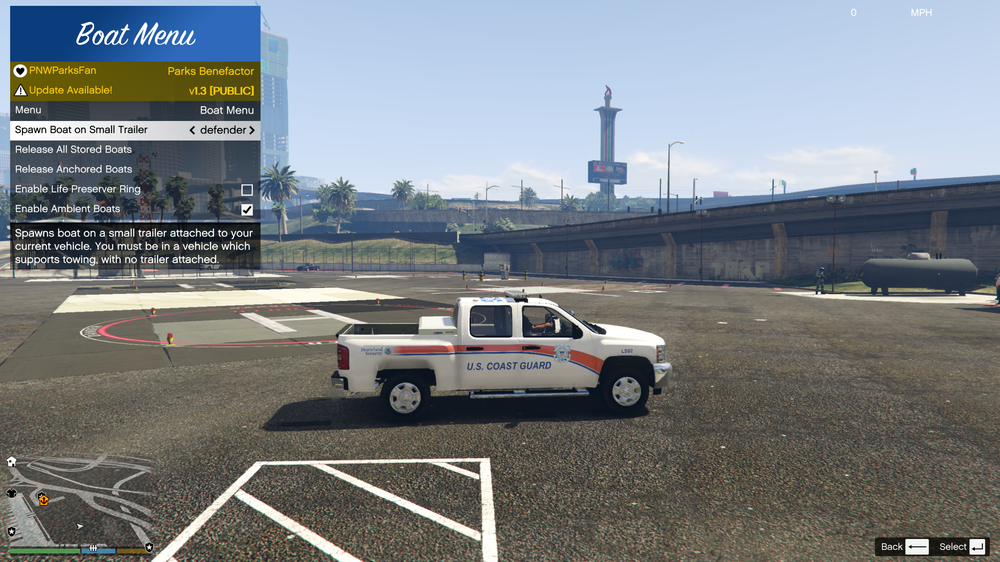
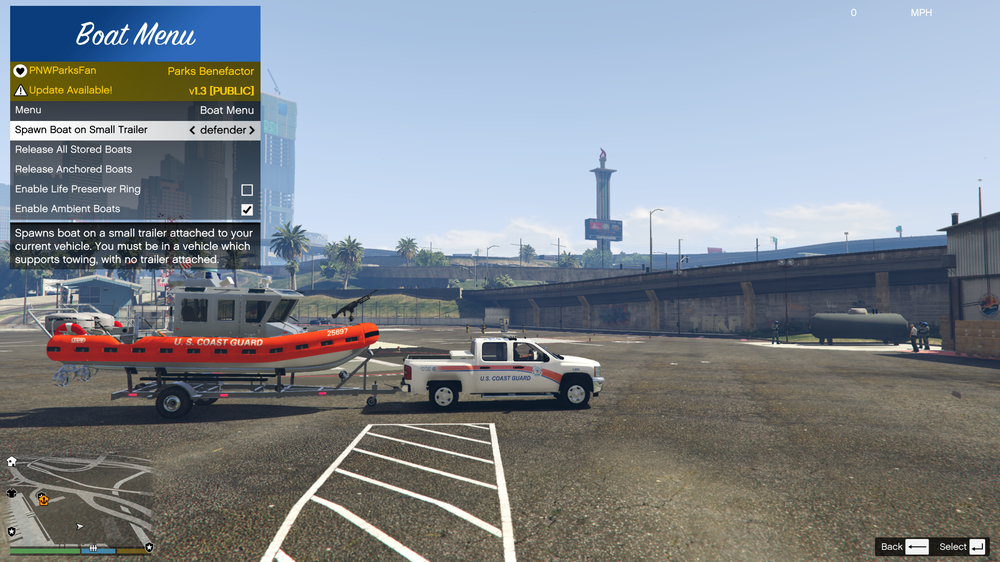
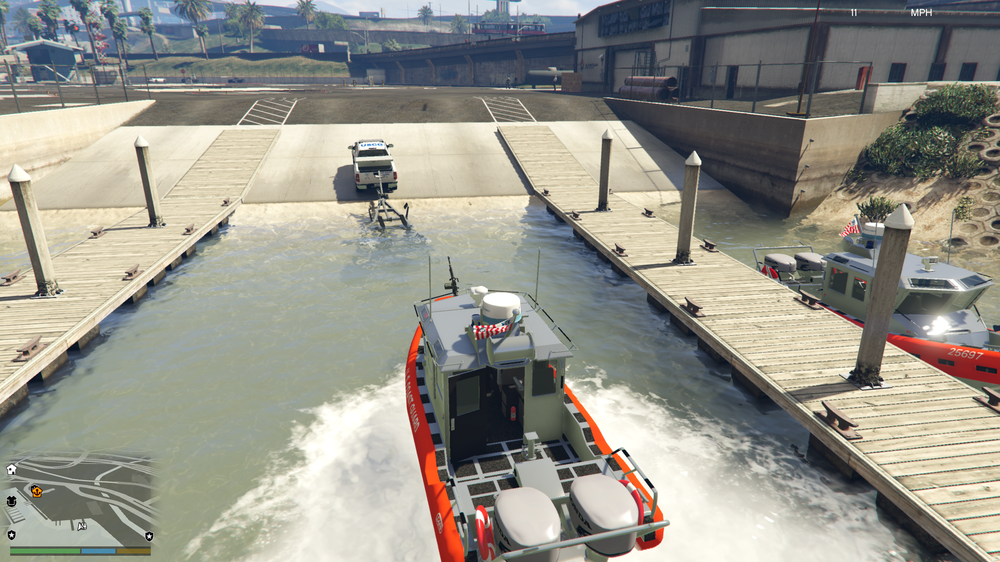
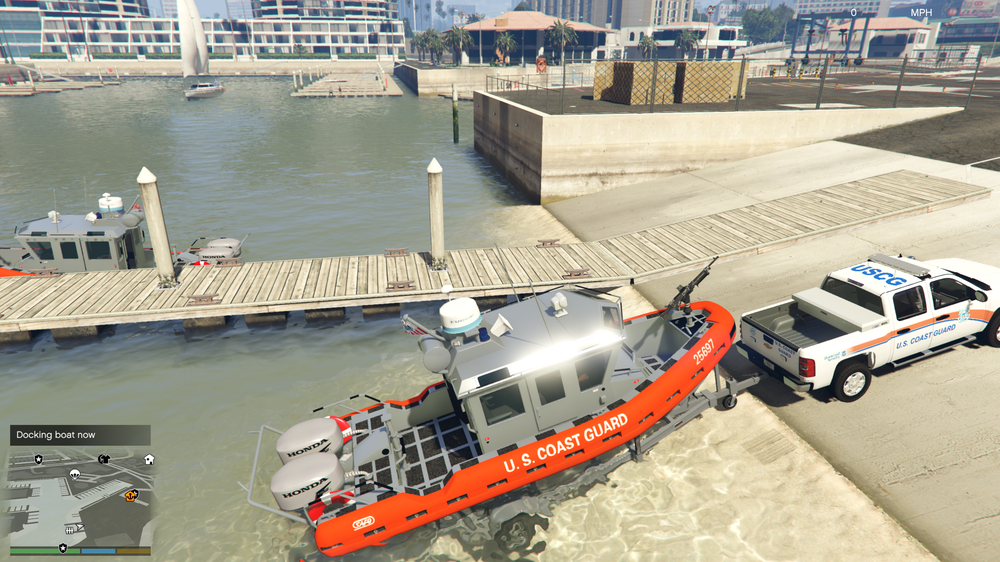
There are two ways to spawn boats on trailers. The first way is through the Coastal Callouts boat menu. You must be inside a vehicle that supports towing trailers but does not currently have a trailer attached. Open the boat menu and it'll be the first option. The second method is to attach an empty boat trailer to your vehicle and back it into the water. Then, drive a supported boat up onto the trailer. Either method requires LSPDFR to be running with the plugin loaded. The Benefactor Program includes beta access to Coastal Callouts updates, beta access to other mods I'm working on, membership to my Discord server where you can chat with the community, discuss development, see previews of upcoming features, give suggestions, etc. and also shows your membership status in game.
-
Looks like you need to increase your plugin timeout settings in RPH to 60000. You can change the keybindings in the INI file.
-
If you install that model, it should automatically show up in any of the ship based calls occasionally. You can also manually configure which ship models are used in the INI.
-
You can modify the files yourself. The textures are in Plugins/CoastalCallouts/HoistUI (I think? somewhere in there), and you can set the text font/size/position in the INI. If you make a slick looking one I'd consider including it in the mod, or you can upload the customized textures as a file download here. I agree. We'd need a cruise ship model for that though. Maybe someday, but I don't have one currently.
-
It will be included in the next update, which I plan to release in early February.




