.jpg.481a7f2baaf817d0330720946d208dad.jpg)
TrisBreezy
Members
-
Joined
-
Last visited
Everything posted by TrisBreezy
-
 Got everything working great! Apparently I missed a file during dragging and dropping, and it happened to be important 😛 Word to the wise though, once you install ELS, a visual settings edit is a must, cause GTA vanilla lighting isn't bright enough on its own.
- 2,699 comments
- 240 reviews
-
 Which patchday folder did u put it in? There is probably a vanilla police2 in a higher numbered patchday folder which is overriding the folder u used, so to remedy this, u can either locate the vaniila police files that are overriding u in whatever folder they are in and replace them there, or just put the new car files in the vehicles.rph in the highest numbered patchday folder u can. Once u get the hang of how it all works, it all becomes really simple!
- 159 comments
- 53 reviews
-
 Okay. I'll look into changing it. Thanks for the feedback!
 -
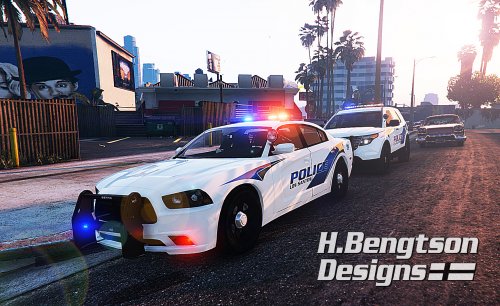
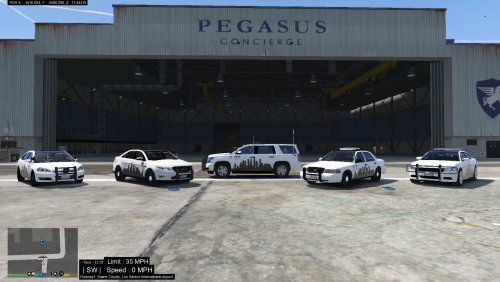
Just a special edition skins pack marking the one year Anniversary of GTA5 coming to PC (March 24, 2015-March 24, 2016) that I made for a few common police vehicles such as: F5544's CVPI, 2015 Charger, 2012 Taurus, BxBugs123's 2014 Chevy Impala and SOLDI3RFX 2015 Tahoe. Please keep in mind that these skins will also work on any other vehicle that uses the same templates. To install, just open a corresponding vehicle's .ytd file via OpenIV and replace one of the skins with mine. I'll add more skins when I can! Do not attempt to modify, alter, convert or tamper with these vehicles or textures and re-post to any forum or website in any way without mine and the car creator's explicit permission to do so! Here are the links to download the vehicles:
-
Hey I have had the same problem viewing my notifications for over a week now. I was hoping the issue would eventually fix itself but it still hasn't. Whenever I click on the little bell in the upper right corner to preview my notifications, it never loads them. I tried clicking to view the whole notifications list in a new window but just get a blank page... And yes, I've cleared my cache and cookies multiple times, logged in and out and used a different browser, which gave me an http:500 error when I tried to view all notifications. I also sent Sam a message about this but haven't gotten a response yet...
-
 A few bugs, but overall it's great, well worth downloading and adding to any game.
- 41 comments
- 8 reviews
-
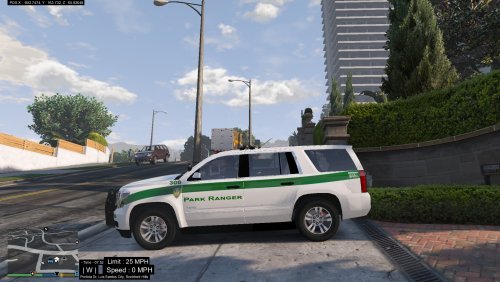 This was my first time creating textures, so I kept it pretty simple with some textures for SOLDI3RFX 2015 Tahoe. Three different looking Sheriff textures, a Park Ranger texture, a NOOSE texture, FIB texture, an authentic looking DHS texture, and authentic GTA5 LSPD (LAPD) texture. Do not attempt to modify, alter, convert or tamper with these vehicles or textures and re-post to any forum or website in any way without mine and the car creator's explicit permission to do so! You can download the vehicle here:
 -
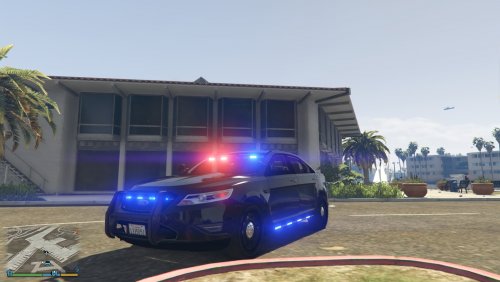 Patchday3ng works fine, it's even the most recommended folder to use by car creators. I use it for my police3, fbi and sheriff cars. And I have no idea why u wouldn't have the other folders... ??? I doubt it's carvariations.meta, as I changed mine long ago to include liveries. I'm tracking down the problem to be the livery files themselves in the YTD file that are the problem. I tried deleting all the liveries but unmarked and now it thinks I have no livery installed at all. So next step is editing the livery files and seeing if I can fix them, but if not, I'll just add other liveries and go from there.
- 23 comments
- 14 reviews
-
Love the car! I'm using it as FBI but can't get the other liveries working... Everything is set up right, and worked with other cars previously in the FBI slot, but for some reason only one livery (default) is being recognized on this car. I guess I'll try modifying the livery files and see how that goes, unless u have a better solution?
- 23 comments
- 14 reviews
-
Good to see him get focused on. He deserves the limelight. Congrats bro!
-
-
-
 OMG!!!! It actually works!!! It's amazing! Even when officers go in for PITs they are more controlled and realistic instead of ramming the fleeing vehicles at 1000+ MPH.lol
- 176 comments
- 46 reviews
-
Hello to the awesome and diverse LSPDFR Community. First of all, big thanks to all the creators, developers, and users on LSPDFR.com both small and great! You guys have taken the game to a whole new level that's unimaginable! Kudos!!! I decided to create this thread for anyone in the community from newbies to moderators as an avenue for us to float or bounce around any ideas or suggestions for future scripts/plugins/call-outs/mods that we would like to add or see added in the future to LSPDFR. May this thread serve as a direct line from peer to peer or from the average user to the experienced developer. My hope is that this thread will be used to inspire, and open up our minds to the endless possibilities of the LSPDFR controlled GTA5 world. Please limit your ideas, comments and suggestions to LSPDFR plugins that are NOT already uploaded! (every plugin has its own comments/review section for that) Please be as specific as possible! And most important, please adhere to the website rules and regulations! http://www.lcpdfr.com/guideline-hub/ With that said I have a few suggestions of my own to toss around for everyone to think about, and here they are: I respectfully request further diversifying the police vehicles instead of just creating different variations of one model (i.e. Ford CVPI/Dodge Charger). Home Burglary Call-out Clothing store robbery call-out Gang territorial wars and shootouts LSPDFR Adding the ability for the user to get helicopter support during any events, not just pursuits. Thank you to everyone who has posted so far. Honestly the more people that add to this thread the better our chances of getting our ideas out there for the developers to notice, so please keep posting your suggestions!
-
-
Not working for me fellas, thanks for your time though. I ended up just going back to vanilla and reinstalling my cars and visual upgrades. Hopefully, there will be a fix soon, cause I hate the original GTA5 sirens...
-
Thanks for the quick reply. I was hoping there was another solution, but there doesn't seem to be one. My internet is slow as molasses so a steam vanilla replace will take up to 14 hrs.... Guess I better get started... >_<
-
As anyone who has tried to use OpenIV 2.7 to add .oac files to the game sounds archives knows, .oac is not supported by this OpenIV version 2.7. Does anyone know of a work-around for this, like a program or something I can use to change the file format of an .oac file to .awc format? I mistakenly deleted my vehicles.awc file from my GTA5 directory while trying to add new sounds, and now I have no car sounds at all because the sounds I wanna add are in .oac format.lol HELP!!!!
-
 Never had a problem with this plugin. It's simple, callouts aren't super engrossing, but yet they are satisfying! Five stars bro, and I can't wait to see what that future tank callout is like!
- 174 comments
- 46 reviews
-
When running LSPDFR, you will see a blue letter 'B' on the map. That is the location of the FIB building. Walk through the doors as Micheal and you will commence the 'easter egg' pursuit.
-
 I have the same problem with the "snowday" cheat, but unlike you, I haven't installed any physics mods so I came to the conclusion your physics mod has nothing to do with it. I have a feeling that the coding from the latest update broke the cheat, because I tried the cheat with snow mod enabled and with the snow mod completely removed from my game folder and had the same results: my car drives like its on ice and I have plastic tires installed.lol
- 85 comments
- 33 reviews
-
I didn't worry about changing any of that, cause I don't mind that the sheriff cars are spawning as slick tops half the time. But on the other hand, that may explain why the sheriff version's lights are different for me... Both rear window siren lights are red and the front window siren light is all blue.lol I might try to locate the corresponding vehicles.meta and carvariations if I ever feel like it, or get annoyed by the change in emergency lighting...
- 159 comments
- 53 reviews
-
I have the regular Charger in police2 slot and the steel rims version in the sheriff slot, and just added some sheriff liveries from krame86 in the sheriff.ytd texture file. Also, when replacing the sheriff files, I just followed the instructions for another sheriff replacement which said to put the vehicle files in: Grand Theft Auto V\update\x64\dlcpacks\patchday3ng\dlc.rpf\x64\levels\gta5\vehicles.rpf\ I have had no problems as of yet, so if all else fails just follow the file path mentioned above.
- 159 comments
- 53 reviews
-
-

- 1
-
-
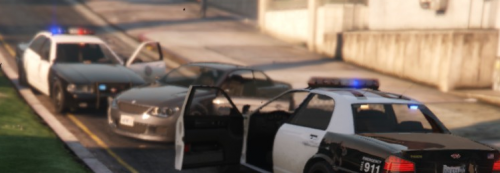 Great idea and excellent execution of the concept. Latest update 2.0.3 fixes the bugs that would always crash my LSPDFR upon loading. Only recommendation would be to configure the plugin to only work/respond/send backup during actual pursuits, and not to every time u turn on your siren. (Like when LSPDFR recognizes that u are in a pursuit and changes the backup response menu to active pursuit menu) Maybe u can utilize that same concept or code?
- 108 comments
- 16 reviews
-
Keeps crashing my LSPDFR right now, and I am too lazy to investigate the reason, so I'll have to do without for now... But it's a great concept and I look forward to adding it once I get the bugs sorted out on my game, and the bugs are sorted out on the plugin as well...
- 108 comments
- 16 reviews
.jpg.481a7f2baaf817d0330720946d208dad.thumb.jpg.354364a78656dcc7fe40eaf1aacfde00.jpg)