


Dredd
Members
-
Joined
-
Last visited
Everything posted by Dredd
-
After seeing a few variations on Raccoon City Police Department vehicles I put together this four skin pack for the Ford CVPI. All patrol vehicles are equipped with unique unit numbers on the vehicle and plate, and unique markings on the Traffic Unit and supervisor's vehicle. If there is enough interest I will release a Chevy Impala pack as well. This pack includes the following four (4) Ford CVPI skins: Basic Marked Patrol Unit Traffic Enforcement Unit (With "Click It or Ticket" and "Drive Sober or Get Pulled Over" magnets) Supervisor's Unit (Sergeant's vehicle) S.T.A.R.S. Special Response Unit
- 1 comment
- 2 reviews
-
I would be ok with either disabling the turn signals on that specific vehicle or tolerating that the indicators shut off when the turn signals are active. Unfortunately I am equally unskilled at scripting.
-
I have the indicator script, but it only applies to the player vehicle. I'm looking for a script that would apply the indicator lights to the AI vehicles on patrol as well
-
Is anyone aware of a script that allows you to turn on indicator lights for AI vehicles? Specifically turning the indicators on at night when the game automatically turns on the headlights of AI vehicles. I ask because the Ford CVPI's don't look nearly as good as they do with the indicator lights turned on at night while on patrol. Yes, I'm aware of the indicator script, I have it. That's not what I'm talking about.
-
Yes, unfortunately I've tried increasing the Visualsettings file manually as well with no success, as of yet I have not found any solution. Yes I installed the files in the proper directories: "I know people have forgotten to install the files in both the base GTA directory and the TLAD/TBoGT directories, so I made sure that I installed the Timecyc and Visual Settings in all of the necessary folders as I had when I had ELS V6."
-
Yeah, Id be happy with a few trees. Right now it looks like I'll have to wait until StillDre finds a solution. Thanks again for the advice on the other issues.
-
Thanks for your quick reply, I do have modded cars. I will try removing them for the texture loss issue. At least now I know that the walk through buildings is normal. As far as the trees go I don't think its related to the texture loss issue. I only experience a texture loss when loading the objects.ini file which I don't believe contains the tree information, but i could be mistaken. So I believe the tree issue may be something else. If a tree fix becomes available please let me know. Otherwise the map is vast, and appears to be well detailed (whenever the trees and buildings work for me anyway). Overall it is a great concept, and kudos to the team for putting it together.
-
I've had a couple of problems with the map, hopefully someone can help me figure out what went wrong. I have EFLC, SNT, and no other map mods. I installed the files according to the README instructions. The map itself loads ok, as well as the traffic flow, however there are no trees visible, none (I still can crash into them, I found out). When I load the Objects.ini file i experience a massive texture loss issue (not unlike when you have an incompatible vehicle/ped modification). On a side note the buildings in the map aren't solid, and I can walk through all of them... not sure if that is the way its supposed to be or not. I reinstalled the mod twice to ensure I had done it properly, but I've had no success in figuring out the problem.
-
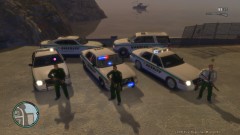 I was going to say the same thing, do you have a link to the slciktop and the one with on the right?
 -
Had it for Xbox, bought for PC just for mod
-
As a follower of this WIP and avid user of the towing script, I must say there are many users behind you and are not concerned with inevitable delays. Carry on, better to have it done correctly and a little later than poorly now. Many of us appreciate the volunteer hours you and others put into their works that many thousands of LCPD's finest enjoy. Without works like this and LCPD-FR many of us would still be resorting to stealing a police car, and playing "Detective Niko" where the only arrest procedure is to shoot traffic offenders and other suspects then fleeing the LCPD after the fact. I and many others are looking forward to this release, and are supportive of whatever time it takes to complete it. The countless man-hours, creativity, and devoted effort to these projects have made the emergency services modding community a constantly evolving and growing group. So thank you, to you and all of the modders out there for all you have done and continue to do.
-
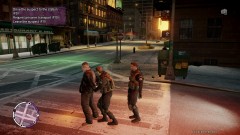 Are you able to post a link to those STARS ped models or upload them?
 -
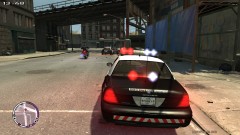 Unfortunately I can't remember for the life of me where I found that car mod. The skin is homemade, I can upload it if you want. For the car model check GTA police mods or the Non-ELS car collection forum thread.
 -
Lawsuits aren't as bad as they sound :P
-
Some big city PD's seem to enjoy removing "Precision" from the P.I.T., resulting more into broadsiding the suspect at Mach 10. Either way, at least they stop!
-
From the album: Raccoon City PD
-
-
Felony warrant suspects fleeing
-
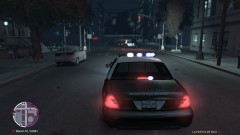 Responding to reports of a riot
-
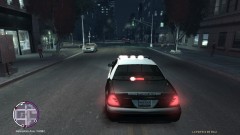 Suspicious incident/assault callout
-
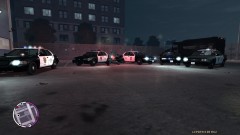 Fleet Demonstration at Station 2
-
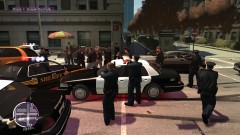 What happens when you request any available units to respond? Yeah, this.
-
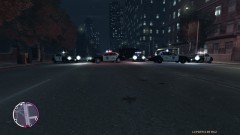 R.P.D. Oak St. Roadblock
-
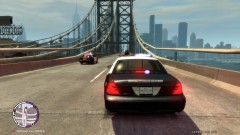 Priority one response- Raven's Gate Bridge
-
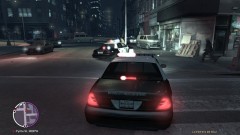 Stolen vehicle pursuit and crash
-
-
From the album: Raccoon City PD
-
From the album: Raccoon City PD
Responding to a report of a homeless person mauling and attempting to eat someone, how could this go bad? -
From the album: Raccoon City PD
-
From the album: Raccoon City PD
-
From the album: Raccoon City PD
Well, the last time the RPD set up a roadblock... it didn't work so well... -
From the album: Raccoon City PD
-
From the album: Raccoon City PD
-
That old boat got me through some of the most exciting times of my career. She may be slow, she may be old, but the sound of that engine when you put down the pedal, the look, the feel, the body-on-frame construction, and the punishment it could take made it the best vehicle I've ever been assigned. My dept is due to receive the new Ford Interceptor shortly, and I hope it can live up to the reputation the CVPI has built. (Besides, its all my LCPD-FR fleet is made of)

