


Dredd
Members
-
Joined
-
Last visited
Everything posted by Dredd
-
 You may have covered this already but I was wondering in the most recent version if there is a way to edit in the INI file the vehicle / officers that you back up for the "Traffic Stop Backup" call. It may be unique to me but no matter where I accept this callout the officer is driving the "police4" vehicle and is a sheriff's deputy even in the city.
- 1,081 comments
- 166 reviews
-
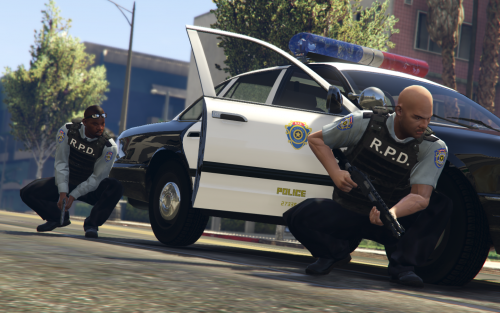 Great skin pack! It doesn't look bad as is, but I replaced the badge on the front of the shirts with the standard in game badge, just replaced the "Los Santos" text with "Raccoon", thought it looked better that way in my opinion. It inspired me to release a few RPD vehicle skins, keep up the good work.
- 15 comments
- 3 reviews
-
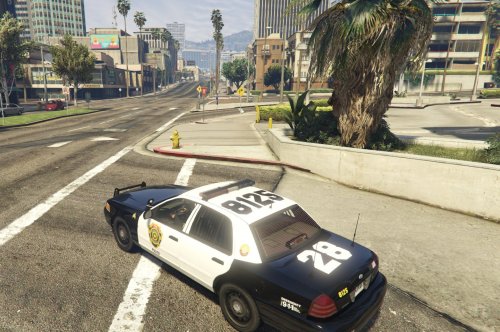 Included are three Raccoon City Police Department skins (LAPD style) including a supervisor's vehicle for the Ford CVPI, three skins for the Chevy Impala, and one for the Maverick air unit. I included two template versions of the CVPI to match the more common template as well as BXBugs new template for his more recent releases. Thanks to BXBugs, Kinksta, and Yard1 for their models and templates. Feel free to edit them as you see fit. Below are links to some of the applicable vehicles as well as Jill Valentine's excellent RPD officer skin pack.
 -
Yeah, like that. The lightbar glass color like in your original picture should have its own texture file that will look similar to the lightbar in shape and color. Changing that should alter the glass for when the lights aren't activated. As far as the red you are seeing it may be the in game corona effect from the lights. I am not sure how to correct that but I believe the carvariations file may have something to do with it. Hopefully someone with a little more car modding experience can help further. I used the Ford Police Utility Interceptor with the same lightbar you have pictured. When I replaced the default texture in the .ytd file using OpenIV it changed the lights so that they were all red and blue instead of the default yellow on the rear of the lightbar. As far as adding more lights that is a vehicle model issue and I don't have any experience in creating car models. Good luck!
-
 Great for pursuits. I like that you can change the spike strip size and the controller compatibility. The only issue I find is that some times the strips stay floating in the air until a vehicle or other object hits them. Good work
- 131 comments
- 20 reviews
-
 Good callout pack, adds a good amount of variety to calls. I especially enjoy that you focused heavily on investigation rather than running and gunning. The new domestic callout has a decent variety of responses based upon the type of domestic and the warrant checks. The only minor issue I've noticed is the occasional LSPDFR plugin crash when ambient events are enabled, but it isn't a major problem and doesn't crash when they are disabled.
- 423 comments
- 73 reviews
-
-

- 1
-
-
 Good ideas for callouts, its nice to have a break from mostly vehicle pursuit related calls and get to have some gunplay. It may just be me but most of the spawned callout locations are extremely close to my location so that when I accept the callout it throws me directly into a firefight. Needs a little bit of polish, but overall well done.
- 174 comments
- 46 reviews
-
-
- 1
-
-
Great callout, very stable in my experience. I personally like the traffic stop backup callouts followed by the bank heist. It would be nice to have additional banks or other interior accessible buildings for heist/robbery in progress calls as a way to add the replay value. Well done.
- 1,081 comments
- 166 reviews
-
-
- 5
-
-
Check the texture file should be police.ytd or whichever vehicle you replaced/added followed by .ytd. If you open the .ytd file using openIV you should be able to export the texture for the lightbar, modify it using GIMP or some other texture editing program then replace it using OpenIV's edit mode. You should be able to find a good tutorial online that goes into more detail. Also you will probably need to change the actual light emissive texture too, which should be in the same file. Look for a random looking texture of red and blue shapes that kind of match what the light pattern is, usually red and blue squares on a black or clear background. I attached an example of the emissive texture file for one of my vehicles.

-
Thanks Sam. As always your work is appreciated. Looking forward to the release.
-
Thanks for the update. This may have been covered but have you been able to crack getting ambient AI involved in calls?
-
Can't we all just get along
-
-
-
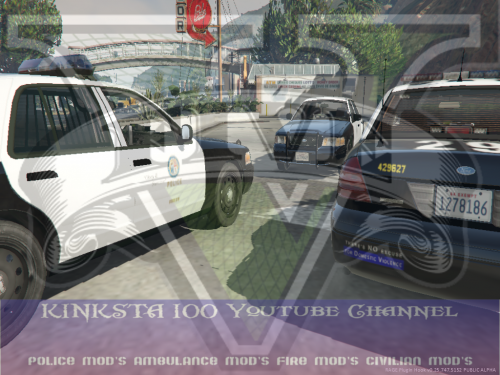 I am also having the same problem with the two inner lights not working on the LED lightbar. I replaced the POLICE models. All other lights including the ROTA version work fine for me. EDIT: If it helps narrow down the problem I also noticed that the LED lightbar doesn't appear to have the lens flare/corona effect that the other lights have (more noticeable at night) with the exception of the front middle left (red) and middle right (blue) lights. The rear of the lightbar doesn't have any lens flare/corona effect and the other front lights don't appear to have it either.
- 23 comments
- 7 reviews
-
I checked there and I don't see a police.yft file. I see police2 and police3, do I need to add it in as an additional file?
-
I replaced the standard police stanier with the new CVPI model. When I load up the game the vehicle loads the model and textures fine, however after a minute or so the vehicle model reverts back to the standard stanier model that is all bugged out (no wheels, random floating assets, etc). The only police.yft file I can find is in the X64E vehicles file. I tried searching but I cannot find where the game is retrieving the original stanier file from and I cannot determine why it can load the CVPI fine initially but decides to revert back. I reinstalled the file a few times to ensure it wasn't an install mistake. Any ideas?
-
Thanks for the update. You guys have done a great job keeping the community up to speed on development for 0.2 and we appreciate it. Good luck in getting around Rockstar's roadblocks.
-
I did notice the speech files are quite bare. If it would help I and I'm sure other experienced officers as well would be willing to volunteer to record dialogue to work somewhat like the audio files in the most recent LCPDFR releases. If there's anything we can do to give something back to the community I'm all in.
-
I think that LCPDFR's features were excellent and would be great to add into LSPDFR. Additionally if there is a way to tone down the civilian driver's reaction to gunfire as right now any shots fired turn the road into a demolition derby deathtrap of panicked people senselessly ramming into everything.
-
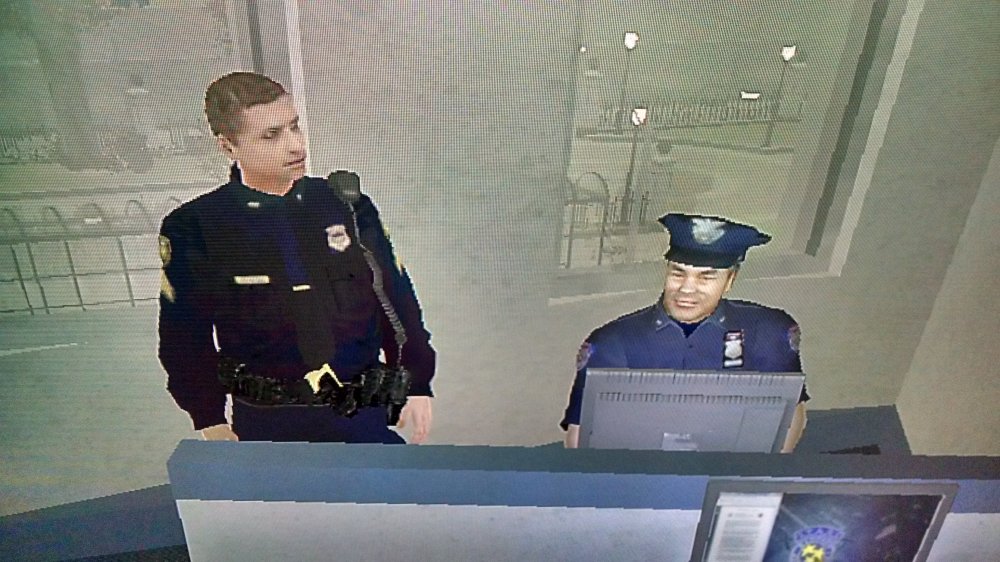
I agree. Besides my Lt and Captain sit in the office all shift and Monday morning quarterback our work. That would make for a boring mod. "Why isn't your report done yet!?"
-
Hopefully Finkone will work his magic and bring his backup call outs to LSPDFR.
-
Well played! Haha. Seriously though I'm sure they'll include the ability to chose your complete load out including the hat
-
Probably trying to iron out minor bugs before uploading for release.
-
Xbox 360 has only worked with the wired version that I'm aware of. But I have used third party 360 wired controllers with no problem (Mad Catz, GameStop, etc) if you want to hate your life with garbage made cheaper controllers haha



