
BlueLine Vibes
Insiders
-
Joined
-
Last visited
Everything posted by BlueLine Vibes
-
 Normally I exhaust all efforts before I post a question on the forums. I usually like to find things on my own. But I am curious about the Fuel System bar. For the life of me, I can't find where to move the XYZ coords. I would like to raise it up above the minimap at least as it is covering part of the health/armor. I looked all through the config and and simply can't find where to edit that. Not one person on here has had this issue yet. Any help would be appreciated. F5
- 295 comments
- 34 reviews
-
TIP: If you ever want to know where the pathway is for an OIV and what original files you can replace out of your mods folder. Take the OIV and rename it to ZIP. It is now a Zip file. 👍 I am not biased towards one mod or another. I will have to take a look at this mod.
- 295 comments
- 34 reviews
-
-

- 1
-
-
 I think he might be referring to an AOP? (Area of Patrol) - But correct me if I am wrong here, I think your plugin is meant to trigger the callout. He might be thinking of how Callout Interface and Callout Manager worked, you could put in a certain distance like 500m (just an example) that way if a call triggered on Mount Chiliad, you would not get that call if you were down in the city. Maybe I am totally wrong as to what he was asking about 😁 Either way, not a bad idea to perhaps include that into this plugin if possible.
- 22 comments
- 1 review
-
-
- 2
-
-
.thumb.png.b9e18d9931090871b064059f2c315cf8.png) The plugin definitely adds an entirely new level to your patrols. Hope to see some great things added in. Off to a great start.
The plugin definitely adds an entirely new level to your patrols. Hope to see some great things added in. Off to a great start.- 698 comments
- 22 reviews
-
-

- 2
-
-
All good, I made a copy of my 3028 and just upgraded everything. This is a pretty cool concept RicyVasco. Been trying it out. 👍
- 698 comments
- 22 reviews
-
-
- 1
-
-
Ahhh gotcha, I didn't see this in the "Requirements" in your description. Spent the last hour trying to figure it out. There are a good amount of LSPDFR players that will be on older game versions, so this would be good to point out in your description. Thanks
- 698 comments
- 22 reviews
-
-
- 1
-
-
 Your good. Everyone is free to do what they want.
 -
Ahhh gotcha, so you took my BlueLine Dispatch that I sunk in over 1k hours and created the audio. For those that want the official BlueLine Dispatch Audio For Deryll Callouts, hang tight. It will be done correctly and more detailed than this jumbled mess. Version 2.5 should release in a few weeks. EDIT: I'm going to edit this but leave my original text above. Took sometime to reflect on my comment and it sounded very rude. So my apologies. You uploaded it to the site for everyone to use and enjoy. So I respect that.
-
 Oh It's all good, I should have read that at the bottom of the config a little closer 🙂
- 235 comments
- 32 reviews
-
-
- 1
-
-
@AstroBurgers You might want to include in the description, that the Menu can be activated in game with RTSOpenConfigMenu and it will reload the ini as well when saved. I spent the last 2 hours Alt Tabbing manually adjusting Config and reloading LSPDFR each time testing each scenario for a video. I didn't see the last line of your text in the config where it mentions something about a menu 🤣
- 235 comments
- 32 reviews
-
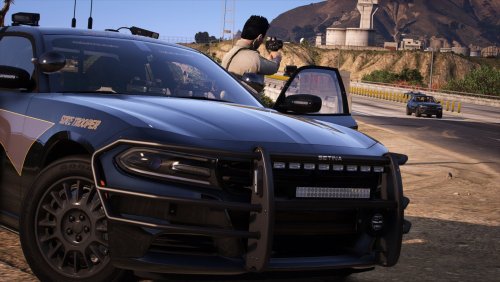
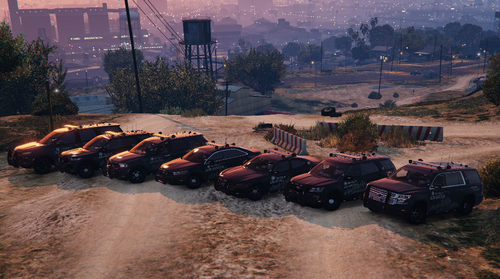 Great looking car pack. Lighting is epic and the interior lighting is also fantastic!
- 243 comments
- 16 reviews
-
-

- 1
-
-
 Correct, I posted the fix for others in my post just encase it happens to them as well.
 -
 Loving this little mod. @AstroBurgers Was the parameters always in there? If so, I must have missed it when I tried it the first time.
- 36 comments
- 16 reviews
-
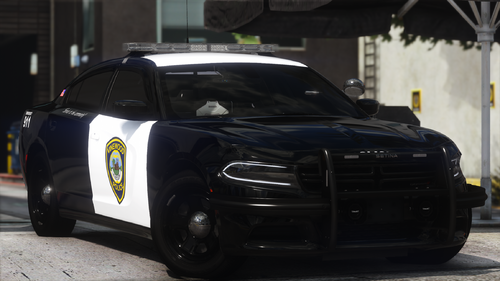
Glad to see more car packs from you @RangerZ Always enjoyed your packs. Took me a bit to understand why the LODs were floating a bit on the charger. I seemed to be the only one that it was happening to which was strange as most people have the default ELS.ini LOD setting. But I managed to find the fix finally. I posted about it in the comment section area. Liveries are clean and the lights are great.
-
I managed to find a simple fix for the floating LODs. I ran into a similar problem with another car pack recently by different author. It's the Default ELS.ini [ LIGHTING ] LightFlashDelayMainLts = 38 LightFlashDelayCoronas = 40 EnvLtMultExtraLts_Siz = 1.3 EnvLtMultExtraLts_Rng = 1.45 EnvLtMultExtraLts_Int = 1.5 EnvLtMultTakedwns_Siz = 1.05 EnvLtMultTakedwns_Rng = 1.3 EnvLtMultTakedwns_Int = 1.2 EnvLtMultCrnaHalo_Siz = 1.15 EnvLtMultCrnaHalo_Rng = 1.3 EnvLtMultCrnaHalo_Int = 1.1 EnvLtMultCrnaOthr_Siz = 1.015 EnvLtMultCrnaOthr_Rng = 1.05 EnvLtMultCrnaOthr_Int = 1.10 LodCoronaInitDistance = 10.0 <--- DEFAULT is 10.0 I changed mine to 100.0 LodCoronaInitDistance = 100.0
- 243 comments
- 16 reviews
-
-
- 1
-
-
Well grab some liveries off the site and switch em out. Done
-
Well I must say, I am official stumped. If anyone has any suggestions as to the floating lights above the light bar, I am all ears. Currently have zero DLC car packs Replaced default vehicle meta Increased LODs to the ones I mentioned above Default Carcols This charger is the only replacement vehicle that is doing it. FPIU is fine. ================================================================ EDIT: Found The Fix: ELS.ini [ LIGHTING ] LightFlashDelayMainLts = 38 LightFlashDelayCoronas = 40 EnvLtMultExtraLts_Siz = 1.3 EnvLtMultExtraLts_Rng = 1.45 EnvLtMultExtraLts_Int = 1.5 EnvLtMultTakedwns_Siz = 1.05 EnvLtMultTakedwns_Rng = 1.3 EnvLtMultTakedwns_Int = 1.2 EnvLtMultCrnaHalo_Siz = 1.15 EnvLtMultCrnaHalo_Rng = 1.3 EnvLtMultCrnaHalo_Int = 1.1 EnvLtMultCrnaOthr_Siz = 1.015 EnvLtMultCrnaOthr_Rng = 1.05 EnvLtMultCrnaOthr_Int = 1.10 LodCoronaInitDistance = 10.0 <--- Default for ELS Changed it to LodCoronaInitDistance = 100.0
-
Anyone else having issues with the Charger in Police slot for the lightbar? I even increased the LODs to: 1500.000000 3000.000000 3000.000000 3000.000000 50000.000000 50000.000000
-
-
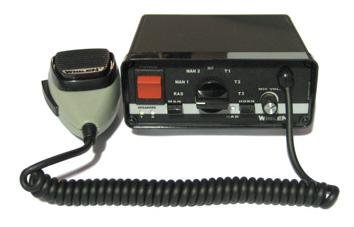 Must have been a big project. 8 years later ...... 😅
 -
-
-
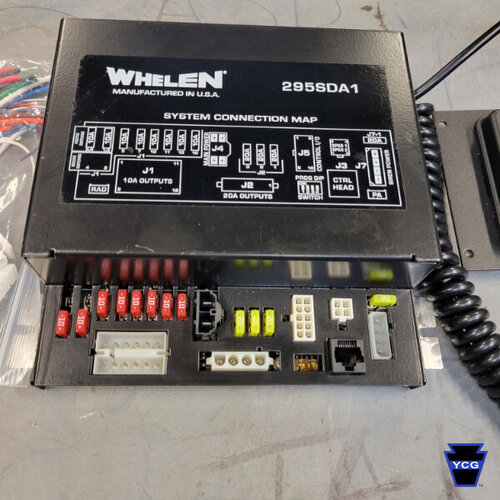 Siren is not too bad, but the Siren_2 audio portion has some popping
 -
 Doesn't sound bad if I am being honest. I wonder what it sounds like in the city for the echo. Most guns sound a bit different in the city area.
 -
 Sounds great in my head. I mean who wouldn't want to download a siren called "Siren Police" I think the title alone really helps the Dyslexic people as well, so big props for the support. I would also like to take this time to mention that I am 40 points higher in Rep than @SuperPyroManiac


.thumb.png.b9e18d9931090871b064059f2c315cf8.png)