


Drewster327
Members
-
Joined
-
Last visited
Everything posted by Drewster327
-
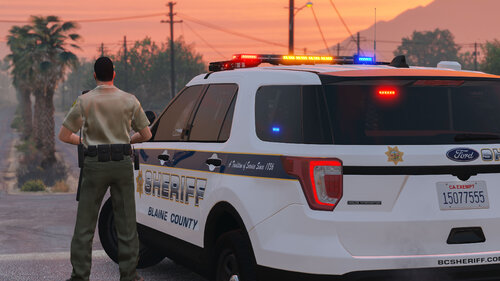 How would I go about making this a Add-on car? Or would you be able to make this available as an add-on?
- 75 comments
- 9 reviews
-
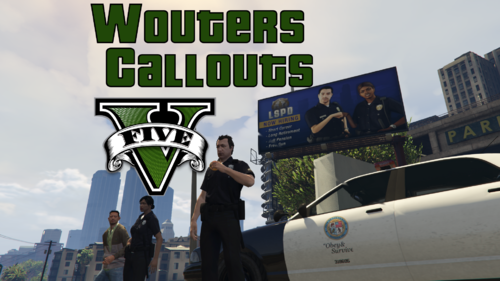 Still says it's unable to load callouts, even when forcing the callouts
 -
looks like firecallouts and redcallouts were crashing it, removed both and it loads now. Thanks for the help
-
I'm pretty sure its one of the plugins that crashing LSPDFR at startup, game starts fine in story mode but once I load the LSPDFR plugin it crashes during the loadup and im not good at reading the logs, which plugin or plugins is it? RagePluginHook_21122020_003952.log
-
-
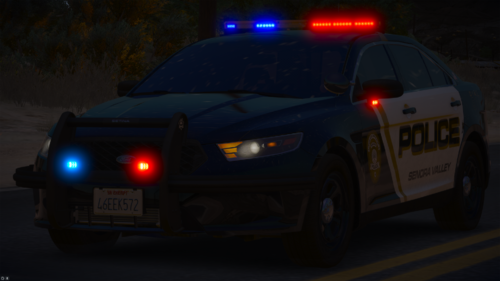 Absolutely LOVE the lighting patterns! If you did a 2020 FPIU with this lightning you would be my hero, just saying
- 15 comments
- 4 reviews
-
.thumb.jpg.37cdb54de83d6dee03b6b15e76b2f5fd.jpg) the only callout i can get to work is broken down vehicle, all the other callouts just say they are unable to load
the only callout i can get to work is broken down vehicle, all the other callouts just say they are unable to load- 183 comments
- 24 reviews
-
unfortunately it says Unable to load callouts whenever I go to try the callouts. its unfortunate because i really love the callout ideas.
-
RagePluginHook_28112020_004547.log
-
I can't get any of the callouts to load with callout managers, they all say "unable to load callout", everything was put in the correct files
-
 TOTAL GAME CHANGER! No more cars running into you or into each other when on scene, works flawless and so easy to use!
- 238 comments
- 24 reviews
-
-

- 1
-
-
If I start LSPDFR from rage at the startup it just loads for ever and never starts but if I do not load it with rage at startup just in story mode and then load the plugin manually it works just fine and it's starting to get annoying having to do all that everytime, is there a way to solve this?
-
-
 I could of sworn I was running on 4.8....... thanks for catching that works fine now
- 127 comments
- 13 reviews
-
-
- 1
-
-
here is the log, it doesn't say anything, no blips or anything, then says after a while code4 RagePluginHook_10102020_231941.log
- 127 comments
- 13 reviews
-
-
-
None of the callouts are working, i try to force each one with the callout manager and nothing
- 127 comments
- 13 reviews
-
 I am still having having issues with accepting the traffic backup call, I press the accept button and it doesnt allow me to accept the call I am also having issues with this call going code4 after accepting the call
- 115 comments
- 10 reviews
-
-
 I'm also having the rear lights go steady burn when an AI gets out of the vehicle, and it's not even steady burn like the front lights (which is accurate) it just stops the pattern where ever it is and goes steady, I tried changing the XML with my own pattern and still does that, am I missing something?
- 323 comments
- 52 reviews
-
Looks like I fixed it, it was something to do with the vehicles folder, I replaced it with the vanilla folder and it works now, thanks for your input
-
Oh the shader in the settings in the game then yes I use that I checked the gamefiles and no corrupt or files that needed to be reinstalled with the rockstar launcher I have been running on threshold 3000 or 6000 and still crashing I'm pretty much running out of ideas, these are usually the things I change to fix crashes, the only thing left is maybe the infinite cars gameconfig which hasnt been updated yet....
-
deleting the commandline.txt content didnt work and have not used shade before, is this a program?
-
tried various things, can't seem to get it to load past the initializing core part of rage, anyone have any advice on this?
.thumb.jpg.37cdb54de83d6dee03b6b15e76b2f5fd.jpg)

