Drewster327
Members
-
Joined
-
Last visited
Everything posted by Drewster327
-
-
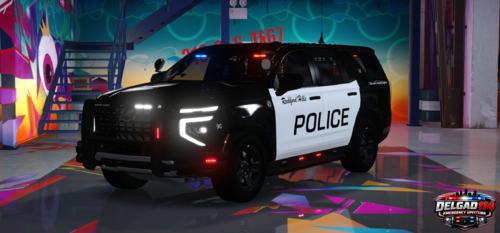 Thanks, Its still a work in progress learning this template, I also have a fleet of vehicles I am working on with the same livery I may upload in the future
 -
Awesome work, loving this tahoe! The only suggestion that is missing is cruise lights or maybe add prime light abilities in stage 2 that we can make steady burn
-
 perfect, it works now, really good addition, no more crazy AI cops plowing into everything lol
- 74 comments
- 3 reviews
-
did that same error, tried downloading other files in here as well and they unzip just fine
- 74 comments
- 3 reviews
-
-
 I have not been able to get it to do it and my log has since been overwritten. But everytime I arrived close to the scene scripthook would crash, Could of been a weird glitch during a particular session I didnt change anything in any settings or ini.
- 49 comments
- 8 reviews
-
-

- 1
-
-
I don't know how but everytime I accept a call when I approach within range of the waypoint my scripthook cuts out. I tried it a few times and it happens almost everytime, no issues with other callouts or just driving code 3 around the same area not responding to one of the callouts, very odd
- 49 comments
- 8 reviews
-
-
- 1
-
-
turns out rage defaulted and the Directx11 wasn't ticked so it was running on direct10, game is running normal now
-
I kept getting that D3D error and the only way to get the game to work was ticking the directx. I think I just figured out how to fix that, Man navigating all this is a pain. I also figured out that F4 thing, the scripthookDOTNET was interfering with it smh
-
Game loads a couple of plugins then crashes, can someone read the log and help me figure out the culprit. Also unrelated to LSPDFR I have no F4 console in Nativetrainer so I can't try to force duty and I cant find it in the trainer INI RagePluginHook.log
-
I had the same problem, I disabled the directx hook in the rage menu and I am able to start up the game, I still cant go on duty but atleast the game boots
-
-
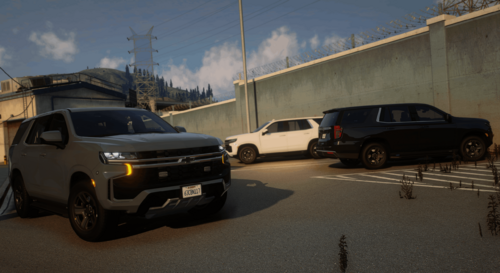 Love this car but the texture mapping is being all weird. I tried to find the Texture files for it but I couldnt find it
 -
This fixed my issue, you are the LSPDFR hero of the day!
-
Nevermind its been solved by the Deletion of Sirensetting adjuster.dll
-
I downloaded all the updates, the ELS fix, ScripthookDOTNET, scripthook, RPH, Heap Adj, Pack Adj, Rage discord gameconfig and it still crashes when I go into story mode. Seeems to be stuck at Game Support RagePluginHook.log
-
 on the Presidential Candidate Escort, no other escort vehicles show up and then the callout freezes and crashes my game
- 82 comments
- 8 reviews
-
 Love the callouts, they are so immersive! How do I go about changing the menu key, it conflicts with other another menu
- 422 comments
- 25 reviews
-
-
- 1
-
-
game was working fine until it wasn't. Can someone help me find the culprit? RagePluginHook.log
-
whats where I got it from, Main Directory RagePluginHook log, it should be the correct Log, its dated today at 257pm
-
RagePluginHook_04012024_224819.log
-
When I go on duty the game crashes, It was working fine yesterday, there have been no changes, additions or deleted files or mods since then. RagePluginHook_04012024_224819.log
-
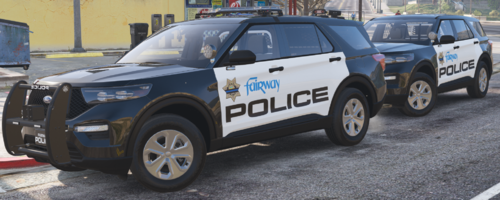 I'm having the same texture issues but they came this way, I have not touched any of the textures and the reflective textures are there
- 28 comments
- 2 reviews
-
 I can't get all the lights to work on FHP35 the unmarked mustang, the side lights, grill and license plates do not flash
- 300 comments
- 22 reviews