



MoreTextures
Members
-
Joined
-
Last visited
Everything posted by MoreTextures
-
You can't really reuse your older update.rpf (Unless you find everything that was pushed in the new update and extract it from the new .rpf to your old one), it'll just cause your client to crash. If you're using a mods folder/mod manager everything is kept intact, even without either of those things it shouldn't overwrite much other than your update.rpf, your GTA5.exe, and adding another dlc.rpf in dlcpacks in some cases, so all you'll really need to do is install anything that was previously in your update.rpf again, everything else should work fine (With a few rare exceptions... mpluxe2 I'm looking at you...). Keep in mind that regarding the retail version of the game, I'v heard a few times that everything gets wiped. I don't see how this is the case but I'd be wary if you are on the retail version.
-
 I guess I'll be sticking with 2.17 as I actually quite like the vehicle essentials, I prefer them over More Control V's at least.
- 221 comments
- 59 reviews
-
Use OpenIV's mods folder or a mod manager.
-
I'm the one who had originally created this video/helped the OP, I'll copy paste my message to him here for you. "Sorry that I never made an edit to that regarding the solution. I had to add an entry in the carvariations.meta located in mpluxe2 for police (As you can't access the game's existing carvariations entries), specifically the following: <Item> <modelName>police</modelName> <colors> <Item> <indices content="char_array"> 134 134 156 156 </indices> <liveries> <Item value="true" /> <Item value="false" /> <Item value="false" /> <Item value="false" /> <Item value="false" /> <Item value="false" /> <Item value="false" /> <Item value="false" /> </liveries> </Item> <Item> <indices content="char_array"> 134 134 156 156 </indices> <liveries> <Item value="false" /> <Item value="true" /> <Item value="false" /> <Item value="false" /> <Item value="false" /> <Item value="false" /> <Item value="false" /> <Item value="false" /> </liveries> </Item> <Item> <indices content="char_array"> 134 134 156 156 </indices> <liveries> <Item value="false" /> <Item value="false" /> <Item value="false" /> <Item value="false" /> <Item value="true" /> <Item value="false" /> <Item value="false" /> <Item value="false" /> </liveries> </Item> <Item> <indices content="char_array"> 134 134 156 156 </indices> <liveries> <Item value="false" /> <Item value="false" /> <Item value="true" /> <Item value="false" /> <Item value="false" /> <Item value="false" /> <Item value="false" /> <Item value="false" /> </liveries> </Item> <Item> <indices content="char_array"> 134 134 156 156 </indices> <liveries> <Item value="false" /> <Item value="false" /> <Item value="false" /> <Item value="true" /> <Item value="false" /> <Item value="false" /> <Item value="false" /> <Item value="false" /> </liveries> </Item> </colors> <kits> <Item>156_jester2_modkit</Item> </kits> <windowsWithExposedEdges /> <plateProbabilities> <Probabilities /> </plateProbabilities> <lightSettings value="1" /> <sirenSettings value="13" /> </Item> The important part here is the lightSettings and sirenSettings values, these values are made for specific types of lightbars in the game, for example: <sirenSettings value="1" /> = This siren lights is used by Police Buffalo, Police Riot, Park Ranger SUV and Sheriff Granger. <sirenSettings value="2" /> = This siren lights is used by Police Interceptor. <sirenSettings value="4" /> = This siren lights is used by Ambulance. <sirenSettings value="5" /> = This siren lights is used by NYSP Police Roadcruiser, NYSP Police Rancher and LSPD Police Transporter. <sirenSettings value="6" /> = This siren lights is used by Police Bike <sirenSettings value="7" /> = This siren lights is used by Fire Truck <sirenSettings value="9" /> = This siren lights is used by Tow Truck and one of Boxville models. <sirenSettings value="10" /> = This siren lights is used by Lifeguard SUV. <sirenSettings value="13" /> = This siren lights is used by Stanier Police Cruiser and Sheriff Cruiser. Obviously replace police with another model name if you changed it yourself, but otherwise you can just copy paste that carvariations.meta entry into mpluxe2's and you should be good to go. I hope this helped!"
-
I seriously doubt that's allowed here, you'll have to find it yourself.
-
Simple Trainer. I used it in GTA IV and loved it there so I stuck with it, I'm not a fan of the GUIs on other trainers (Or they lack features that Simple Trainer has, or both).
-
Player Location Display also works for blinkers still, Down Arrow Key = Hazards, Left Arrow Key = Left Blinker etc.
-
Open Trainer > Bodyguard / Ped Spawning > Select Model > Scroll Down to S Peds 2 > Go left until you find s_m_y_swat_01 > Press your trainer's usual confirm button > Spawn Bodyguard in previous menu.
-
(Sorry for a bit of a late reply here.) You want to find the <requiredExtras> line shortly after the <flags> entry and add the "EXTRA" number in it. Also make sure you have FLAG_EXTRAS_REQUIRE in your flags in case. Example from police[1]: <flags>FLAG_EXTRAS_REQUIRE [Etc.]</flags> <type>VEHICLE_TYPE_CAR</type> <plateType>VPT_FRONT_AND_BACK_PLATES</plateType> <dashboardType>VDT_GENTAXI</dashboardType> <vehicleClass>VC_EMERGENCY</vehicleClass> <wheelType>VWT_MUSCLE</wheelType> <trailers /> <additionalTrailers /> <drivers> <Item> <driverName>S_M_Y_Cop_01</driverName> <npcName /> </Item> </drivers> <extraIncludes /> <doorsWithCollisionWhenClosed /> <driveableDoors /> <bumpersNeedToCollideWithMap value="false" /> <needsRopeTexture value="false" /> <requiredExtras>EXTRA_1</requiredExtras> While I don't know what extra it is for the Polara it's likely #1 or 2, so you'll have to go through trial and error or find the number through the vehicle components menu in something like the Simple Trainer. If you ever have multiple lightbars on a vehicle you can also use <requiredExtras>EXTRA_1 EXTRA_2</requiredExtras> (Numbers not standing) and the game will pick one of the two to use when it's spawned. Note that using the Required Extras method causes the game to not spawn any of the other not specified extras at random, so you'll only see the lightbar extra and nothing else during spawning I believe.
-
Thanks for the info, I'm glad I'm not the one going insane here. I'll start transferring my .meta edits and models to mpchristmas2 then.
-
It should be noted that bike mods cause memory errors for a significant portion of people, nobody really knows why. Even then however I'm surprised how almost nobody has made any yet.
-
Have you tried removing the update.rpf in an attempt to "force" it to update?
-
I should've specified that these are add-on vehicles rather than replacements, but perhaps that's still the case.
-
Ever since update 1.31 every vehicle I had previously installed in mpluxe2's RPF is no longer working, it is just treated as if it doesn't exist in game, the carvariations/vehicles.meta files have the correct entries still, as well as the model files themselves, however when booting up the game they don't exist at all. Nothing had been done to the RPF to change them before updating. All though every vehicle installed mpchristmas2 still works fine for some reason. Anyone know anything about this/experiencing the same issue?
-
You may want to describe how you solved it for anyone who finds this and is having the same issue.
-
Are you sure the vehicles sirenSettings entry in the carvariations.meta is correct (If you haven't added the vehicle entry you'll need to create it in something like mpluxe2)? I believe the default for those 2 should be 1 & 5.
-
Did the vehicles.awc exceed 15.75MBs in size? If it does GTA V mutes the whole library.
-
Oh man, I want that CVPI so bad.
-
That's strange. What vehicle mod(s) are you trying to use?
-
You'd put the vehicle's entry into a carvariations.meta file from somewhere like mpluxe2. You edit it via Notepad(Or Notepad++ If you have it). For example you'd put this into \Grand Theft Auto V\update\x64\dlcpacks\mpluxe2\dlc.rpf\common\data\carvariations.meta\ for police.
-
I don't believe this is possible as the values are universal if I recall, so changing the light value would affect most light sources whether you like it or not. The closest you'd get is probably something like the Radiance V mod (However I haven't tried it personally).
-
If the vehicles.awc exceeds (If I recall correctly) 15.75MBs in size the entire archive will be muted in-game. Check to make sure you didn't go over said limit.
-
This sounds like your sirenSettings value in the carvariations.meta is wrong (You have to enter your own, GTA V's default can't be accessed), E.g. police should be set as: <lightSettings value="1" /> <sirenSettings value="13" /> And police3 would be: <lightSettings value="1" /> <sirenSettings value="2" />
-
Did you turn up your PostFX setting in-game to high or better? If it's on Normal it will look awful. If you have already, it could just be that the vehicle's LED texture is just not very good.
-
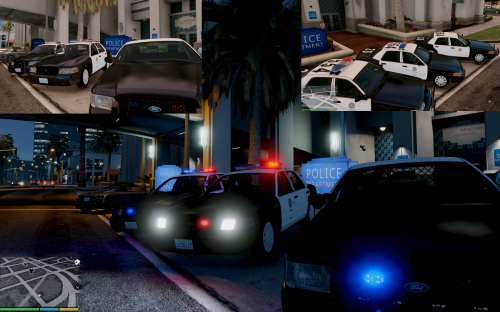 Yes, you should be able to, simply remove one of the EXTRA_ entries, e.g. only use <requiredExtras>EXTRA_1</requiredExtras>
- 137 comments
- 22 reviews


