


Faracus
-
Joined
-
Last visited
Everything posted by Faracus
-
You do not need EFLC to play LCPD:FR.
-
These few clips where taken right after the previous video of Dirt Bike Chase, I decided to "partner" up with a friend, and then close LCPD:FR, and set my wanted level to max :) The one thing I have learnt from this video is watch out for sudden drops in the road :) http://www.youtube.com/watch?v=Jv_IQQy8owo
-
The sirens I use are from the Toronto Police Mod, that you can find here on LCPD:FR.
-
Well this game had been running for over an hour, and my textures where starting to fail, it was kind of interesting. http://www.youtube.com/watch?v=XY0kBLutJvg
-
Your browser is not supported for large sized uploads.
-
-
whats the length of your video, what are you using to upload, web browser or 3rd party uploading tool, yes hardwire would be a lot better, WiFi drops a lot of packets.
-
Original files are Copyright of R*, and are not permitted for sharing, due to legal reasons.
-
are you running any other mods, run a diagnostic
-
but the AI will only drive the main two.
-
You will need the morevehicles.img, but you don't need the expansion to do it.
- 11 comments
- 5 reviews
-
-

- 1
-
-
I use the Steam Web-Browser, you can use this even if your game is not from them, there is also X-Fire, but I found that I crashed a little more using them than I did with steam. Here is a complete breakdown of all that is out there. I just did a google search for it and found it. http://www.gamespot.com/features/in-game-web-browsers-6204588/
-
This is just a website, like the MDC, you can access it how ever you want, I choose to use the Steam Overlay. Yes when a report is filed for a person, if their name comes up again, then it will show the details of the report. I do have another video demonstrating this, but I'm a little behind with all my editing right now. Right now I only have it open to a few friends, and once they get back to me that there is not many bugs, I will start opening it to more people.
-
The images from the RCMP Pack by Yard1, heads by Custo
-
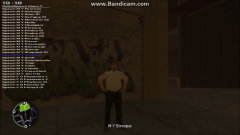 Snapshot 11 (9 25 2012 7 39 PM)
-
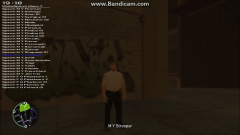 Snapshot 10 (9 25 2012 7 38 PM)
-
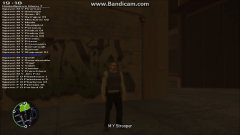 Snapshot 9 (9 25 2012 7 38 PM)
-
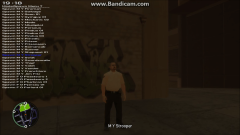 Snapshot 8 (9 25 2012 7 37 PM)
-
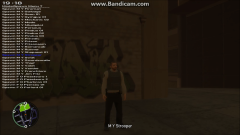 Snapshot 7 (9 25 2012 7 37 PM)
-
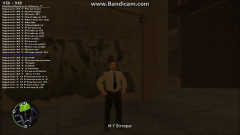 Snapshot 6 (9 25 2012 7 36 PM)
-
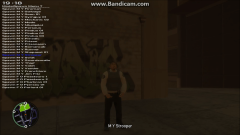 Snapshot 5 (9 25 2012 7 36 PM)
-
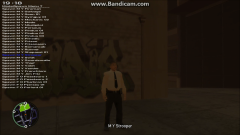 Snapshot 4 (9 25 2012 7 35 PM)
-
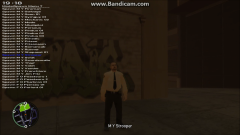 Snapshot 3 (9 25 2012 7 35 PM)
-
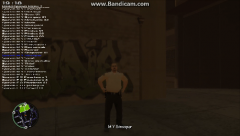 Snapshot 2 (9 25 2012 7 34 PM)
-
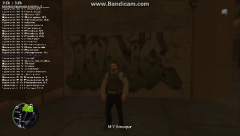 Snapshot 1 (9 25 2012 7 33 PM)
-
-
From the album: RCMP Test Images
© Skins By: Yard1 Head By: Custo
-
From the album: RCMP Test Images
© Skins By: Yard1 Head By: Custo
-
From the album: RCMP Test Images
© Skins By: Yard1 Head By: Custo
-
From the album: RCMP Test Images
© Skins By: Yard1 Head By: Custo
-
From the album: RCMP Test Images
© Skins By: Yard1 Head By: Custo
-
From the album: RCMP Test Images
© Skins By: Yard1 Head By: Custo
-
From the album: RCMP Test Images
© Skins By: Yard1 Head By: Custo
-
From the album: RCMP Test Images
© Skins By: Yard1 Head By: Custo
-
From the album: RCMP Test Images
© Skins By: Yard1 Head By: Custo
-
From the album: RCMP Test Images
© Skins By: Yard1 Head By: Custo
-
From the album: RCMP Test Images
© Skins By: Yard1 Head By: Custo

