




kevinnick1120
Members
-
Joined
-
Last visited
Everything posted by kevinnick1120
-
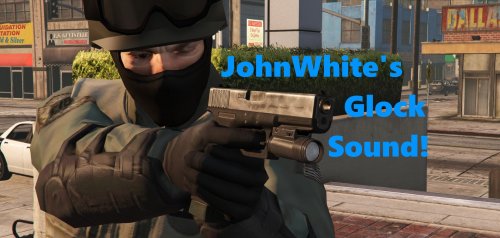 A C T I V A T E W I N D O W S 😉 anyway great sound! i will try it out, sounds great.
- 16 comments
- 7 reviews
-
-

- 1
-
-
jesus christ, when will this shit stop? Really fucked up that this happens. Its sad... I hope the victims of this horrible attack will be alright.
-
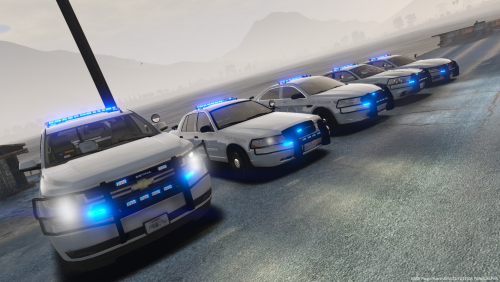 Nice looking cars, used the Tahoe and Charger. Only thing i dont like is the windows not working and u cant tint them etc, then if you try to shoot them out that doesn't work but other then that beatiful cars.
- 5 comments
- 7 reviews
-
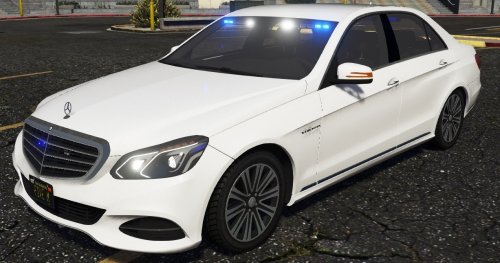 not bad at all from the photos seen much worse lol. I think its cool, different cars not the usual i see...
 -
https://www.lcpdfr.com/forums/topic/67418-guide-getting-useful-solutions-to-your-problems/
-
Editing the weapons.meta makes my game crash, im running it with rage, lspdfr tried without rage and lspdfr and it gets in game but when i try to change combat pistol clipsize to from 12 to 17 and Timeinbetweenshots from 2.8 to 1 second it doesnt seem to want to do that change. Any tips? Using OPENIV ofc.
-
Nmv fixed for now
-
Turn up the settings, higher resolution, better monitor or check ur eyes.
-
Decided to reset to fix my documents folder getting fucked by windows update, now im having issues with installing the most basic with lspdfr. Got my gta v updated like before version 1493. Then this error shows up in ragehook http://prntscr.com/l5oggm when launching it. Notice it says 0.62 as in the title but i downloaded the 0.63 RPH from the website...
-
Would that be only ScriptHookVDotNet v2.10.7 and then Regular ScripthookV? So like Scriphookv and scriphoovdotnet? nvm... i installed all of the scriphook stuff and not only the first one and now it works lol. Thank you so much for the help and the plugin. It's dope i like it.
-
aw yikes, that makes sense...
-
I installed it, put it in the plugins, doesnt work gettign noticed by rage plugin. When i go ingame to press f8 (119) java code it does not change or remove my reticle. Any help? http://prntscr.com/kzj5be this shows up when i try to load it in game console (f4)
-
can you use it with modded weapons?
-
Lookin for some guidance on how to remove my reticle completely and those immersive breaking x markers. Found from gooling a bit a broken mod and some useless threads where i couldnt find an asnwer. Appreciate any help in advance!
-
This it the LSPDFR section where mods for it is posted etc its not a online game, you can rp as a police officer in the mod mostly, or ems etc but there is no rp server community with lspdfr here
-
Possible solution below: "Help, the lights of my car are flashing weirdly/seem to be misplaced!" Once again, easy fix. I see it happen often with cars having to be installed in the police, police3 and sheriff slot, but it can happen in different slots occasionally. When lights are not flashing properly or seem weird, like lights appearing mid-air, floating over the car and so on, that means that you did not modify the carvariation.meta lines I mentioned earlier and that should be included with the car you downloaded. Simply follow the installation instructions provided with the car and you should be good to go. Scroll up if you want to know the reasons behind this. CREDITS: always try to read faqs etc... Hope it helps! or someone else can 🙂
-
Would love to to see the video mate or u just talkin bs... @GTALawEnforcer glad here is still more sensible people watching donut and people who care abouts facts and not their feelings or beliefs.
-
rip
-
looking for a plain los santos realistic lapd textured cars pack with charger, taurus maybe impala tahoe and or ford interceptor but mostly realistic lapd plain black and white with charger, taurus.
-
incredible!
-
i guess it can be closed worked out old link of sparkiv
-
Welp i tend to creat stuff before looking evrywhere issue resolved you can hide/delete my other posts as well their old and irelevant
-
I need spark iv my personal fav to use to mod gta iv too but i cant seem to find a a safe updated version to use it. I have done the downgrade patch already
-
So i want to install lcpdfr again and dont fuck up like i did. I just want nypd lcpd skinned cars like cvpi and charger or taurus, unmarked cvpi as fib car, big riot police truck as unarked sub. Prison cage unit the big truck to be a truck. Then the cruiser noose and the other one idk yet. i have like a gb of stuff downloaded and rdy to be tried. http://prntscr.com/d79ib3 Then gunplay realistic hud.dat file which removes and improves realism of guns and that. spike strips. Police uniforms and that. braveheart ofc, cop manager, coroner, els, policing script, ticket time and towing. policehelper. http://prntscr.com/d79jce then i have weapons like sounds and skins. I hope still a decent amount of people still play or know how to install newer mods of gta iv lcpdfr to use and that and would use some time to help me. I know how to install most of the stuff from the instructions and tutorials and know how to use spark iv (easy) haha And maybe install some other stuff like i want to try an enb i get decent enough fps so i think i can run an enb. And if i can get even more fps that would be amazing cuz its around 40fps. And it is a pretty clean pc. Thanks for any help in advance!
-
so iwe gotten a new script or mod which removes the cirlce and it makes it more realistic and such so now i got a little dot but i want to remove it too but i dont know how to? so if anyone still plays gta iv and could help it is greatly appreciated (dont know if this is the right forum)...

