


_.jpg.6bfa584e99d4bb7a99dfdbdaf9f34b44.jpg)

LtRob
Members
-
Joined
-
Last visited
Everything posted by LtRob
-
Hi, I wanted to know if someone knows how to add pictures/texts on the windows on this model: I have a template for the other ford explorer that should work for this one but I can't find anything inside the .ytd file that says ''window''.
-
Try unloading all plugins except KeepCalm while off duty and test it.
-
-
-
 crashing with latest version [6/15/2016 4:02:17 PM.560] LSPD First Response: ============================== [6/15/2016 4:02:17 PM.560] LSPD First Response: UNHANDLED EXCEPTION DURING GAME FIBER TICK [6/15/2016 4:02:17 PM.560] LSPD First Response: ------------------------------ [6/15/2016 4:02:17 PM.561] LSPD First Response: Origin: Game fiber "Main ClearTheWayV Game Fiber". [6/15/2016 4:02:17 PM.561] LSPD First Response: ------------------------------ [6/15/2016 4:02:17 PM.561] LSPD First Response: Exception type: System.NullReferenceException [6/15/2016 4:02:17 PM.561] LSPD First Response: Exception message: Object reference not set to an instance of an object. [6/15/2016 4:02:17 PM.562] LSPD First Response: ------------------------------ [6/15/2016 4:02:17 PM.562] LSPD First Response: Inner exceptions: [6/15/2016 4:02:17 PM.562] LSPD First Response: ------------------------------ [6/15/2016 4:02:17 PM.563] LSPD First Response: Stack trace: [6/15/2016 4:02:17 PM.563] LSPD First Response: at ClearTheWayPOLV.EntryPoint.??? [6/15/2016 4:02:17 PM.563] ?????(Object ) [6/15/2016 4:02:17 PM.564] at ClearTheWayPOLV.EntryPoint.Main() [6/15/2016 4:02:17 PM.564] at Rage.GameFiber.Main() [6/15/2016 4:02:17 PM.564] LSPD First Response: ============================== [6/15/2016 4:02:17 PM.564] LSPD First Response: [6/15/2016 4:02:19 PM.028] LSPD First Response: All signs removed
- 535 comments
- 42 reviews
-
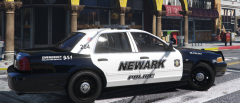
From the album: Newark Police Pack
Newark pack WIP to go alongside my NJSP pack. -
 Yea I had to continuously test it by looking at the result in OpenIV. It was hard. By the way I think this is a problem with your slicktop model, but the lights are white when you are looking at the cvpi from afar, when you come close to it the lights turn red and blue. Is this an issue you already know about? You mean just change the NJ to SA? I can do it fast if you want.
- 17 comments
- 4 reviews
-
I won't it's not realistic, they don't use those vehicles. Another modder will publish a charger njsp skin. I'm leaving those models you mentioned for the newark pack
- 17 comments
- 4 reviews
-
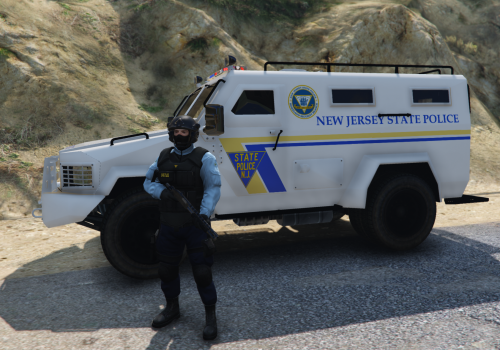
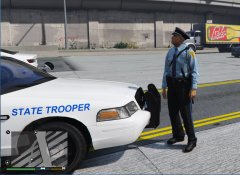
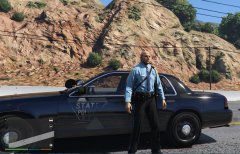
I put the entire vehicle and ped files since I changed many little details (lights colors and so on). I had to change the tahoe model since when it got dirty it got grey, so I will wait until a new custombackup releases which lets you put the always clean flag. I added a bulletproof vest saying ''state police''. I've seen on youtube njsp actually use them in some cases so it's realistic. Also you don't always see them with hats on, for example in pursuits.So going straight to the point, this mod is realistic, don't worry. My next project is Newark police, follow me for updates. So you will have NJSP as sheriff/state and Newark as city police. FILES DETAILS: Many hours I put into this pack. Especially the uniform and the hat were complicated. Don't mind the first photo with the hatless ped, the pants on him have been changed as shown in the 3rd picture (don't worry bro!) DO NOT REUPLOAD ON ANY SITE OR MODIFY MY FILES WITHOUT MY EXPLICIT PERMISSION. Credits: Credits for the vehicles: CVPI http://gtapolicemods.com/downloads.php?do=file&id=4407 Tahoe Unmarked Ped: PS: DON'T POST REQUESTS OR COMMENTS ON PROBLEMS IN REVIEWS. I CAN CORRECT THE PROBLEMS, JUST PUT IT IN THE COMMENTS.
- 17 comments
- 4 reviews
-
-

- 3
-
-
-
-
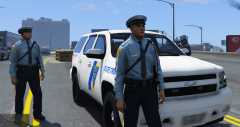
From the album: New Jersey State Police
Los Santos is now part of New Jersey, yes. WIP -
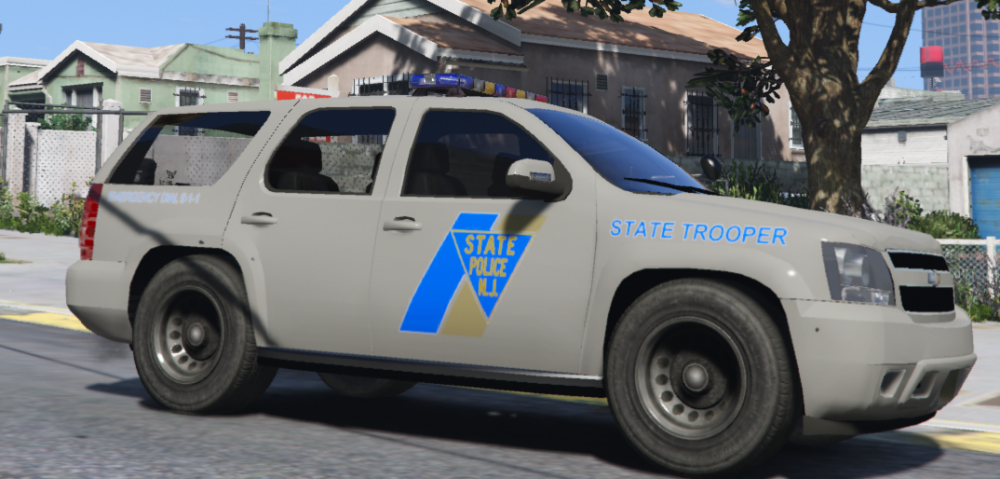
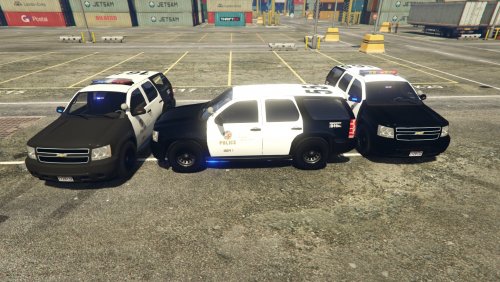 Dirt levels make all versions of this tahoe grey. So if you use a white livery and other police vehicles respond they may appear grey and not white as they should be.
- 118 comments
- 18 reviews
-
Also I'm having issues adding a hat to the sheriff ped. I want him to respond always with a hat on, I added props_head=''1''. Am I doing it right? This is for Custombackup mod
-
.png.e270ad9e4461c405d9b4ff043d0e059a.png) If you want we can make a pack together of NJSP. If you can add the nj instead of SA in the symbol we can do it. Let me know if you want, credit goes to you for these models. I'm gonna start newark after this.
If you want we can make a pack together of NJSP. If you can add the nj instead of SA in the symbol we can do it. Let me know if you want, credit goes to you for these models. I'm gonna start newark after this. -
From the album: New Jersey State Police
Got a nice hat finally, the cop vanilla hat doesn't match the njsp outfit. Still need to modify the colors and all (hat + pants + patches) -
If somebody knows how to solve this problem it will make the New Jersey State Police pack I'm going to release soon much enjoyable. The dirt levels actually make the tahoe grey, I checked vehicles.meta and tweaked some settings relating to dirt to no avail. I didn't put any carvariations.meta for sheriff2. Let me know if you have some tips.
-
 The dirt thing would be nice to add. Also I'm having issues adding a hat to the sheriff ped. I want him to respond always with a hat on, I added props_head=''1''. Am I doing it right?
- 378 comments
- 23 reviews
-
when the vehicles gets dirty it gets a gray color lol. What is the texture I have to change in the ytd file regarding dirt? This is a problem for my livery:
- 118 comments
- 18 reviews
-
 Yea I'm aware but there is no caprice templated model yet so I can't do anything about it.
 -
-
From the album: New Jersey State Police
It's coming, chooooon -
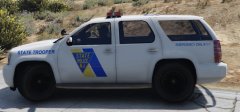
From the album: New Jersey State Police
WIP Mega pack -
-

.png.e270ad9e4461c405d9b4ff043d0e059a.png)



