



Ersteman
Members
-
Joined
-
Last visited
Everything posted by Ersteman
-
 You know.. sometimes you wish you could write more than one review... Thanks for the work!!! mmm. normally that would simply mean you left assets in play.. IE bad guys out.. and / or other LE Officers. Has dispatch been acknowledging you clearing a call? Have you tried to reinstall it and verify your addons if you have them? Its not uncommon to see the red dots or blue ones for a bit.. I ve seen them not clear right away.. but if your talking sticking forever and a day.. and multiple callouts.. well.. need to hear more to make a guess at that. ( at least I do.. hehe.. one of the guys here might have some deeper answer right off )
- 3,646 comments
- 306 reviews
-
 I have loved this one since it came out.. Just went back to LSSD duty today and found all my cases had been neatly handled in my absence.. that court feature is great! Kind of adds to the whole fun package to actually see the bad guys get put away or other things.. like the loss of driving etc. Performance wise I ve not had a single problem worth mentioning.. which translates to I cant think of any that I have had. Keep it up!! Thanks mod makers!
- 1,178 comments
- 137 reviews
-
-

- 1
-
-
From the album: A Family of Law Enforcement
-
From the album: A Family of Law Enforcement
-
From the album: A Family of Law Enforcement
-
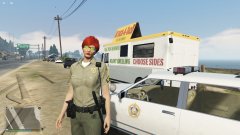 I have no idea.. I didn't even notice that until after I had decided to use it for my avatar photo..
 -
 Love it. Very good responses. Much more realistic in our games scope. Love how the fire dept act as first responders..
- 783 comments
- 86 reviews
-
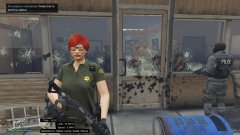
From the album: A Family of Law Enforcement
They had a great idea.. Lets attack the Sheriff station. They are all dead... 'nuff said. -
From the album: A Family of Law Enforcement
It may be a bad choice for lunch... but I am kind of addicted... -
I had some problems with this mod update myself... But I finally fixed it.. I still don't know how or why the problem exist.. but.. it did. First with everything uninstalled I verified a clean new install. Problem persisted. Added skin control back in. Made my character via skin control. Save. load skin character.. then use EUP ( like the old way ) See some issues.. correct via skin control ( none of the issue involved any problem with character hair or skin tho' ) Save in your Skin Menu. Now you have all the EUP looks and options.. just have to fine tune via skin still. Anytime I attempt EUP for anything other than main uniforms or accessories.. same thing happens. I am pretty sure its either simply mod conflict somehow.. or some how some old files are still lingering.... I guess it could be graphic related.. but my money is on somehow someway an old file is hanging out somewhere.
-
 Awsome! Works like a charm.. and the ability to know the speed limit adds to the fun when setting your radar and doing traffic duty. Its also nice to have a clue of the street names.
- 200 comments
- 22 reviews
-
-
- 2
-
-
 Well today I am an F*tard.. Found out my issue with getting the error and the inability to run new EUP. obviously user end... duh. But fixed!!! Love it as always!!!!
- 2,349 comments
- 238 reviews
-
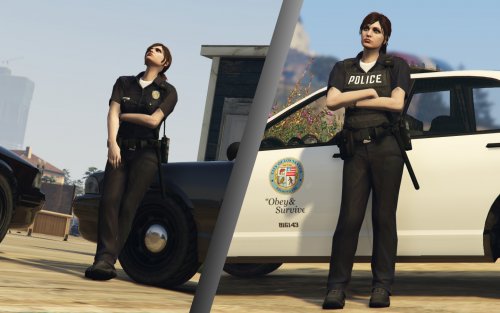 Thanks so much for still having this. Some of us cant use the new EUP.. ( which I still used with this.. with the old.. you were indeed able to mix in things from here ) But were it not for your uniforms I would be stuck with defaults.. Thanks.
- 45 comments
- 8 reviews
-
-
-
I am still experiencing crash and corrupt error after a complete delete after that last patch. Everything worked fine until I put EUP back in, and it is the only O IV one.. Any solutions yet?? :-)
- 2,349 comments
- 238 reviews
-
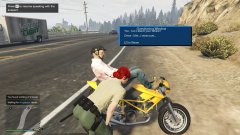 yeah.. I have not used any breathalyzer or drugalyzer on a bike rider on the bike before ( can you believe it?? ) and when I saw that at first glance.. I was like... Wow.. not cool.. lol.. a strange look indeed.
 -
From the album: A Family of Law Enforcement
hahaha -
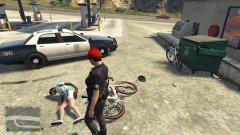
From the album: A Family of Law Enforcement
Literally.. I am drinking a soda waiting on a call.. this guy rides up, and falls over like he got hit. No one touched him.. Medics did save him tho'... Anyone ever seen that??? -
 And again... AMAZING work!!!! Let me give you a hand here.. ( not to step on toes Albo :-) )) All the really detailed mod makers, include in depth read me and often user guides to help you. Its impossible to expect them to answer every basic question that is covered by the guides / instructions. That is why they are there. be familiar with your .ini files for all GTAV LSPDFR mods.. you will find a few that conflict with each other as you add more, and a few conflict with your Trainer at start. ( Example being PGUP is spawn ped / attacking, depending on which trainer you use ) Know how to change the codes or remove them. A detailed list of keys is here: http://help.adobe.com/en_US/AS2LCR/Flash_10.0/help.html?content=00000520.html Make sure you have all the basic needs for modding GTAV.. when it says you need them.. it means it. OPENIV is a must for example. Most of the modders and the peeps here will be happy to help with a real issue. User end from not reading the info does not usually lead to any productive help. If your mods are not loading after you setup your RAGE then in game you can use your console ( F4 Default ) and type LOADPLUGIN <space> see a list of plugins available, choose the one your after ( like a certain call out etc.. ) then ENTER. Not all mods use that plugin format however. You will learn about that on practice. :-) Happy Modding.
- 1,915 comments
- 242 reviews
-
-
- 1
-
-
-
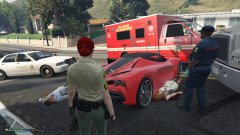
From the album: A Family of Law Enforcement
-
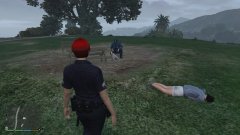
From the album: A Family of Law Enforcement
-
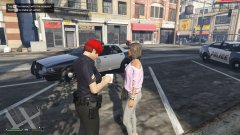
From the album: A Family of Law Enforcement
Ditch the guy. He is an ass. -
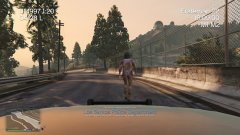 His name shall now be.. Lt. Dangle.

