
Hyfrith
Members
-
Joined
-
Last visited
Everything posted by Hyfrith
-
Ah, I thought it was until I tested it haha. My bad!
-
Here I think:
-
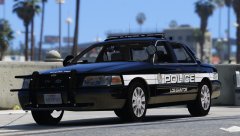 Steady 50fps at max settings!? I have the 970 and an FX-9590 8 core at 4ghz myself and I'd never get steady 50 at max. More like anything between 30 and 50 depending on the area. Tell me your secrets!
 -
I keep checking LSPDFR to see if this is released yet haha. I need to get a new hobby I think ;) Still, good things are worth waiting for... right? :')
-
-
Excitement abounds. Need me some more controlled pursuit AI!
-
 So it's saying that I don't have "Visual C++ Redistributable for Visual Studio 2015 (x64)" installed. But I definitely do as i've since repaired the then current installation of it and then uninstalled and reinstalled it. Yet the program insists I don't have it. Perhaps an issue at your end? Nevertheless, a great program idea especially for people who may struggle to troubleshoot their issues. I'm usually quite ok but I wanted to try it as you never know! LSPDFRTroubleshooterByAlbo125.log
- 379 comments
- 113 reviews
-
Have you downloaded the updated file for the latest Finance and Felony patch from the mod's GTA5-mods.com page? Apart from that it just seems to be an intense addition for the game. Even when I had it running fine it would occasionally for no reason crash the game on startup but then it would work the next time I tried it.
-
-
 Is there a way to transfer the characters I've made and saved with Skin Control into the new EUP character creator?
- 2,346 comments
- 236 reviews
-
 *Dances with glee*
 -
 Can someone who isn't the Mod Author please tell me clearly what this mod actually does? I'm struggling the understand the mod's description because of the author's horrible level of writing skill. So this mod improves AI pullover? How? What does it do better than the current vanilla game? It talks about Code 2 pullover but AI in the game react to "Code 2" lights exactly the same way as they respond to lights + sirens already. To they react earlier now or something? Does stationary traffic that's blocking an intersection now try harder to clear your path? Does traffic on the opposite side of the highway no longer react to you driving on the other side of the central barrier?
- 528 comments
- 42 reviews
-
 The most important factor for me will be whether the EMS driving has now improved? We all know and hate how default LSPDFR Ambulance drivers are stupid and will routinely get stuck or crash into things at high speed. If they drive slower at the scene, and maybe manouvre more carefully. Then this Plugin will have done everything I needed it to do <3 That said, I love the sound of the joint Fire,EMS response. That Lifeguards can respond on the beach. And that they actually do CPR instead of just staring at the body. I think it just needs an Air Ambulance option like in Wilderness Callouts now to finish it off. So you're not waiting ages for an ambulance in the middle of nowhere! (ie, Raton Canyon). Can't wait to try this out.
- 783 comments
- 86 reviews
-
This is so exciting!!
-
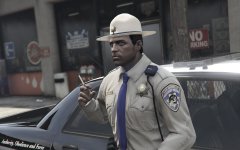 That cop looks more like a Navy Seal haha! Beard and body armour.
 -
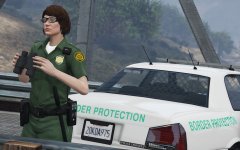 What's the difference between the Patriotism and Immigration Authority and the generic Border Patrol?
 -
Perhaps a callout about a fight on a train or tram and you have to go to the station, wait for the train/tram to pull in, then arrest the suspect.
-
 Can't tell if trolling or legit...
 -
Well that's just it. The British highway code says to pull over as soon as it is safe to let them past. But if the police car stays behind you when you move over instead of passing you than they're probably signalling you to pull in. You'll also find they'll probably be matching speed and be positioned directly behind you if they want you to stop. If they're looking to overtake they'll be closer to the central line checking it's safe for them to pass and they'll probably have come up behind you faster. You'll know they've come up behind you quickly because you're a good driver who checks their mirrors often to see them approaching with their lights on ;)
-
You should always post more information than this, this is frustratingly sparse. Are you using any other mods? What version is your game? What version of RagehookPlugin do you have? Also you should post your question in the Support forum instead of here.
- 2,346 comments
- 236 reviews
-
-

- 1
-
-
 Looks cool. But what is it a uniform for? Another PIA outfit?
 -
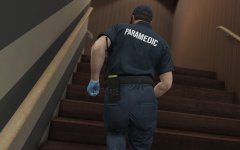 Really excited for the next EUP update and addons! I was driving on the beach as a lifeguard today and wondered if you were going to include Lifeguard and Coastguard in the Fire & Rescue expansion? I love how cohesively the rest of the pack covers the various depts of LS such as the PIA officers and NOOSE Security Enforcement. And then combined with the PIA cars or Coastguard Predator boat in Realism Dispatch Enhanced it just gets taken to the next level.
 -
Couple of questions :) 1. How do I use the Low End Settings gameconfig (I would like my traffic variety back) when I currently need to use that LowRidersDLC gameconfig to prevent a crash when loading into the game? Would it be possible to release an updated Low Settings config? :) 2. Are you going to add any land vehicles for the US Coast Guard in the game, even just a 4x4 with the livery on? Or perhaps a FireDept Granger. Since this mod is cohesively covering most of LS's emergency departments I think these extra vehicles would be fitting. Thanks!
-
Somewhat unnerving to see someone suggesting an "airport bomb threat" scenario mere hours after the real life event. Almost as though they got the idea from it :/
-