


GreenAid
Members
-
Joined
-
Last visited
Everything posted by GreenAid
-
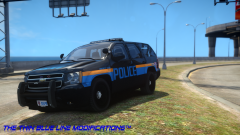 Just my 2 cents but I think the line would look more aggressive if it went upwards to the back instead of straight, following the car's design.
 -
Download Chikamru's Real Traffic & try that.
-
 :'(
:'( -
![[WIP] LCPD Pack V 5.1](//s3-gallery.int-cdn.lcpdfrusercontent.com/gallery/album_722/sml_gallery_3386_722_419886.jpg) Weird that you are putting the dueler wheel texture on every wheel D:
Weird that you are putting the dueler wheel texture on every wheel D: -
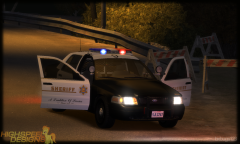 It's a kind of "worn" texture he adds over his finished work to make it look less new & realistic, he's done that since his first releases.
 -
 Yup!
Yup! -
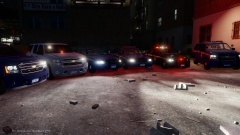
From the album: Random Stuff
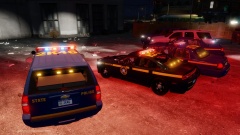
Some pics of how cool the cars look when lit up. Vehicles byCj24 & RidgeRunner. Setups are made to be as close as possible to real. -
From the album: Random Stuff
Some pics of how cool the cars look when lit up. Vehicles byCj24 & RidgeRunner. Setups are made to be as close as possible to real. -
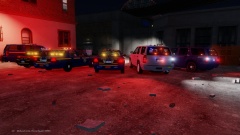
From the album: Random Stuff
Some pics of how cool the cars look when lit up. Vehicles byCj24 & RidgeRunner. Setups are made to be as close as possible to real. -
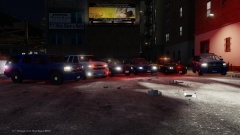
From the album: Random Stuff
Some pics of how cool the cars look when lit up. Vehicles byCj24 & RidgeRunner. Setups are made to be as close as possible to real. -
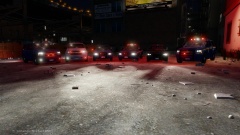
From the album: Random Stuff
Some pics of how cool the cars look when lit up. Vehicles byCj24 & RidgeRunner. Setups are made to be as close as possible to real. -
Tell me how they contradict each other? Second sets how much of the memory the game is supposed to "read", first tells it how much of that memory to use.
-
You didn't correct anything, since Kanyo somehow uses still the old f5544 model which "adapted" Bugs' template to this model...
- 27 comments
- 10 reviews
-
I meant how the are made, plain colour, not the model, they are nice irl. But how others said Bugs only managed to make them good.
- 27 comments
- 10 reviews
-
![[REL] 2012 Tahoe PPV and 2010 Charger FCSO/LCSO](//s3-gallery.int-cdn.lcpdfrusercontent.com/gallery/album_378/sml_gallery_472_378_270913.jpg) Both.
Both. -
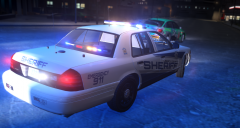 Nice skin design.
 -
-
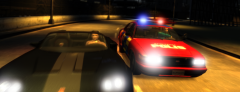 What coronas do you use for lights?
 -
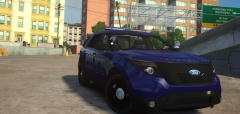 Why is it so big deal?
 -
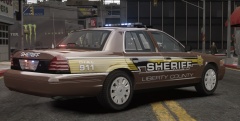 Wow cool design!
 -
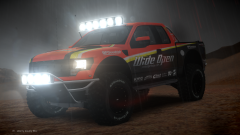 Did you see yourself in the mirror or are you heavily offending that jewel?? :P
 -
Set it to the one you want to use?
-
Probs you have it set to use the wrong config.
-
You can just look on here there are many unlocked (Cj's latest is the most fixed one) but if you really want Bugs' just look for BravoZero's he made some fixes to it & ULed it.
-
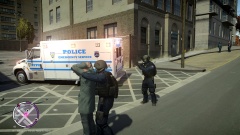 I think he means the truck.

![[WIP] LCPD Pack V 5.1](http://s3-gallery.int-cdn.lcpdfrusercontent.com/gallery/album_722/sml_gallery_3386_722_419886.jpg)

![[REL] 2012 Tahoe PPV and 2010 Charger FCSO/LCSO](http://s3-gallery.int-cdn.lcpdfrusercontent.com/gallery/album_378/sml_gallery_472_378_270913.jpg)
