


GreenAid
Members
-
Joined
-
Last visited
Everything posted by GreenAid
-
They are awesome, but for the Ford Ambulance I don't think you need to remodel it, since Caine's unlocked
-
-
No sorry, I was referring to cp702's post, on how to turn on Express Mode :)
-
I really like the Christmas setup! I would only add 09 Hubcaps & fix the lightbr to transparent colour instead of all blue.
- 11 comments
- 5 reviews
-
I'm on European keyboard so I use 0 as option to turn it on (also Alt is needed) because TKDS & CRSL or how you call them are used by ' & ì, which are in middle of those 2 keys xD
-
I'm being picky because you are trying to emulate a real-life skin you should at least make it identical or almost (& for almost I mean not too much different). Otherwise you could just make it LC & I wouldn't say anything.
- 19 comments
- 6 reviews
-
-

- 1
-
-
Now ionly thing you miss is to make the writing bigger, just look at your photo.
- 19 comments
- 6 reviews
-
-
-
Yes... but you need to make it same.
-
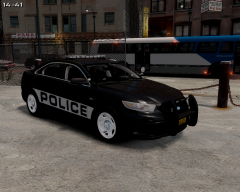 By editing the texture: http://img-fotki.yandex.ru/get/9230/202528450.1/0_ff655_28908ee4_L
 -
Anyway to make your back lights you should to add some of these: http://gtapolicemods.com/downloads.php?do=file&id=2063 It will look better than the basic squares you made there :)
-
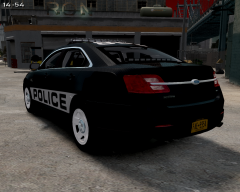
From the album: New Hex Skin
This is 3rd skin I made following my pattern. The model is Ford PI from Cj24 & the rims are edited to white by me because I like them more like this ;D If you have any suggestions for cars I should make leave a comment and I will consider it. Thank you for your appreciation. -
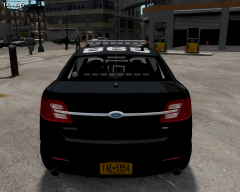
From the album: New Hex Skin
This is 3rd skin I made following my pattern. The model is Ford PI from Cj24 & the rims are edited to white by me because I like them more like this ;D If you have any suggestions for cars I should make leave a comment and I will consider it. Thank you for your appreciation. -
From the album: New Hex Skin
This is 3rd skin I made following my pattern. The model is Ford PI from Cj24 & the rims are edited to white by me because I like them more like this ;D If you have any suggestions for cars I should make leave a comment and I will consider it. Thank you for your appreciation. -
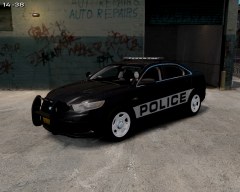
From the album: New Hex Skin
This is 3rd skin I made following my pattern. The model is Ford PI from Cj24 & the rims are edited to white by me because I like them more like this ;D If you have any suggestions for cars I should make leave a comment and I will consider it. Thank you for your appreciation. -
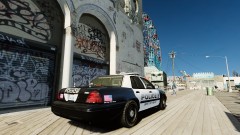 Joke right? XD
 -
-
P.S: I first knew this thanks to this: http://www.lcpdfr.com/page/tutorials/index.action/_/texturing-tips-and-tutorials/texturing-tips-and-tricks-r8 Be sure to check it out!
- 19 comments
- 6 reviews
-
-
- 1
-
-
Ok since you use GIMP great! Then right click on the layer of your written thing, add alpha to selection, the go up in Select & Grow. Now duplicate the layer & paint one the other colour (orange). Then switch the layer to a lower position & merge all. Done! :)
- 19 comments
- 6 reviews
-
-
- 1
-
-
My fave CVPI model til now is the one from NickieB: Or if you like more Steelies: My favourite Charger (2012 only, the older IMO sucks xD) always by NickieB :3 : http://gtapolicemods.com/downloads.php?do=file&id=2204 They have the style of slim light bar I like very much :D
-
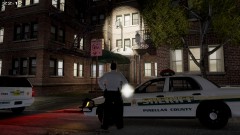 It's SparkIV fuc**ng up models ;) I think that should be a flying rat xD
 -
-
I don't want to, I was just saying that you told me to make better video, so I told you send me the model & I will, but don't lol, it's your work and have fun with it.
-
Maybe you should work a bit more on it.. It doesn't look very good compared to the real one... Font is completely wrong & it doesn't resemble the pics you posted.
- 19 comments
- 6 reviews

