



SuperStumpje
Friends of LSPDFR
-
Joined
Everything posted by SuperStumpje
-
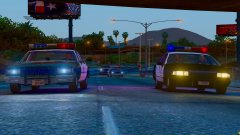 I'm gonna assume that's something Lundy did because he's using the older style exempt plates that have an E in front of the regular numbers and stuff, meaning that gap would be filled. Without the exempt E, it just looks silly though.
 -
ELS should work perfectly fine with RDE, provided you do of course replace the vehicles with ELS models. It also includes a Simple Native Trainer config with all the added vehicles (and peds) already in it, so you won't even have to type them in manually. Which is a good thing, because I believe the current public release version has well over 90 added vehicles (and some more in the current internal build)...
-
It does, it's an official EUP thing designed to let you edit your character to whatever you like.
-
There is a simple test you can do yourself to determine if RDE will be affected by whatever Rockstar does: Check if GTA/Steam downloads an update. If yes, RDE will probably be affected. If no, RDE will be fine. Generally, smaller things like the halloween events aren't a full game update, instead they're included in an earlier, bigger update and are simply left disabled until the official 'release'.Alternatively, there should be a list a few pages back.I made a post a while back explaining the issue, it has a zip file attached with all the configs in it. Please download and use those.They all work with Windows 7, the only difference is how busy the streets will be (regular GTA levels, 3 times as busy, 5 times as busy) 1. No. 1st generation Staniers will be in RDE Retro though. 2. We'll see 3. NoYes, I think we may have forgotten to properly announce that in here. Use the gameconfig linked by Hastings in the post above.For some reason the OpenIV installer doesn't always replace xml files correctly. Please check the actual file itself to make sure it's the one supplied with RDE. The RDE backup.xml can be easily identified by opening the file, and checking if the following line is present: Original file by G17 Media, edited for RDE compatibility by SuperStumpjeSimply launching the game the regular way, rather than through RPH, should in theory be fine as RPH won't get loaded that way. This is no guarantee though, as we still don't know the extent to which Rockstar scans the game folder when going Online.RDE won't work with the latest GTA version, we're still working on a compatibility update, but there's no ETA on that other than Soon™.I am completely useless when it cones to PC specs, so I'll just assume it's GTA being weird then. There's a decent chance that it will randomly fix itself if it is. If it doesn't fix itself, feel free to come on the RDE discord and ask in the support channel, someone better at giving support than me will hopefully help you get it fixed. The discord link is somewhere in the official RDE topic, I don't gave a link right now though as I'm on mobile.Sounds like GTA is having issues loading everything. I'm assuming you have more of a mid-end PC, or the game is just being weird, which is also very much possibleNope. Please see this post for a slightly more in-depth explanation.If you're getting an invalid model error, you did something wrong when installing. If RDE is installed correctly, the trainer should have no issues loading the models.There is a bug with OpenIV that makes it show up with the default skin. It's only got the SAHP one though.There is also a search bar in the top right you can use.Alternatively, you could go find my post somewhere in the RDE topic, which has a zip file with all configs attached.When it's done™Nope, literally every vehicle except for the motorcycles (because they're a pain to edit and will be changed later on) and federal vehicles (NOOSE, FIB, USAF Security Forces) have steady burning lights, as do their real life counterparts because of California specific laws. No, as I told you only the LSPD and LSSD Transporters do, and I just remembered the SAHP Stanier has a rotator lightbar too. @Cop1980 The center pod rotating too, probably means something else went wrong when compiling the final build. We're not quite sure what happened, but it looks like a bunch of older files was used, meaning some fixes from internal testing builds were reverted. UPDATE: I just checked on my game and the steady burn worked fine. I'm not running the release build though, so this'll require some further investigating to see on whose side the issue is.Nope, if I remember correctly the only police vehicles that have rotator lights are the LSPD and LSSD transporters. Everything else gas LED lights.The screenshots, and to some extent even the trailer, contain images and footage from several different people, who all have slightly different settings. Attached to this post you'll find my visualsettings.dat (install into (mods folder\)update\update.rpf\common\data) that has the brightness on emergency lights (and I believe indicator lights because I found those a bit too dark too) turned up quite a bit. You can also grab a visual settings mod of your choice, as far as I know they generally don't conflict with RDE. The SAHP Staniers should have steady burning lights, on the LED bar it's (I think) the 2nd red light from the outside, and the rotator bar has one in the center pod, which doesn't spin but instead is just facing forward like the real ones CHP used to have. The relationships.something file has been edited to some extent to make groups like gangs and cops dislike eachother more, which does cause more shootouts in gang areas, but as far as I know it doesn't change how impatient AI drivers are, or how they drive when panicking. visualsettings.datCtrl+F9, as also displayed in one of the popups appearing on the left after launch.Nope, all options from the installer are in the attached file. You just need to pick whatever version you like, they're laid out reasonably clearly.

