Officer27
Members
-
Joined
Everything posted by Officer27
-
@PimDSLR stevenew95 need's help/creative criticism/parts for his WIP Seagrave Heavy Rescue, maybe you can help him :),
-
Check out this video theres a Rescue box truck at 2:20, very high detailed, you can get the game as a demo for free and have all the vehicles but the sirens are only available on the preorder version but the demo still has togglable lights, http://flipswitchgames.net
-
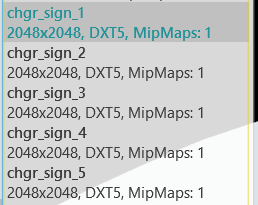
You don't need to convert to textures from .png to .dds you can simply replace or import the .png and also make sure all your skins are set to 1 MipMap level
-
I'm definitely up for an LASD/LAPD, @SkylineGTRFreak, if you plan on making an LAPDLASD version, message me the template and i'll make the skins.
-
 There's no conflict between scripthook and ragepluginhook, so your fine, it won't mess up anything its just adding a few files to your gta v directory, nothing is replaced and plus with scripthook, BVA will always be loaded, so whenever you need the blinkers etc. they'll be there to use unlike ragehook where you have to manually load
- 39 comments
- 7 reviews
-
-
there will be custom configurations right? .ini files
-
............?
-
-
 Maybe because thats a 2009 charger...and anyway every skin has to be made on a template and the template on lundys charger is different.
- 20 comments
- 10 reviews
-
 @Lt.Caine the vapid V450 doesn't work as an add-on, i put it renamed the ambulance files to ambulance3 and also in the carvariations and vehicles.meta in lux_vpack_ems' dlc.rpf and the lighting is kind of messed up and the livery is too is there something im missing? i've also put the carvariations and vehicle.meta for ambulance 3 in the add-ons side.
- 85 comments
- 19 reviews
-
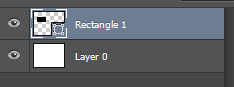
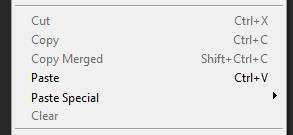
I could just copy/paste and cut ANYTHING before but after i switched to quick mask mode things got messed up, but anyway i don't mind anymore since i usually just use Alt and move the object or drag it above the old one, oh and when i press ctrl+A it opens a Save window asking me where to save. I also can't cut anything, like ctrl+x doesn't work which is annoying because i have to manually keep clicking the delete button which is long.
-
 YAY!
YAY! -
wait you have perms to release right?
-
IK this is unrelated to LSPDFR/LCPDFR but its related to modding since I make skins, anyway I can't for some reason copy, paste or cut, the options are greyed out, like if i make a simple shape in a new document and hold ctrl+c then ctrl+v nothing happens and when i cut a shape (ctrl+x) also nothing happens, I came here since I searched on google for hours and nothing seemed to fix it.
-
IK, its correct but liveries still don't work :(
-
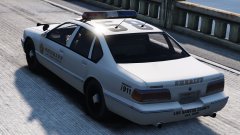 'Needs an MX7000 Lightbar or Vista'
 -
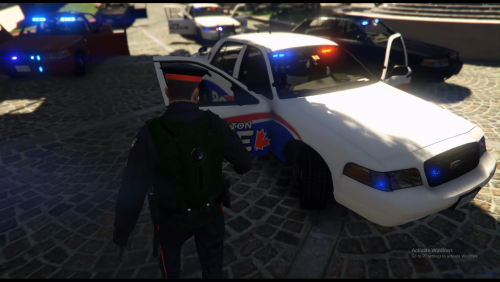 You should add 'livery' after Halton Region
 -
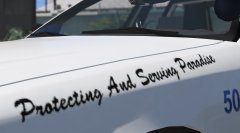 Are you sure its Mipmap 1 or is it Mipmap 11?
 -
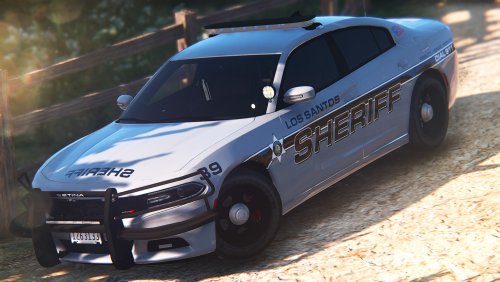 This needs to be a pack this skin looks great! that livery suits the Gray/Silver colour.
- 18 comments
- 11 reviews
-
-

- 1
-
-
The title, but multi-liveries don't work on it, does it work for anyone else? i've added FLAG_HAS_LIVERY into police2's vehicle.meta ^ This one.
-
you could add windows to the side of the van and make it a officer transport van, Lt.Caine made the Default EMS Vehicle Pack and the seats in the Rumpo are pretty high quality and the pack is also unlocked.
-
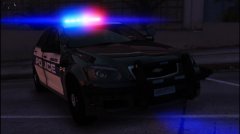 they are probably manufactured in the same production line which is why they look really similar for example the Mercedes Benz Sprinter van and Volkswagen Crafter are made on the same production line and look very similar only a few differences.
 -
-
 lol.yay-yer.mods.are.shit.