




Officer27
Members
-
Joined
Everything posted by Officer27
-
 If you're looking for LASD liveries, you can try my skin pack, it might work but I'm not sure since I don't have GTA5 installed atm.
- 49 comments
- 24 reviews
-
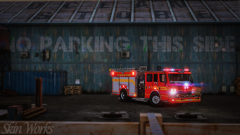 Damn, looking beautiful!
 -
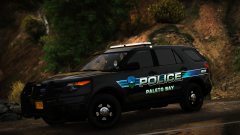 Somehow with the badge it looks a bit generic, but without the badge it seems unique. In my opinion I'd say strip the badge
 -
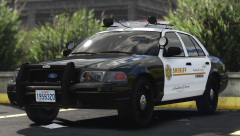 @t0y Damn, your recent work is quite beautiful, however, this particular piece of beauty has caught my attention. I'm not sure if the template for the FH3 CVPI and Cj24 CVPI is the same but you can try out the model with my skins if you want, there's quite a huge range of different liveries available. Keep up with the great work . I've stopped modding now as I've got exams coming up pretty soon, I wouldn't mind if you altered the liveries in the pack to the lore liveries as I'll be making new ones as soon as I finish education (in a couple of years :( ).
 -
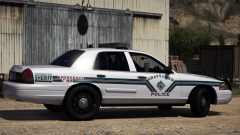 Damn, your liveries are always 10/10. Did you leave everything besides the graphics on the livery transparent and then changed the car's colour to metallic silver/grey to get that colour?
 -
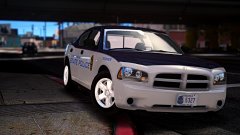 I haven't skinned for a few months either now and I can hardly remember anything.
 -
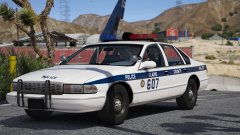 Damn that livery looks really good especially with a beautiful car like that. Anyone can make a car, but to make a good one, you also need a good livery (to those modders who slap on ---- liveries. Don't take it too personally if you disagree people since I'm serious about my liveries, love y'all . Ok well, just kidding, not everyone can make a car, I've got school *whispers*sendhelpandnudes*cough*
 -
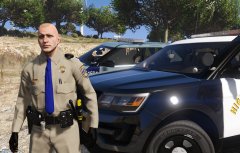 For a second there thought you were talking about those Explorers back there :^)
 -
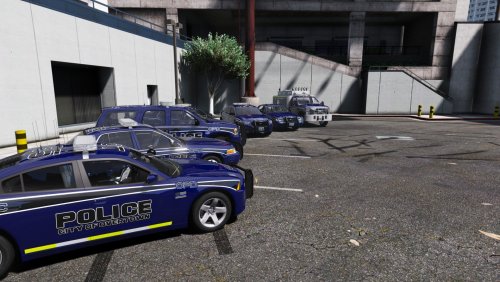 The quality of the skin pack is great considering this is your first skin pack, and opposed to those single file skin uploads this is beyond amazing. It's a pretty rare thing to see someone new in the community produce skins of such high quality. The skins themselves are pretty unique, I personally have not seen any design like it. If these were created using Photoshop, I recommend that you use this method to export skins as true 4k and 2k quality. 1) Make 2 separate folders, one named 2K and the other 4K. 2) Once you've finished working on your livery hold down Alt + Ctrl + I 3) Change width & height to 2048 x 2048/4096 x 4096 respectively. 4) Check that 'Resample' is on and select Bicubic Smoother (enlargement) from the drop down list. I also recommend you export said finished livery in 4k first then resize to 2k and export. Once exported as 2k hold Ctrl + Alt + Z to return the skin to full quality and save.
 -
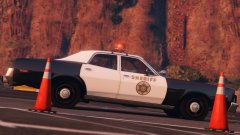 Toy Story 3 anyone?
 -
I've just released my LAPD livery pack for TH's FH3 CVPI, huge thanks to Scuderio for putting up the CVPI for me.
-
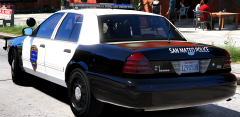 @Epic Gaming As soon as I took a look at this picture, the license plate was quite familiar. It's from the CHP skins I made for TheHurk's CHP pack. It would have been better to have asked me to use it as I am very lenient with lending texture resources when needed, the license plate was provided to me by SpeedySC1978. This is a warning, I'd like you to credit him please.
 -
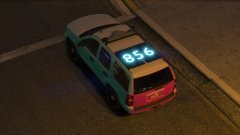 Lol, it won't decrease the speed significantly. Considering a vehicle itself weighs a few tonnes, something as small as this would not contribute to speed loss, the max it might weigh is probably around 20 lbs.
 -
While that may be true, this does look gorgeous in GTA V.
-
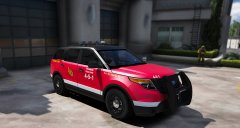 To push the assholes that don't move, and to arrest those who are known for not moving, amiright'.
 -
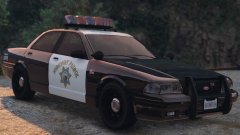 The 2 dome white lights on the left and right of the red dome light in the middle.
 -
Uh, just using Microsoft edge to download, it's my default browser, the real question should be what internet service provider; Virgin Media in fact.
-
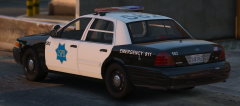 Don't forget the Whelen Edge version too :)
 -
-
Finally someone makes SFPD, It's something that'd fit really nice in gta V because of the California theme.
-
Finished downloading :)))))
-
Annnd I'm the showoff? Still downloading :/
-
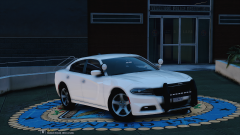
The LASD vics have game plates, Scuderio's LAPD CVPI and Charger have textured plates.
 Right, we've discovered the pig's address, you up for some action mate? Let's go there tomorrow and bash his foking head out!



