




ScrimpyData
Members
-
Joined
-
Last visited
Everything posted by ScrimpyData
-
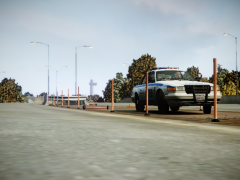
From the album: Scrimps Pics
-
Glad to hear that PoliceHelper is also growing every day :) But a bit more on topic: I'll be patient and wait 'till this awesome skin set is done
-
Any progress? Not that I'm really impatient, but I would love to have these in my game :)
-
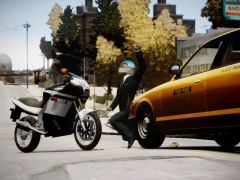 Lol
Lol -
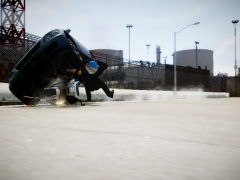 Yup :P Niko survived tough, and he fliipped the car xD
 -
 Lol :P Never played that game tough, mostly played San Andreas on my PS2
 -
I actually don't know, but "hailing the cab" sounds good! :D
-
I'm sorry, but I don't get that reference :S But yeah, glad to see you guys enjoy my pics :D
-
From the album: Scrimps Pics
-
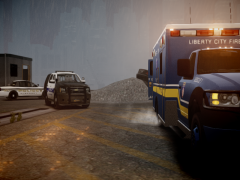
From the album: Scrimps Pics
-
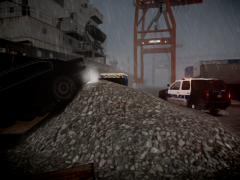
From the album: Scrimps Pics
-
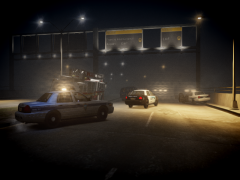 No :P I only used skins made by Code 3 Designs (afaik that are some of the people from Code Zero) and my own replica of one of their designs
 -
From the album: Scrimps Pics
-
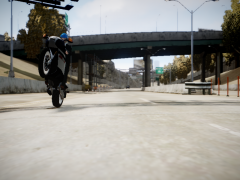
From the album: Scrimps Pics
-
From the album: Scrimps Pics
(but he actually just hit that taxi) -
 They released the CVPI skins on their website: codezero.us :) But I recreated the Tahoe skin myself (I'm impatient, so I wouldn't wait for them to release the Tahoe skins :P )
 -
Thanks!
-
From the album: Scrimps Pics
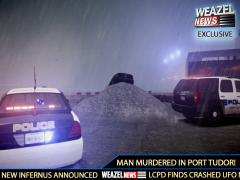
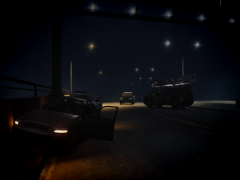
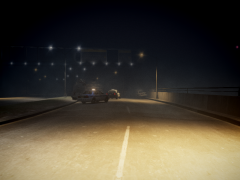
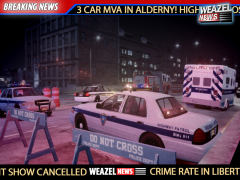
Unit 513 was in a high speed chase with a bank robber when he lost control over the car and hit a concrete pole. The car stopped in the middle of the other side of the road and a passer by could evade the 2009 Chevrolet Tahoe just in time. He called 911 and the first police cruiser (FIA Police) arrived 3 minutes later. He immediatly called for backup and 15 minutes later, 2 other units, one from the Broker - Dukes Police Dept. and one from LC Highway Patrol, arrived and started to close the highway for any traffic. "It was a very foggy and cold night, the cruiser probably slipped over an ice patch and crashed into the pole", stated Officer Joe Williamson. Luckily, the officer, who wants to remain anonymous, could escape the vehicle and was sitting at the side of the highway. "We immediatly called an ambulance, who picked him up five minutes later". The officer had a broken leg and some minor injuries. This was Scrimpy Data, live for Weazel News :D -
From the album: Scrimps Pics
Unit 513 was in a high speed chase with a bank robber when he lost control over the car and hit a concrete pole. The car stopped in the middle of the other side of the road and a passer by could evade the 2009 Chevrolet Tahoe just in time. He called 911 and the first police cruiser (FIA Police) arrived 3 minutes later. He immediatly called for backup and 15 minutes later, 2 other units, one from the Broker - Dukes Police Dept. and one from LC Highway Patrol, arrived and started to close the highway for any traffic. "It was a very foggy and cold night, the cruiser probably slipped over an ice patch and crashed into the pole", stated Officer Joe Williamson. Luckily, the officer, who wants to remain anonymous, could escape the vehicle and was sitting at the side of the highway. "We immediatly called an ambulance, who picked him up five minutes later". The officer had a broken leg and some minor injuries. This was Scrimpy Data, live for Weazel News :D -
From the album: Scrimps Pics
Unit 513 was in a high speed chase with a bank robber when he lost control over the car and hit a concrete pole. The car stopped in the middle of the other side of the road and a passer by could evade the 2009 Chevrolet Tahoe just in time. He called 911 and the first police cruiser (FIA Police) arrived 3 minutes later. He immediatly called for backup and 15 minutes later, 2 other units, one from the Broker - Dukes Police Dept. and one from LC Highway Patrol, arrived and started to close the highway for any traffic. "It was a very foggy and cold night, the cruiser probably slipped over an ice patch and crashed into the pole", stated Officer Joe Williamson. Luckily, the officer, who wants to remain anonymous, could escape the vehicle and was sitting at the side of the highway. "We immediatly called an ambulance, who picked him up five minutes later". The officer had a broken leg and some minor injuries. This was Scrimpy Data, live for Weazel News :D -
YEEEEEEAAAAAAAAHHHHH!!!! :D
-
That's really cheap, but I already have the game, and out of my own experience I can say it is worth buying :) (and I modded mine so I can drive AI cars :P ) @ninja: AFAIK those specs are better than mine and the game runs like a charm on my PC
-
 I will make more soon, with cars parked by officers this time :) Yeah... Very familiar :)
 -
Glad you love it! Expect more very soon...
-
I know :P That's why I said similar, because it's like a European version of it (imo)


