


thegreathah
Friends of LSPDFR
-
Joined
Everything posted by thegreathah
-
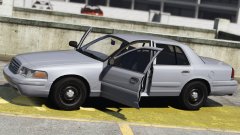 good lord... That looks great.
 -
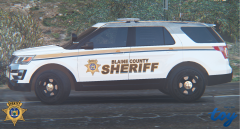 Ooh. I like it!
 -
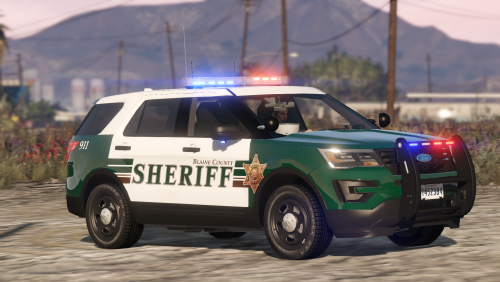 I believe it is a site wide problem as others were having problems with other files.
- 77 comments
- 32 reviews
-
-

- 1
-
-
 @DevinKanMods Ahhh, thanks for letting me know the correct credits! Glad you are enjoying the models.
- 84 comments
- 28 reviews
-
-
- 1
-
-
If you are talking about the 2015 FPIU with the back strobes, I know. It's unfortunately the DEV model at this point. I'm trying to figure out how to fix it still :P Thanks so much for the feed back! I will try to fix that ASAP
- 84 comments
- 28 reviews
-
-
- 1
-
-
Ahh yes. I forgot about window tints! I've had an edited vehicles.met for so long I forgot. Make sure to set it to clear!
- 84 comments
- 28 reviews
-
Could you possibly post a screenshot of what the vehicle looks like in openiv? Thank you!
- 84 comments
- 28 reviews
-
The steady light bar is just how the cruise lights were setup for the cvpi (That can be changed in the vcf), and I'm not sure about the Tahoe, as it seems to be working. Just check in Open IV that it looks correct with all the light textures popping up. If that looks good then it is something with the vcf.
- 84 comments
- 28 reviews
-
I tested them and they do, however for whatever reason, whatever I do, the cols are weird on the sides of the rambar for the tahoe. (Lemme know if one of them doesn't though)
- 84 comments
- 28 reviews
-
-
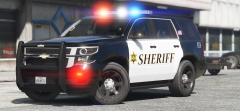
Hi there! I've been wanting to make a pack for a long time, and with ELS now released this is possible! Here are some models based on Snohomish County Sheriff, WA. This pack currently includes a 2011 CVPI, 2013 FPIU, 2015 Tahoe, and a 2016 FPIU. Complete with 4K skins by Slendis These are meant to have accurate lighting set up, please do not review based on your opinions, but based on the quality of the models. I encourage your feedback! READ BEFORE REVIEW/DOWNLOAD There are some bugs as with any models (Keep in mind, most of these will be fixed eventually when I get time.) glass doesn't break A few special thank you's: @Slendis All skins and suggestions @iansonwheels suggestions, misc. textures which vastly increased the quality of the pack @Him1250 Conversions, teachings THIS INCLUDES ELS VCF FILES FOR A REASON. INSTALL THEM! DO NOT LEAVE A REVIEW BASED ON INSTALLATION PROBLEMS. THIS IS AGAINST COMMUNITY GUIDELINES Thanks for downloading! :D
- 84 comments
- 28 reviews
-
-
- 29
-
-
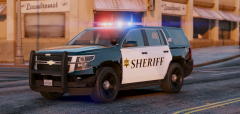
From the album: HAH's WIP Pics
© thegreathah
-
You could double click the oiv and install it the regular way.
-
wowowowowowow
-
I may add them in a second version. I agree, I think it would look good. (I may do Vertex's on the bumper if I can find some good ones.)
-
From the album: HAH's WIP Pics
© thegreathah
-
NOTE: Currently ELS does not fully work in R* editor, video is not indicative of final version.
-
That looks so good!
-
Hey everyone. Some of you are aware, but I'm sure there are others who are not, that I have delved into vehicle modeling. My first pack is a Snohomish County Sheriff Based Pack. This pack will hopefully include: 2016 FPIU (Complete) 2015 Tahoe (90% complete) 2011 CVPI (Complete) 2015 FPIU (50% Complete)
-
 I think it depends somewhat on the model, but from what I've seen in testing out different stuff, it should certainly be possible, if not in the game already.
- 2,661 comments
- 234 reviews
-
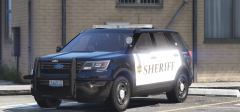 It's BlackJesus's ram bar scaled up.
 -
From the album: HAH's WIP Pics
Spotted at the Paleto Bay Sheriff's Office Substation. Hopefully there will be a release of these tomorrow. -
yass
-
It can have a total of three extras.
-
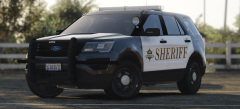 I will if I can get my hands on a good DEV model at somepoint. (Will probably be a seperate release becasue Snohomish doesn't use FPISs.)

